Additional Tests
USING THE DTC LIBRARY (OBD1)
3140d 119
2. Use the UP and DOWN buttons, as necessary, to highlight
Vehicle Information, then press the ENTER
button.
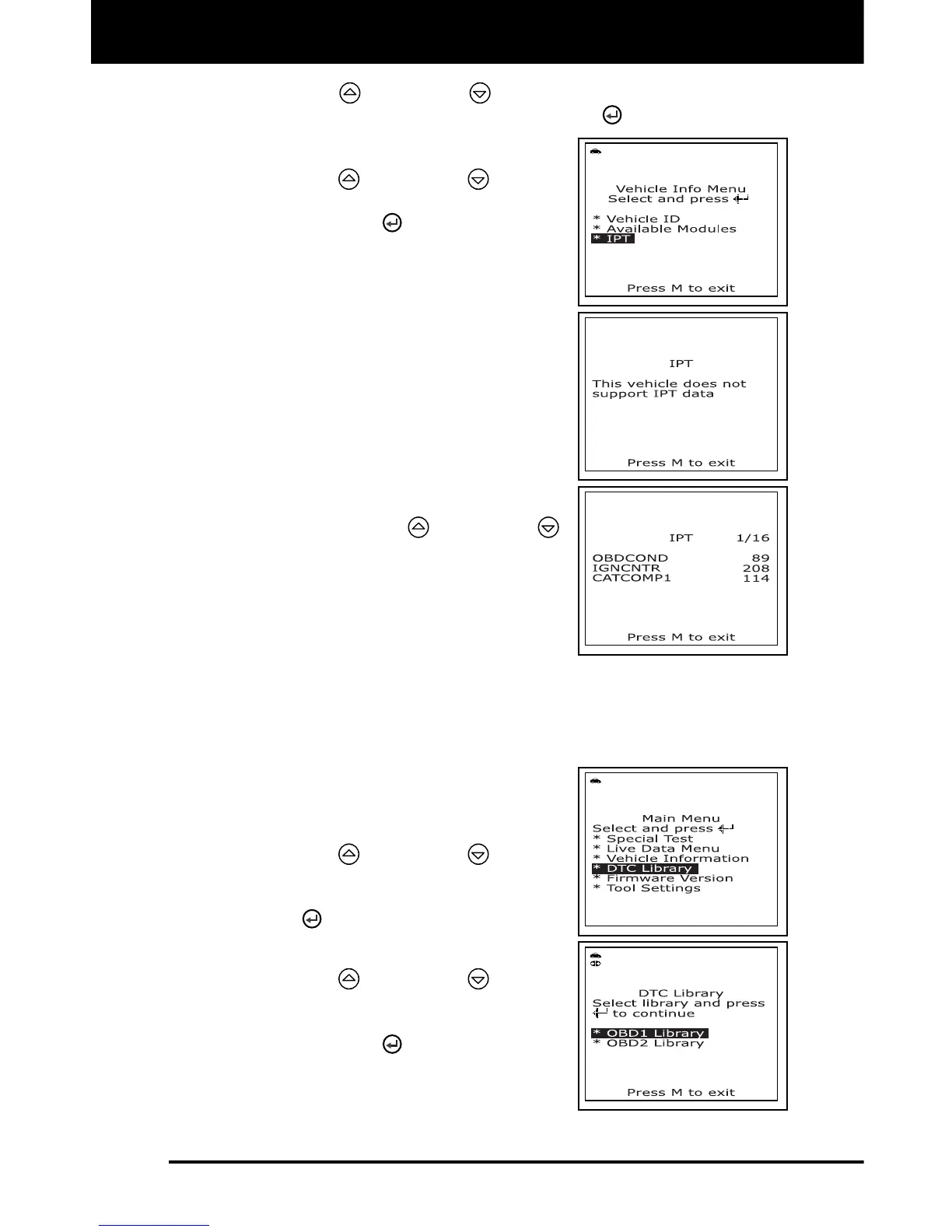
The Vehicle Info Menu displays.
3. Use the UP
and DOWN buttons,
as necessary, to highlight IPT, then
press the ENTER
button.
4. A “One moment please . . .” message
displays while the requested information
is retrieved from the vehicle’s computer.
If In-use Performance Tracking is
not supported by the vehicle under
test, an advisory message shows on
the scan tool’s display. Press the M
button to exit.
5. When the retrieved process is completed,
In-use Performance Tracking statistics
for monitors supported by the vehicle
under test are shown on the scan tool’s
display. Use the UP
and DOWN
buttons, as necessary, to view the entire
list.
6. When you have finished viewing the
statistics, press the M button to exit.
USING THE DTC LIBRARY (OBD1)
You can use the scan tool to locate the definition for a specified OBD1
DTC.
1. With the scan tool in OBD2 mode, press
and release the M button.
The Main Menu displays.
2. Use the UP
and DOWN buttons,
as necessary, to highlight DTC Library
in the Main Menu, then press the
ENTER
button.
The Select Library screen displays.
3. Use the UP
and DOWN buttons,
as necessary, to highlight OBD1
Library in the DTC Library Menu, then
press the ENTER
button.



 To Next Page