Additional Tests
USING THE DTC LIBRARY (OBD1)
120 3140d
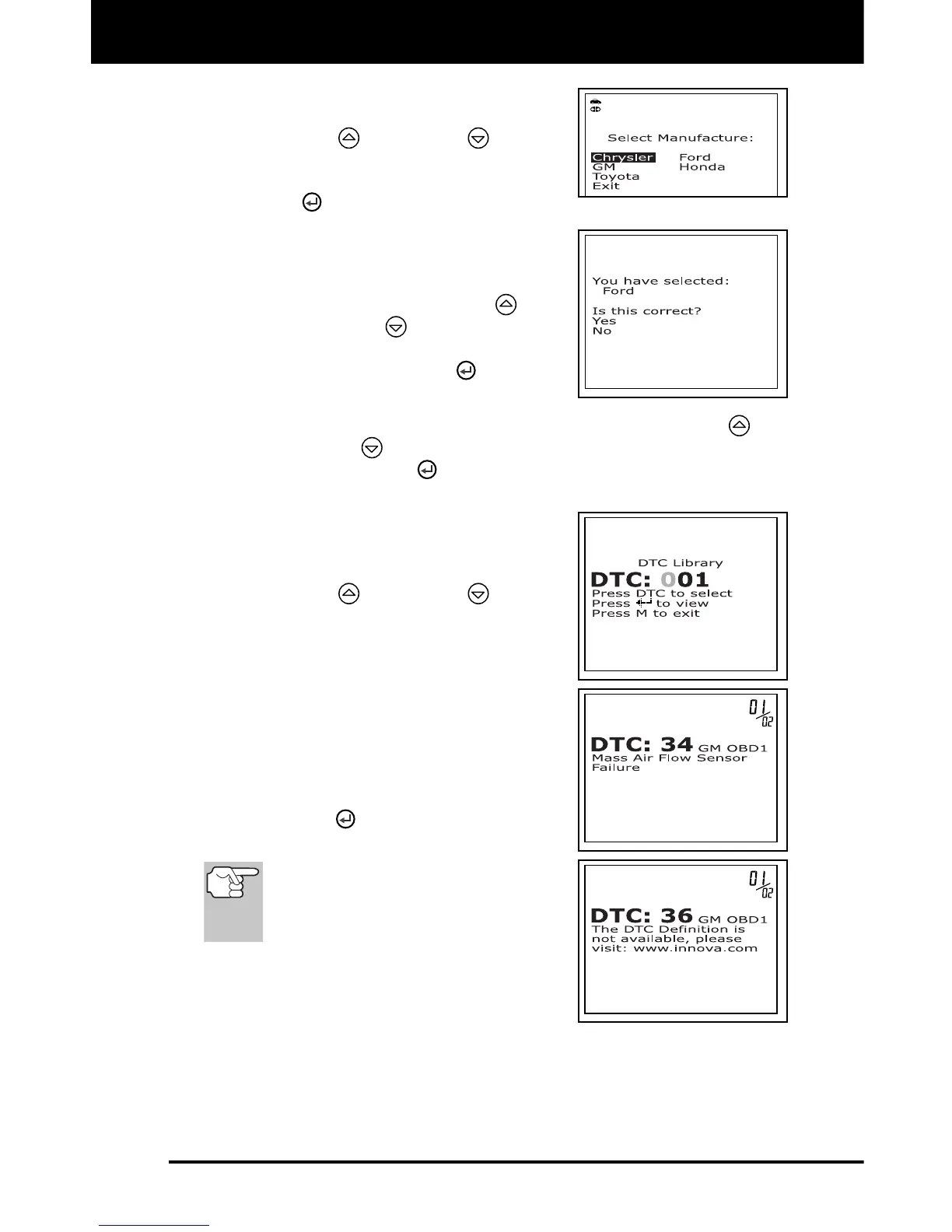
The Select Manufacturer screen
displays.
4. Use the UP
and DOWN buttons,
as necessary, to highlight the desired
vehicle manufacturer, then press the
ENTER
button.
A confirmation message shows on
the LCD display.
- If the correct manufacturer is
shown, use the UP
and
DOWN
buttons, as
necessary, to highlight Yes, then
press the ENTER
button to
continue.
- If the correct manufacturer is not shown, use the UP
and
DOWN
buttons, as necessary, to highlight No, then
press ENTER
button to return to the list of the vehicle
manufacturers.
5. The Enter DTC screen displays. The
screen shows the code "001", with the
first "0" highlighted.
6. Use the UP
and DOWN buttons,
as necessary, to scroll to the first digit of
the DTC, then press the DTC/FF button.
The selected character displays
solid, and the next character is
highlighted.
7. Select the remaining digits in the DTC in
the same way, pressing the DTC/FF
button to confirm each digit. When you
have selected all the DTC digits, press
the ENTER
button to view the DTC
definition.
If a definition for the DTC you
entered is not available, an
advisory message shows on the
scan tool’s display.
8. If you wish to view definitions for additional
DTCs, press the DTC/FF
button to return
to the Enter DTC screen, and repeat steps
5 and 6.
9. When all desired DTCs have been viewed, press the DTC/FF
button
to return to the Enter DTC screen (if necessary), then press the M
button to exit the DTC Library.



 To Next Page