Using the Scan Tool
CODE RETRIEVAL PROCEDURE
34 3140d
If replacing the fuse(s) does not correct the problem, consult your
vehicle’s repair manual to identify the proper computer (PCM)
fuse/circuit, and perform any necessary repairs before proceeding.
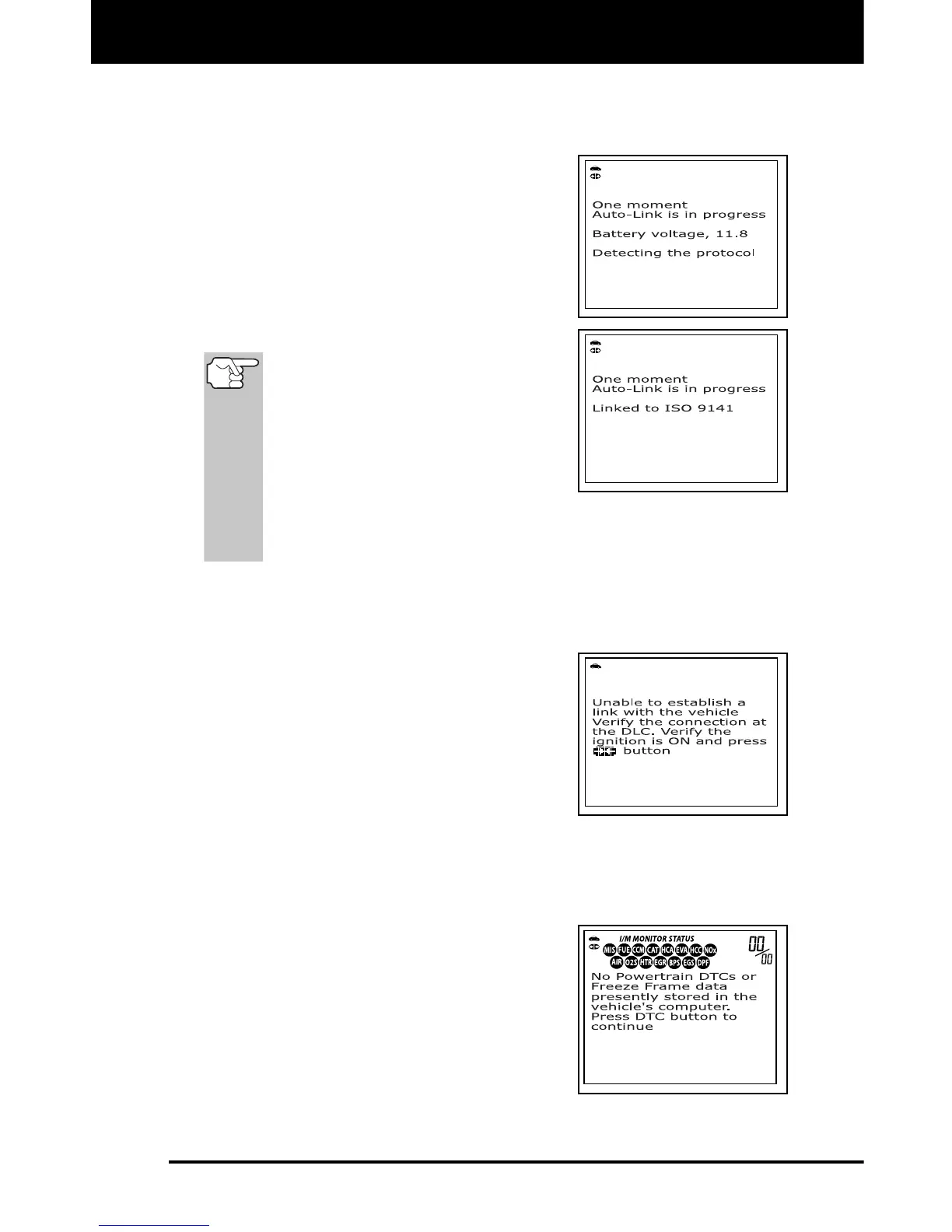
6. The scan tool will automatically start a
check of the vehicle’s computer to
determine which type of communication
protocol it is using. When the scan tool
identifies the computer’s communication
protocol, a communication link is
established. The protocol type used by
the vehicle’s computer is shown on the
display.
A PROTOCOL is a set of rules and
procedures for regulating data
transmission between computers,
and between testing equipment
and computers. As of this writing,
five different types of protocols
(ISO 9141, Keyword 2000, J1850
PWM, J1850 VPW and CAN) are in
use by vehicle manufacturers. The scan tool automatically
identifies the protocol type and establishes a communication link
with the vehicle’s computer.
7. After approximately 10~60 seconds, the scan tool will retrieve and
display any Diagnostic Trouble Codes, Monitor Status and Freeze
Frame Data retrieved from the vehicle’s computer memory.
If the scan tool fails to link to the
vehicle’s computer a “Linking
Failed” message shows on the scan
tool’s display.
- Verify the connection at the DLC,
and verify the ignition is ON.
- Turn the ignition OFF, wait 5
seconds, then turn back ON to
reset the computer.
- Ensure your vehicle is OBD2 compliant. See VEHICLES
COVERED on page 5 for vehicle compliance verification
information.
The scan tool will display a code
only if codes are present in the
vehicle’s computer memory. If no
codes are present, the message “No
Powertrain DTCs or Freeze Frame
Data presently stored in the
vehicle’s computer” displays.
The scan tool is capable of
retrieving and storing up to 32 codes
in memory, for immediate or later viewing.



 To Next Page