Using the Scan Tool
VIEWING OEM ENHANCED DTCs
3140d 45
Whenever the Scroll function is used to view additional codes,
the scan tool’s communication link with the vehicle’s computer
disconnects. To re-establish communication, press the
POWER/LINK
button again.
4. When the last retrieved DTC has been displayed and the DTC/FF
button is pressed, the scan tool returns to the “Priority” Code.
To view additional OEM enhanced DTCs, repeat steps 1 through
4, above.
To exit the enhanced mode, press the M button. The scan tool
returns to the Main Menu.
Honda/Acura OEM Enhanced DTCs
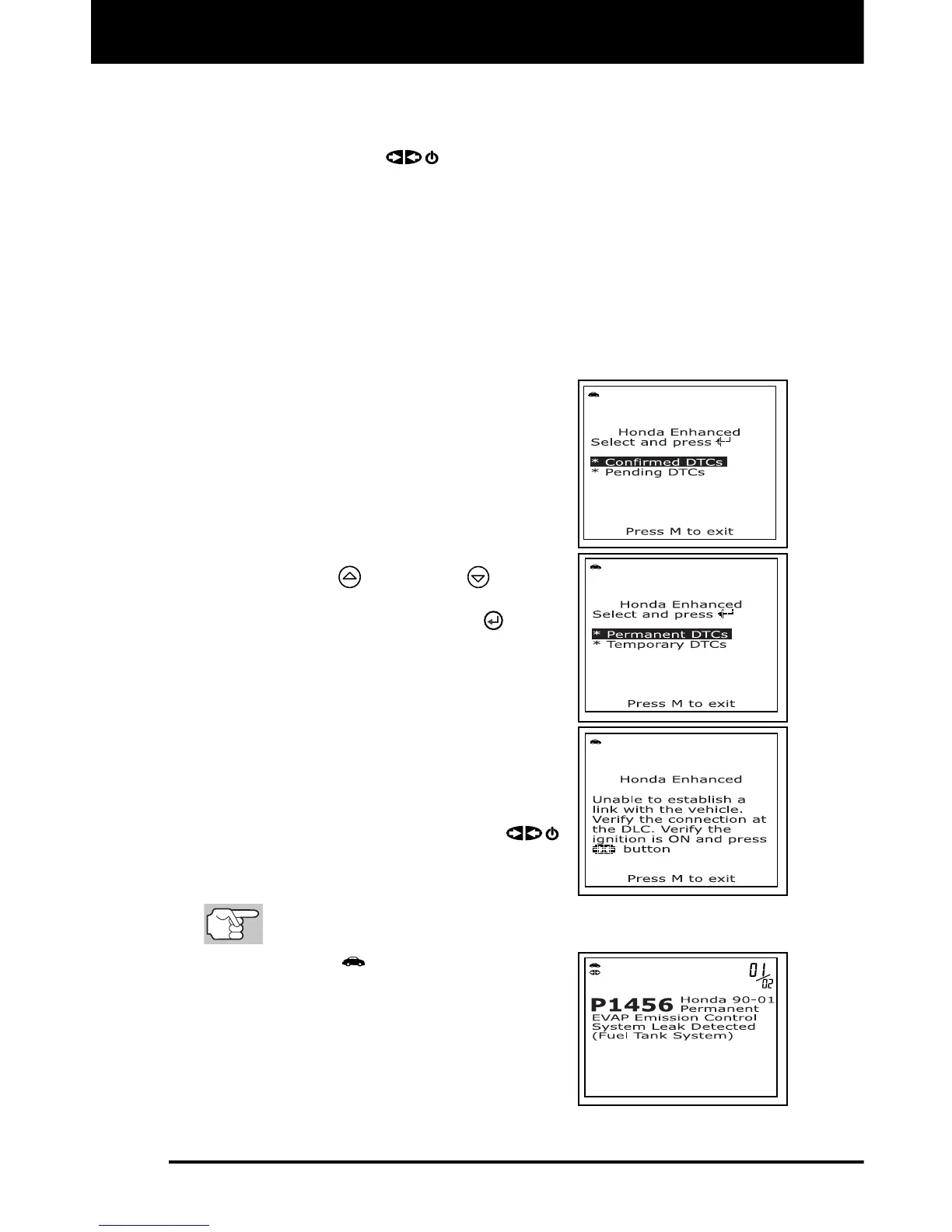
When OEM Enhanced is chosen from the
System Menu (and Honda is selected when
prompted), the Honda Enhanced menu
displays. Depending on the protocol used to
communicate with your vehicle, the Honda
Enhanced menu provides options to view:
Confirmed DTCs or Pending DTCs
Permanent DTCs or Temporary DTCs
1. Use the UP
and DOWN buttons,
as necessary, to highlight the desired
option, then press the ENTER
button.
A “One moment please” message
displays while the scan tool
retrieves the selected DTCs.
If the scan tool fails to link to the
vehicle’s computer, a “Linking
Failed” message shows on the scan
tool’s display.
- Verify the ignition is ON, then
press the POWER/LINK
button to continue.
2. To read the display:
Refer to DISPLAY FUNCTIONS on page 9 for a description of
LCD display elements.
A visible icon indicates that the
scan tool is being powered through
the vehicle’s DLC connector.
The upper right hand corner of the
display shows the number of the
code currently being displayed, the
total number of codes retrieved.



 To Next Page