Chrysler/Jeep OBD1 Systems
CODE RETRIEVAL PROCEDURE
3140d 61
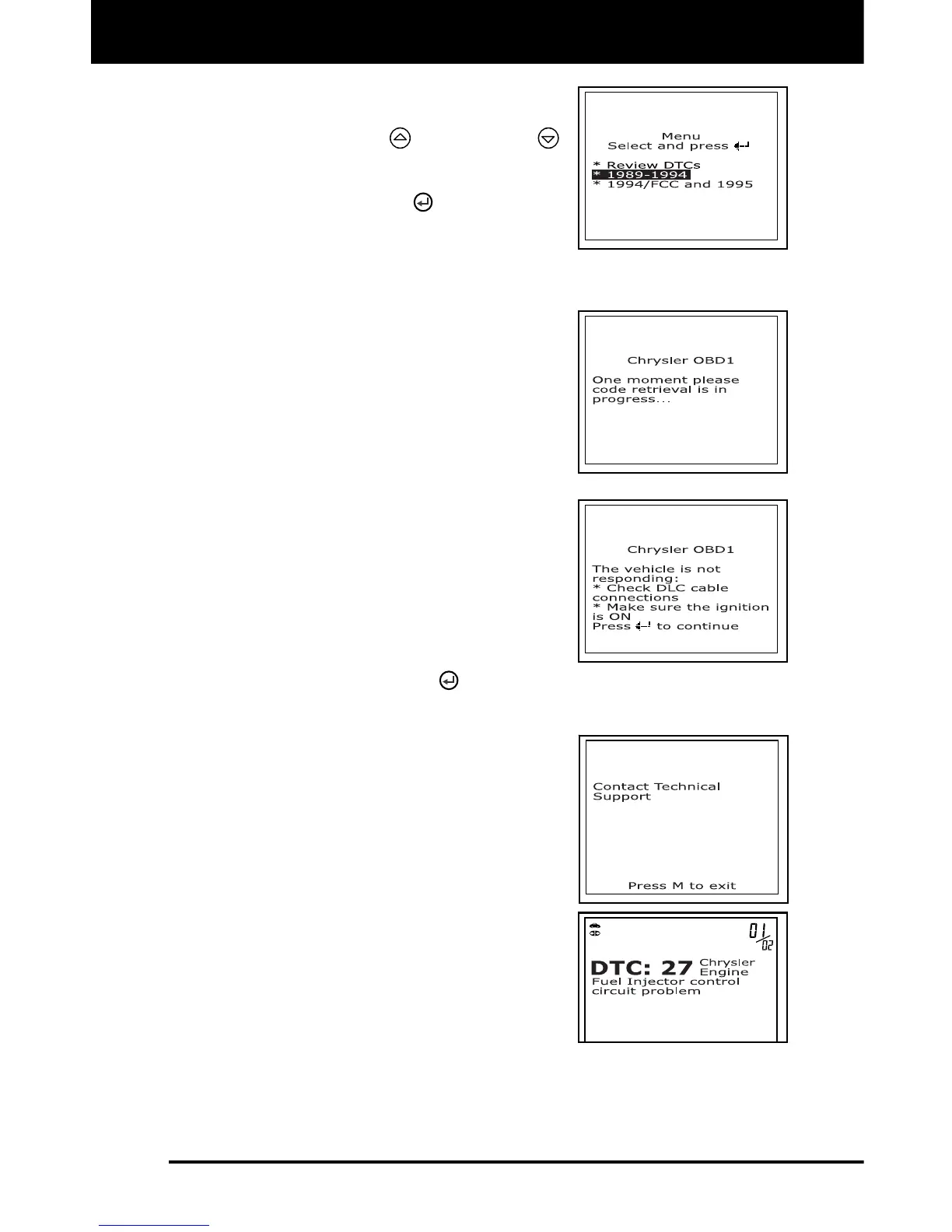
5. To retrieve codes from the vehicle’s
computer:
Use the UP and DOWN
buttons, as necessary, to highlight
the model year of the vehicle, then
press the ENTER
button.
6. Prepare the vehicle to retrieve codes:
For 1989-1994 Chrysler/Jeep vehicles: The scan tool will
automatically begin the code retrieval process. Proceed to step
7 to continue.
7. When the scan tool is in the process of
retrieving codes, a “One Moment
Please...” message shows on the scan
tool’s LCD display.
If the scan tool fails to link to the
vehicle’s computer, a “Vehicle is not
responding” message shows on the
scan tool’s LCD display. Do the
following:
- Verify the ignition is ON.
- Check the cable connections at
the scan tool and at the vehicle’s
DLC.
- Turn the ignition OFF, wait 10-12
seconds, then turn back ON to
reset the computer.
- Press the ENTER
button and repeat steps 4 through 7 as
necessary.
If the scan tool cannot link to the
vehicle’s computer after three
attempts, the message “Contact
Technical Support” displays.
- Press the M button to return to the
Chrysler OBD1 Menu.
- Turn the ignition off, and
disconnect the scan tool.
- Contact Technical Support for
assistance.
8. If the scan tool was able to link to the
vehicle successfully a "Code retrieval
was successful..." message shows
temporarily on the scan tool’s LCD
display followed by any retrieved DTCs.



 To Next Page