Ford OBD1 Systems
CODE RETRIEVAL PROCEDURES - KOER TEST
76 3140d
Key on Engine Running (KOER) Self-Test
IMPORTANT: The KOEO Self-Test (page 70) must be
performed first, and a "pass code" (code 11 or 111) must be
obtained before performing the KOER Self-Test; otherwise,
results of the KOER Self-Test may be invalid.
Ignition timing and timing advance must be operating properly
in order for the KOER Self-Test results to be considered valid.
Perform an Engine Timing check (page 73) before performing
the KOER Self-Test.
Check your vehicle thoroughly before performing any test. See
BEFORE YOU BEGIN on page 31 for details.
ALWAYS observe safety precautions whenever working on a
vehicle. Read and follow Safety Precautions on page 3 before
performing this test.
1. Locate the vehicle's Data Link Connector (DLC). See TEST
CONNECTORS on page 67 for connector location.
Some DLCs have a plastic cover that must be removed before
connecting the scan tool cable connector.
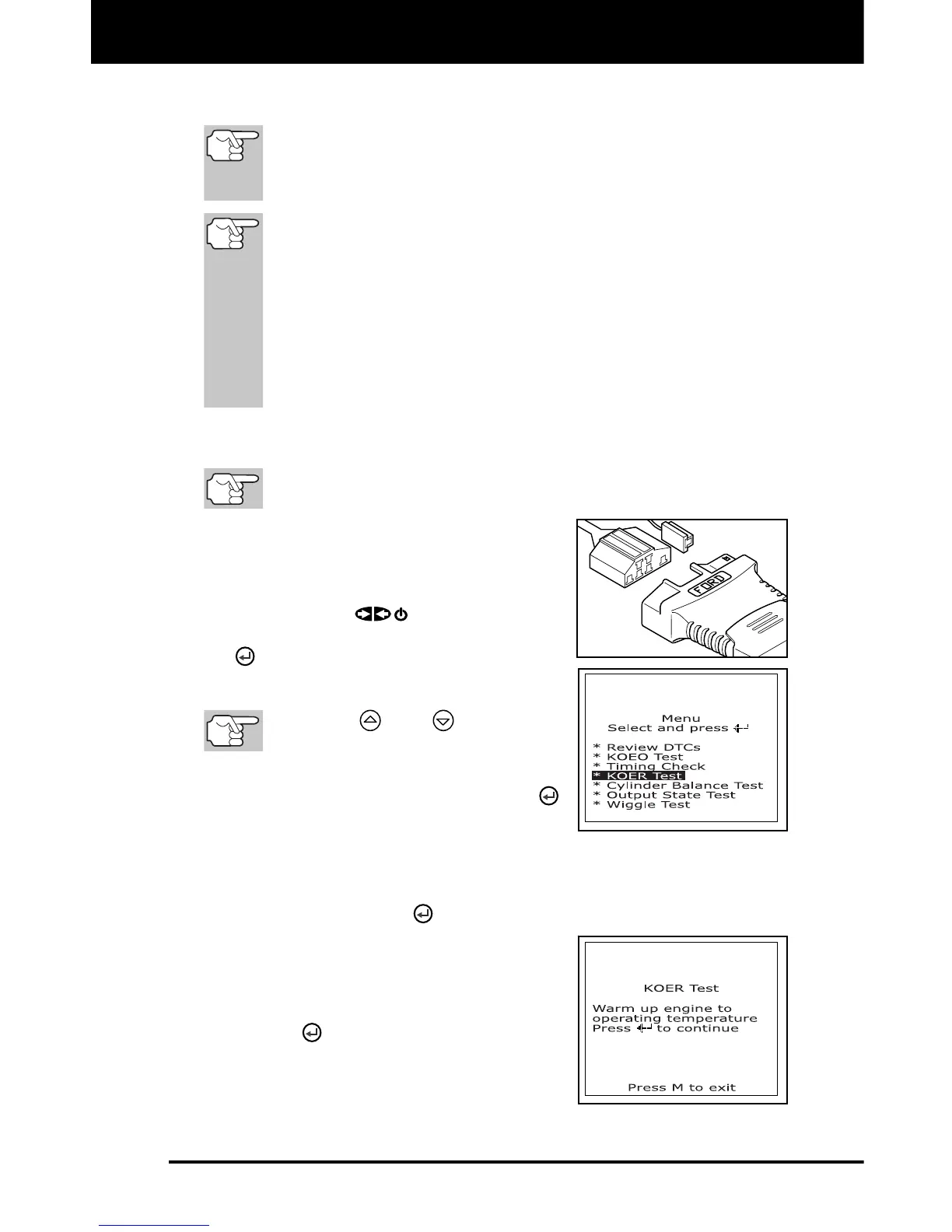
2. Connect the scan tool cable (with the
Ford Connector Cable Adaptor attached)
to the scan tool, then connect the
adaptor to the vehicle's DLC. Press the
POWER/LINK
button to turn the
scan tool ON, then press the ENTER
button to continue.
The Ford OBD1 Menu displays.
Use the
and
buttons, as
necessary, to make menu selections.
3. From the Ford OBD1 Menu, highlight
KOER Test, then press the ENTER
button.
The message “Make sure ignition timing is within factory
specifications” displays. If necessary, press the M button to exit,
and perform an Engine Timing Check (page 73). Otherwise,
press the ENTER
button to continue.
4. The message “Warm up engine to
operating temperature” displays. Start
and warm-up engine to normal
operating temperature. Press the
ENTER
button to continue.



 To Next Page