Ford OBD1 Systems
ADDITIONAL TESTS FOR EEC-IV SYSTEMS - CYLINDER BALANCE TEST
80 3140d
Some DLCs have a plastic cover that must be removed before
connecting the scan tool cable connector.
2. Connect the scan tool cable (with the
Ford Connector Cable Adaptor attached)
to the scan tool, then connect the
adaptor to the vehicle's DLC. Press the
POWER/LINK
button to turn the
scan tool ON, then press the ENTER
button to continue.
The Ford OBD1 Menu displays.
Use the
and
buttons, as
necessary, to make menu selections.
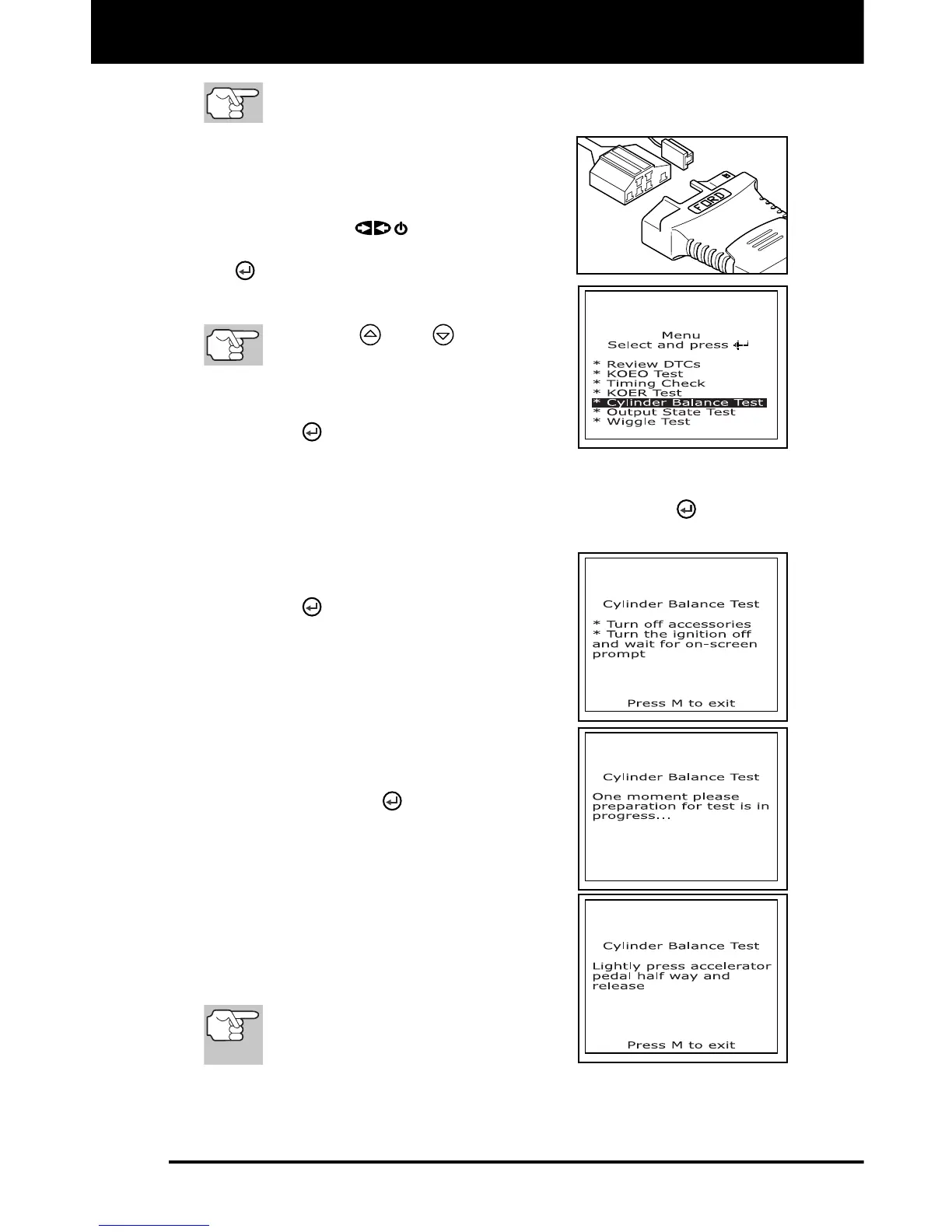
3. From the Ford OBD1 Menu, highlight
Cylinder Balance Test, then press the
ENTER
button.
An advisory message displays. If the vehicle is not equipped
with Sequential Electronic Fuel Injection (SEFI), press the M
button to exit. Otherwise, press the ENTER
button to
continue.
4. Start and warm-up engine to normal
operating temperature. Press the
ENTER
button to continue.
5. When prompted, turn off all vehicle
accessories, turn ignition key OFF and
wait for the on screen prompt. If you
wish to exit the Cylinder Balance test at
this time, press the M button.
6. When instructed by the message on the
scan tool's display, start the engine and
press the ENTER
button.
A "One moment please preparation
for test is in progress..." message
shows temporarily on the scan tool's
LCD display.
7. When prompted by the message on the
scan tool's display, lightly press the
accelerator pedal half way and release
to activate the cylinder balance test.
For 1986 models ONLY: Fully
press accelerator once and
release.



 To Next Page