Ford OBD1 Systems
ADDITIONAL TESTS FOR EEC-IV SYSTEMS - WIGGLE TEST
86 3140d
7. A "One moment please test is in
progress" message shows temporarily
on the scan tool’s LCD display.
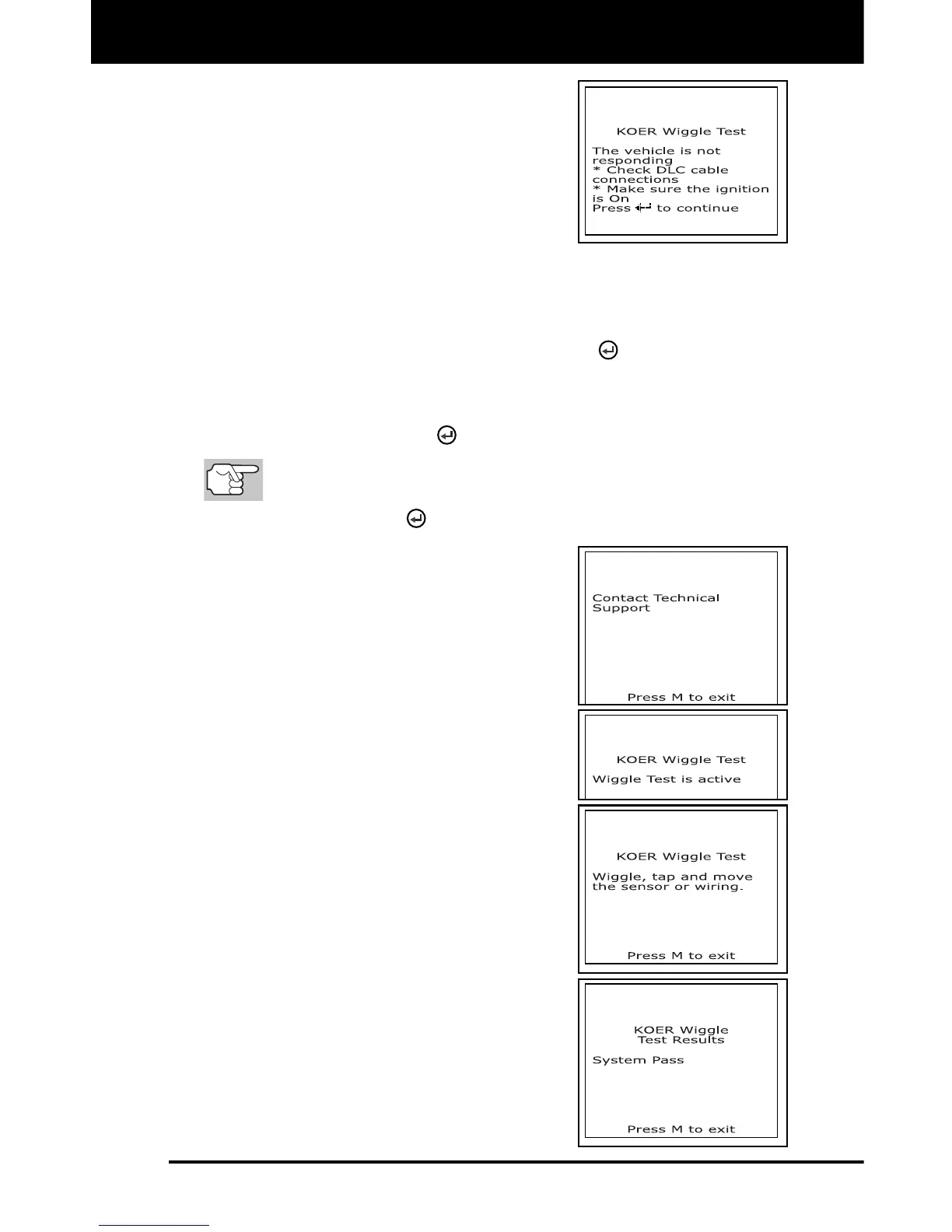
If the scan tool fails to link to the
vehicle's computer, a "Vehicle is not
responding" message shows on the
scan tool's LCD display. Do the
following:
For KOEO Wiggle Test:
- Verify the ignition is ON.
- Turn the ignition OFF, wait 10 seconds, then turn back ON to
reset the computer. Press the ENTER
button to continue.
For KOER Wiggle Test:
- Turn the engine OFF, wait 10 seconds, then turn back ON.
Press the ENTER
button to continue.
BE SURE to perform the added procedures in step 6, if
appropriate for your vehicle, BEFORE turning the ignition ON.
- Press ENTER
button to continue.
If the scan tool cannot link to the
vehicle’s computer after three
attempts, the message “Contact
Technical Support” displays.
- Press the M button to return to
the Ford OBD1 menu.
- Turn the ignition OFF, and dis-
connect the scan tool.
- Contact Technical Support for
assistance.
8. If the scan tool was able to link to the
vehicle successfully, a "Wiggle test is
active..." message shows temporarily on
the scan tool’s LCD display. This is
followed by a message instructing you
how to perform the test.
Press the M button if you wish to
exit the Wiggle Test at this time.
9. Wiggle, tap and move the suspected
sensor or wiring.
If no faults are detected when
performing the Wiggle Test, a
"System Pass" message displays.



 To Next Page