GM OBD1 Systems
ERASING DTCs
3140d 95
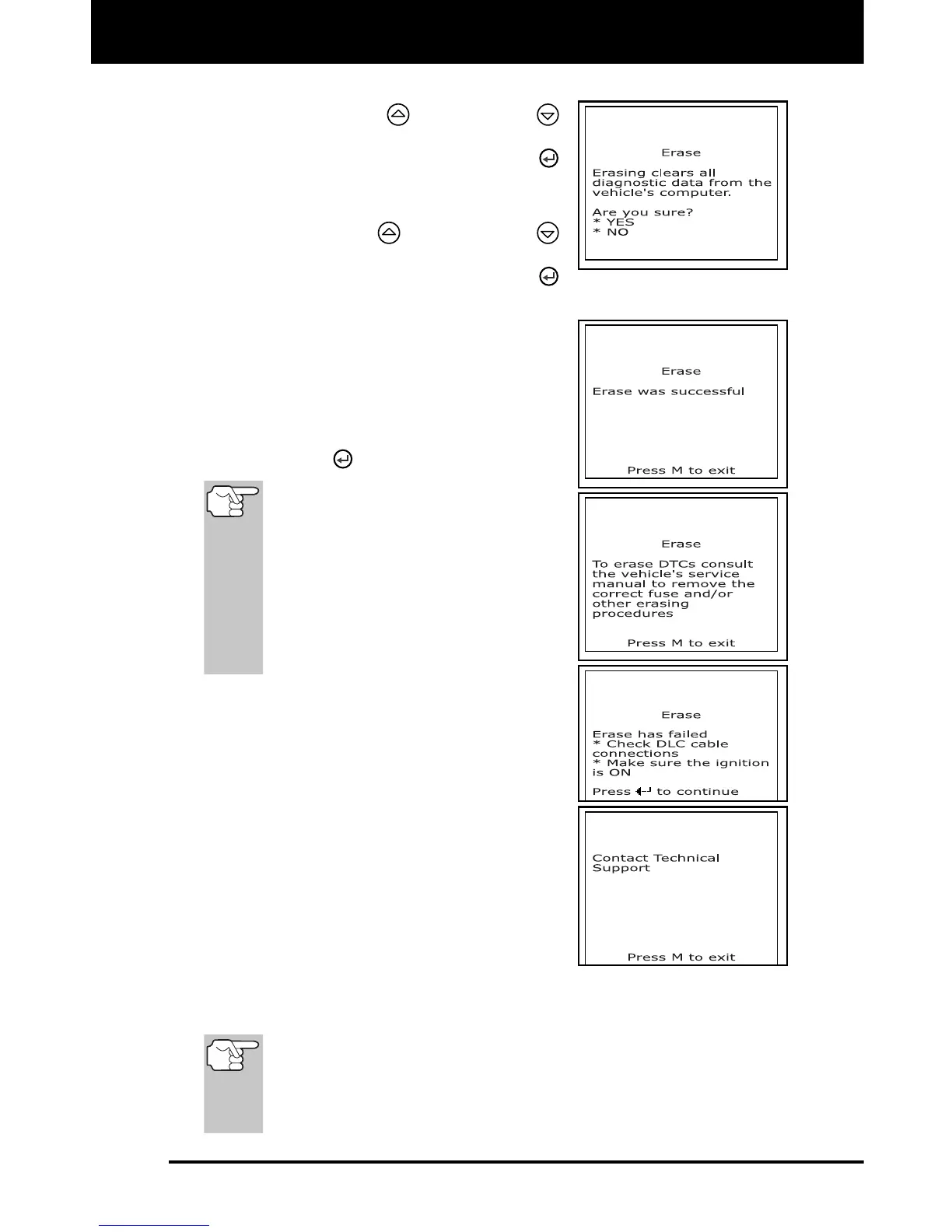
If you are sure you want to proceed,
use the UP
and DOWN
buttons, as necessary, to highlight
YES, then press the ENTER
button to continue.
- If you do not want to proceed, use
the UP
and DOWN
buttons, as necessary, to highlight
NO, then press the ENTER
button to exit the erase function.
4. If you chose to erase DTCs, a status
screen displays while the erase function
is in progress.
If the erase was successful, a
confirmation message shows on the
scan tool’s LCD display. press the
ENTER
button to exit.
Due to the differences in computer
systems, the scan tool can be
used to erase codes for some
vehicles, while others require
codes to be erased manually. If
the “To erase DTC’s consult the
vehicle’s service repair manual...”
screen displays, you must consult
the vehicle’s service repair manual
for procedures to erase DTCs.
If the erase was not successful, an
advisory message shows on the
LCD display. Verify that the scan
tool is properly connected to the
vehicle's DLC and that the ignition is
ON. If the erase process still does
not complete, turn the ignition OFF,
wait 10 seconds, then turn back ON
and repeat steps 2 and 3.
If the erase process fails after three
attempts, the message “Contact
Technical Support” displays.
- Press the M button to return to
the GM OBD1 Menu.
- Turn the ignition off, and disconnect the scan tool.
- Contact Technical Support for assistance.
Erasing DTCs does not fix the problem(s) that caused the
code(s) to be set. If proper repairs to correct the problem that
caused the code(s) to be set are not made, the code(s) will
appear again and the check engine light will illuminate as soon
as the problem that cause the DTC to set manifests itself.



 To Next Page