72
Controlling Other Components
—Continued
Remote Control Codes for Integra/Onkyo
Components Connected via
Integra/Onkyo components that are connected via
are controlled by pointing the remote controller at the
AV receiver, not the component. This allows you to con-
trol components that are out of view, in a rack, for exam-
ple.
If you want to control an Integra/Onkyo component by
pointing the remote controller directly at it, or you want
to control an Integra/Onkyo component that’s not con-
nected via , use the following remote control codes:
•[DVD] Remote Mode button
30627:
Integra/Onkyo DVD player without
(default)
• [CD] Remote Mode button
71817:
Integra/Onkyo CD player without
(default)
• Appropriate Remote Mode button
82990:
Onkyo RI Dock without
Note:
• If you connect an -capable Onkyo MiniDisc
recorder, CD recorder, or RI Dock to the TAPE
IN/OUT jacks, or connect an RI Dock to the
GAME/TV jacks, for to work properly, you must
set the Input Display accordingly (see page 41).
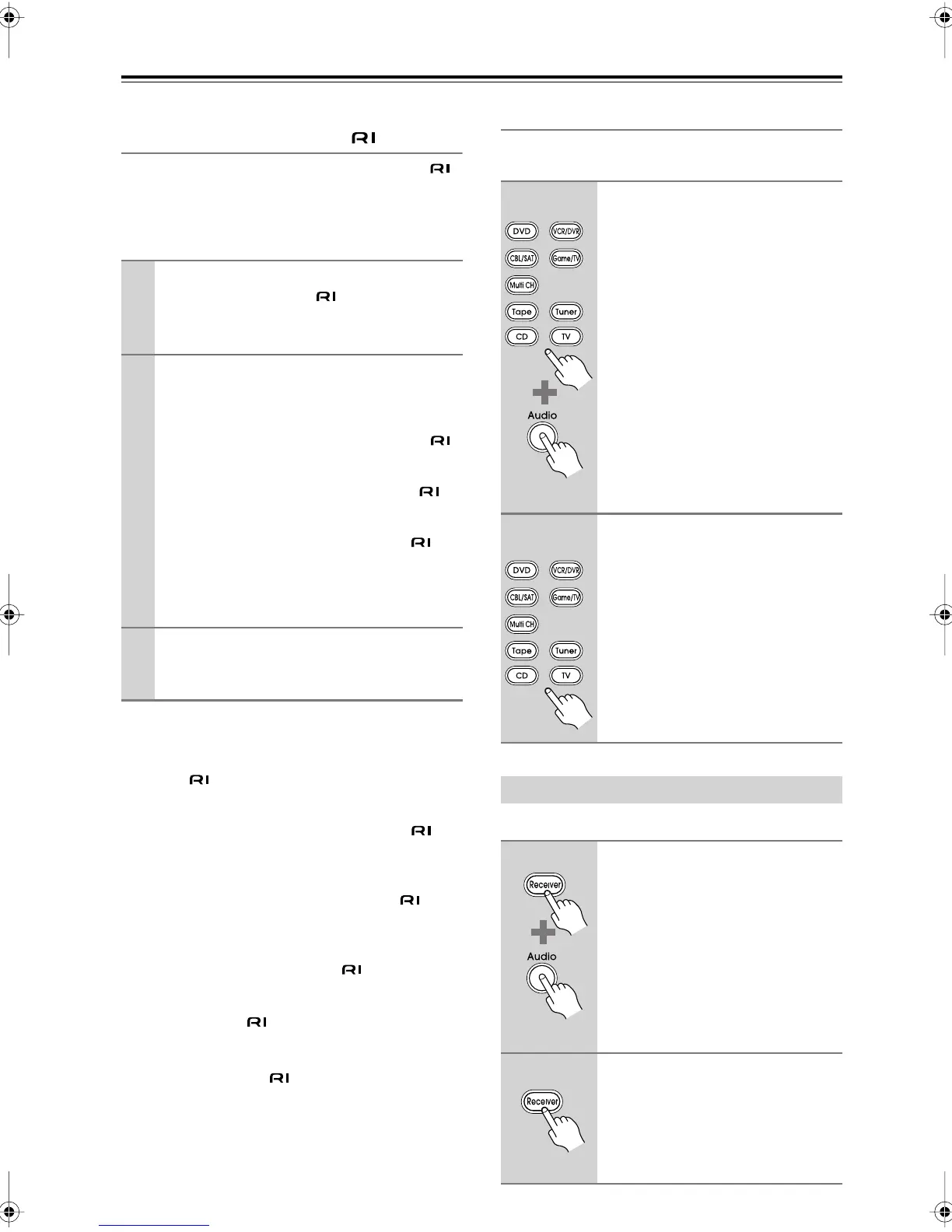
Resetting the Remote Mode Buttons
You can reset a Remote Mode button to its default
remote control code.
You can reset the remote controller to its default settings.
1
Make sure the Integra/Onkyo component
is connected with an cable and an
analog audio cable (RCA).
See page 33 for details.
2
Enter the appropriate remote control code
to the Remote Mode button.
•[DVD] Remote Mode button
31612:
Integra/Onkyo DVD player with
• [CD] Remote Mode button
71327:
Integra/Onkyo CD player with
•[Tape] Remote Mode button
42157:
Onkyo cassette recorder with
(default)
See the previous page for how to enter remote
control codes.
3
Press the Remote Mode button, point the
remote controller at the AV receiver, and
operate the component.
1
While holding down the Remote
Mode button that you want to
reset, press and hold down the
[Audio] button until the Remote
indicator lights up (about 3 sec-
onds).
2
Within 30 seconds, press the
Remote Mode button again.
The Remote indicator flashes twice,
indicating that the button has been
reset.
Each of the Remote Mode buttons is
preprogrammed with a remote control
code. When a button is reset, its prepro-
grammed code is restored.
Resetting the Remote Controller
1
While holding down the
[Receiver] Remote Mode button,
press and hold down the [Audio]
button until the Remote indicator
lights up (about 3 seconds).
2
Within 30 seconds, press the
[Receiver] Remote Mode button
again.
The Remote indicator flashes twice,
indicating that the remote controller
has been reset.
(3 seconds)
(3 seconds)
DTR-4.9En.book Page 72 Tuesday, April 15, 2008 5:13 PM



 To Next Page