2
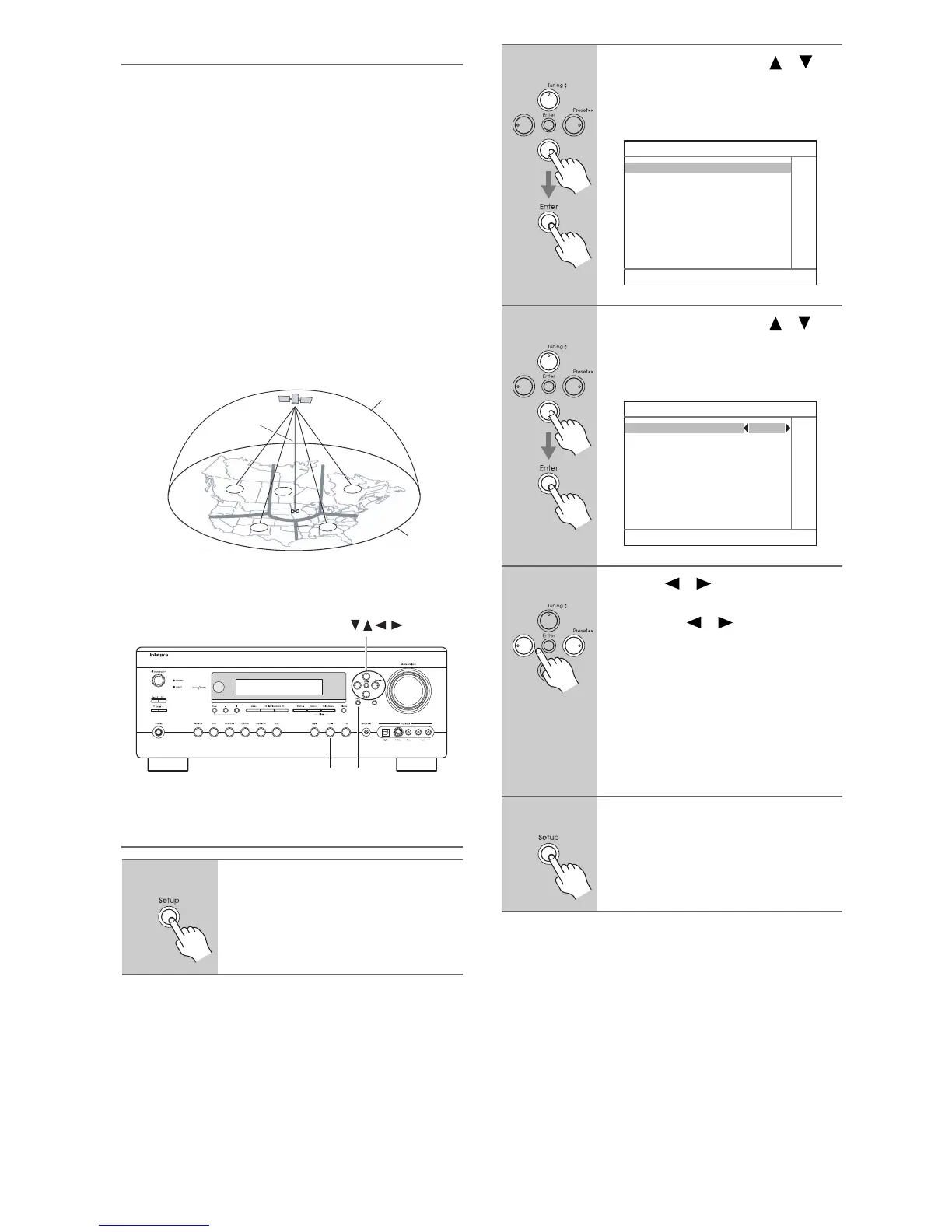
Positioning the Antenna
For a consistent satellite signal, the antenna must be
positioned correctly. Use the following map to determine
which area you are in and position the antenna accord-
ingly.
Area 1: Point the antenna toward the sky in the east,
northeast, or southeast, either through a window or out-
side.
Area 2: Point the antenna toward the sky in the north or
northeast, either through a window or outside.
Area 3: Point the antenna toward the sky in the north or
northwest, either through a window or outside.
Area 4: Point the antenna toward the sky in the west,
northwest, or southwest, either through a window or
outside.
Area 5: Put the antenna outside and point it straight up.
The antenna cannot be used indoors.
Setting the Satellite Radio Mode
1
On the AV receiver, press the
[Setup] button.
The main menu appears onscreen.
1
2
3
4
5
HORIZON
SKY
SOUTH
WEST EAST
NORTH
Tuner Setup
/ Enter
2
Use the Up and Down [ ]/[ ]
buttons to select “7. Hardware
Setup,” and then press [Enter].
The Hardware Setup menu appears.
3
Use the Up and Down [ ]/[ ]
buttons to select “3. Tuner,” and
then press [Enter].
The Tuner menu appears.
4
Use the [ ]/[ ] buttons to select
“SIRIUS.”
Pressing the [ ]/[ ] buttons cycles
through the following SAT options:
None o XM o SIRIUS.
None: Select if you’re not using
satellite radio.
XM: Select to use XM satellite
radio.
SIRIUS: Select to use SIRIUS Satel-
lite Radio.
5
Press the [Setup] button.
The setup menu closes.
7. Hardware Setup
1. Remote Control
2. Zone2
3. Tuner
4. Analog Multich
5. HDMI
7–3. Tuner
Satellite Radio None



 To Next Page