52
First Time Setup—Continued
Note:
This procedure can also be performed on the AV receiver
by using its [Setup] button, arrow buttons, and [Enter]
button.
You must specify the TV system used in your area.
Note:
This procedure can also be performed on the AV receiver
by using its [Setup] button, arrow buttons, and [Enter]
button.
4
Use the Up and Down [ ]/[ ]
buttons to select “Speaker
Impedance,” and then use the
Left and Right [ ]/[ ] buttons to
select:
4 ohms: Select if the impedance of any
speaker is 4 ohms or more but
less than 6.
6 ohms: Select if the impedances of all
speakers are between 6 and
16 ohms.
If the Speakers Type setting in step 5 is
set to Bi-Amp, this setting can not be
selected.
5
Use the Up and Down [ ]/[ ]
buttons to select “Speakers
Type,” and then use the Left and
Right [ ]/[ ] buttons to select:
Normal: Select this if you’ve con-
nected your front speakers
normally.
Bi-Amp:Select this if you’ve con-
nected your front speakers for
bi-amped operation.
6
Press the [Setup] button.
The Setup menu closes.
TV Format Setup
(not North American model)
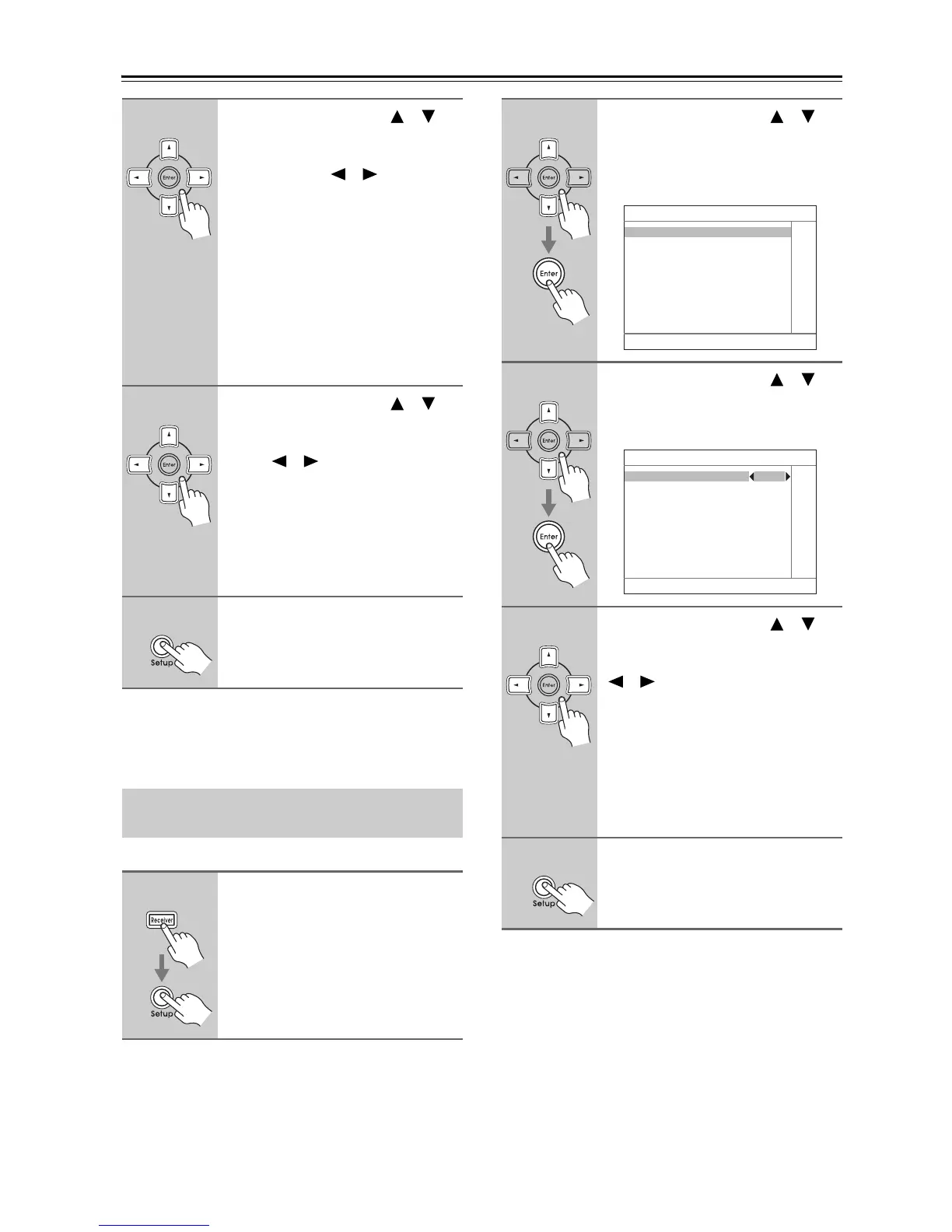
1
Press the [Receiver] button fol-
lowed by the [Setup] button.
The main menu appears onscreen.
2
Use the Up and Down [ ]/[ ]
buttons to select
“6. Miscellaneous,” and then
press [Enter].
The Miscellaneous menu appears.
3
Use the Up and Down [ ]/[ ]
buttons to select “2. OSD Setup,”
and then press [Enter].
The OSD Setup menu appears.
4
Use the Up and Down [ ]/[ ]
buttons to select “TV Format,”
and then use the Left and Right
[ ]/[ ] buttons to select:
Auto: Select this to automatically
detect the TV system from
the video input signals.
NTSC: Select if the TV system in
your area is NTSC.
PAL: Select if the TV system in
your area is PAL.
5
When you’ve finished, press the
[Setup] button.
The setup menu closes.
6. Miscellaneous
1. Volume Setup
2. OSD Setup
3. 12V Trigger A Setup
4. 12V Trigger B Setup
5. 12V Trigger C Setup
6–2. OSD Setup
Immediate Display On
Monitor Type 4 : 3
Display Position Bottom
TV Format Auto



 To Next Page