59
Using the Listening Modes
See “About the Listening Modes” on page 64 for
detailed information about the listening modes.
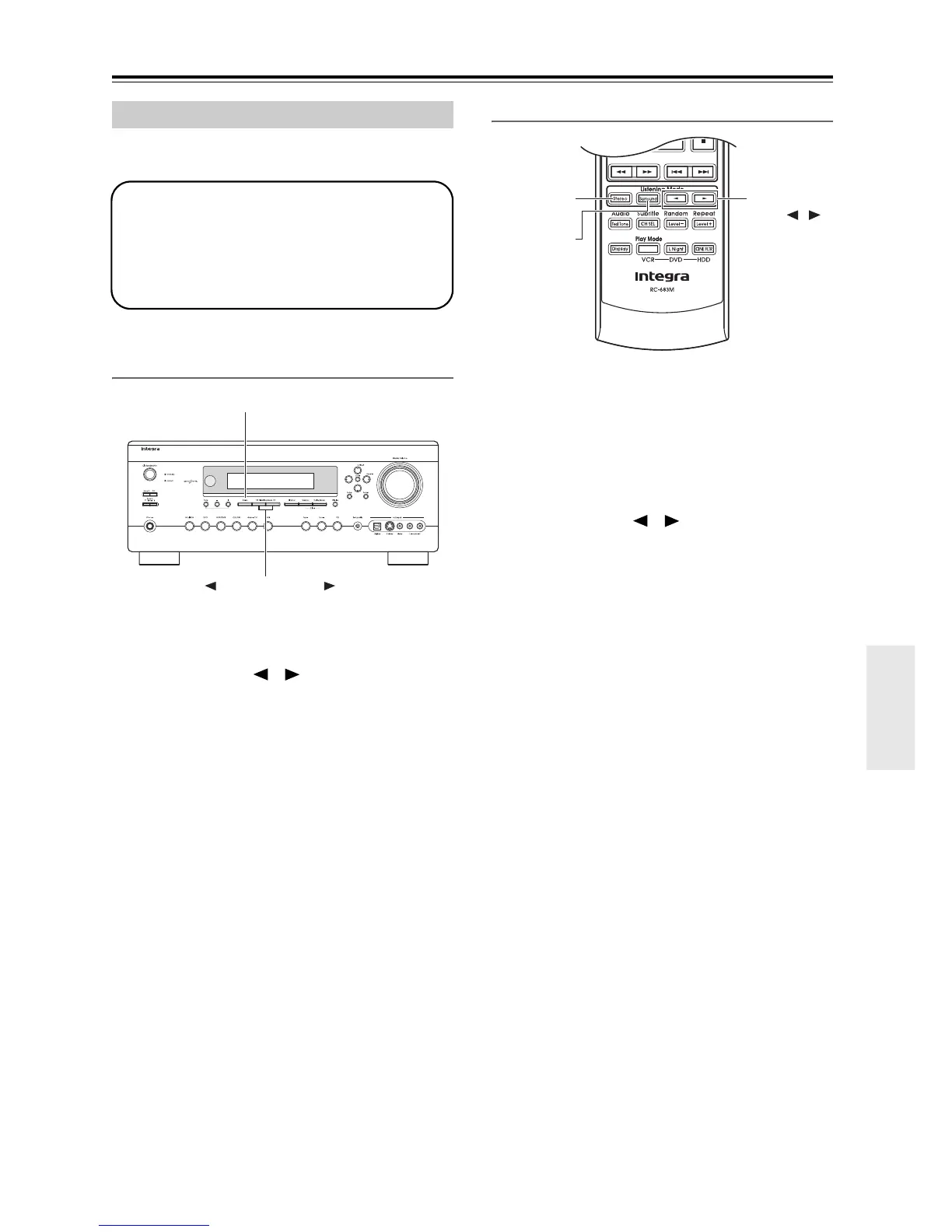
Selecting on the AV receiver
■ [Stereo] button
This button selects the Stereo listening mode.
■ Listening Mode [ ]/[ ] buttons
Pressing these buttons repeatedly cycles through all
of the listening modes that can be used with the cur-
rent input source.
Selecting with the Remote Controller
■ [Surround] button
This button selects the Dolby Digital and DTS listen-
ing modes and the Neural Surround
*
listening mode
(*North American models only).
■ [Stereo] button
This button selects the Stereo listening mode.
■ Listening Mode [ ]/[ ] buttons
Pressing these buttons repeatedly cycles through all
of the listening modes that can be used with the cur-
rent input source.
Selecting Listening Modes
• The Dolby Digital and DTS listening modes
can only be selected if your DVD player is
connected to the AV receiver with a digital
audio connection (coaxial or optical).
• Listening mode availability depends on the
format of the current input signal.
Stereo
Listening Mode
Surround
Stereo
/
Listening
Mode



 To Next Page