4
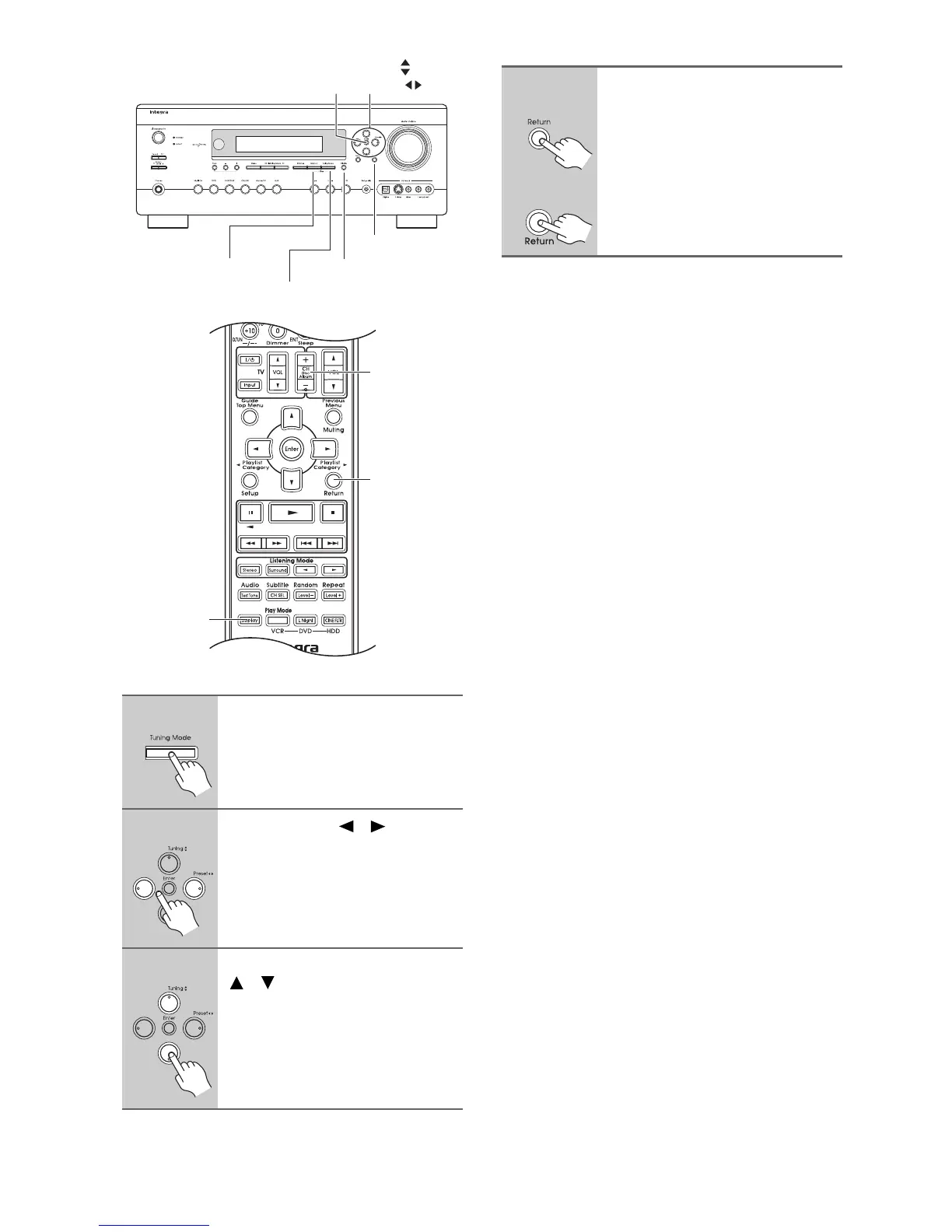
Selecting XM Channels from the Front Panel:
Selecting the Previous Channel:
1
Press the [Tuning Mode] button
to select “Channel Search” or
“Category Search” mode.
2
Use the Preset [ ]/[ ] buttons
repeatedly to select a category.
3
Use the Tuning Up and Down
[ ]/[ ] buttons to select a chan-
nel.
In Channel Search mode, you can
select any channel.
In Category Search mode, you can only
select channels from the currently
selected category.
Return
Tuning Mode
Memory
Display
Tunig /
Preset
Enter
Return
CH + / –
Display
1
AV receiver
Remote
controller
To listen to the previously
selected XM channel, press the
[Return] button.



 To Next Page