43
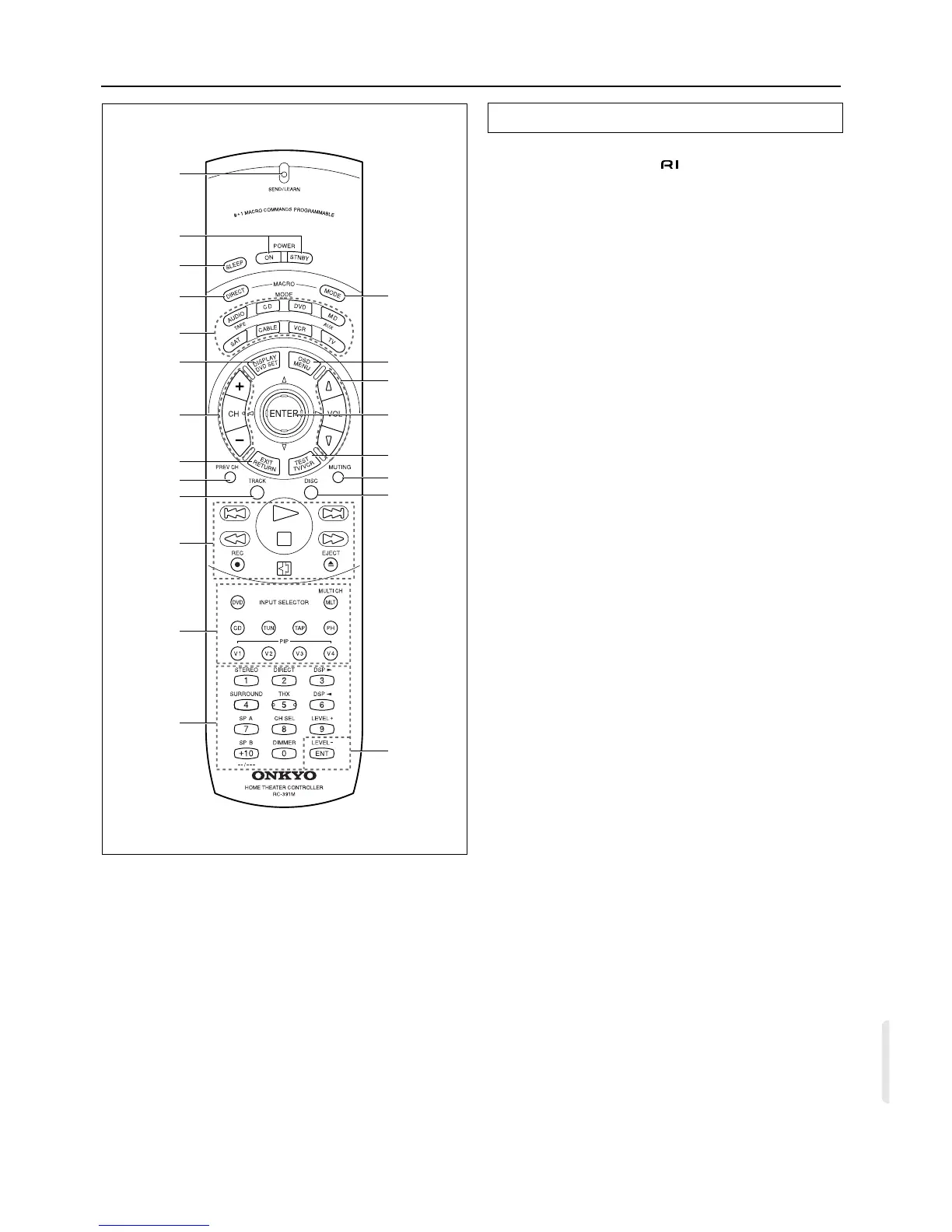
Control positions and names
Using the remote controller, you can control a CD player or cas-
sette tape deck connected to the connector of the DTR-5. (See
page 9 for more information.)
1. SEND/LEARN indicator [31]
2. POWER ON/STNBY button [31]
Power on/Standby on
3. SLEEP button [20]
Sleep function button
4. MACRO DIRECT button [37]
Macro Direct function
5. MODE buttons [31~39]
6. DISPLAY/DVD SET button [32]
7. CH +/– buttons [31]
8. EXIT/RETURN button [32]
9. PREV CH button [This button is not used for the
DTR-5.]
10. TRACK button [32]
11. CD/TAPE/DVD/MD operation buttons [31~33]
12. Input Selector buttons [17]
The V4 button is not used for the DTR-5.
13. Numeric key/STEREO/DSP√, ®/SURROUND/SP
A, B/CH SEL/LEVEL+,–/DIMMER buttons
[31~33]
[The DIRECT button and THX* button are not used for the
DTR-5.]
14. ENT button [34, 35, 39]
15. DISC button [32]
16. MUTING button [20]
Mute button
17. TEST/TV/VCR button [16]
18. ENTER/cursor buttons [32]
19. VOLq/u button [17]
Volume adjustment
20. OSD/MENU button [32]
21. MACRO MODE button [36]
*The THX
®
button activates the THX mode on products certified by
Lucasfilm.
This control will not function on products which are not THX-certified.
THX is a registered trademark of Lucasfilm, Ltd.
Remote controller
5
7
11
12
10
9
8
13
6
21
19
20
16
15
14
17
18
2
3
1
4



 To Next Page