64
Using remote controller
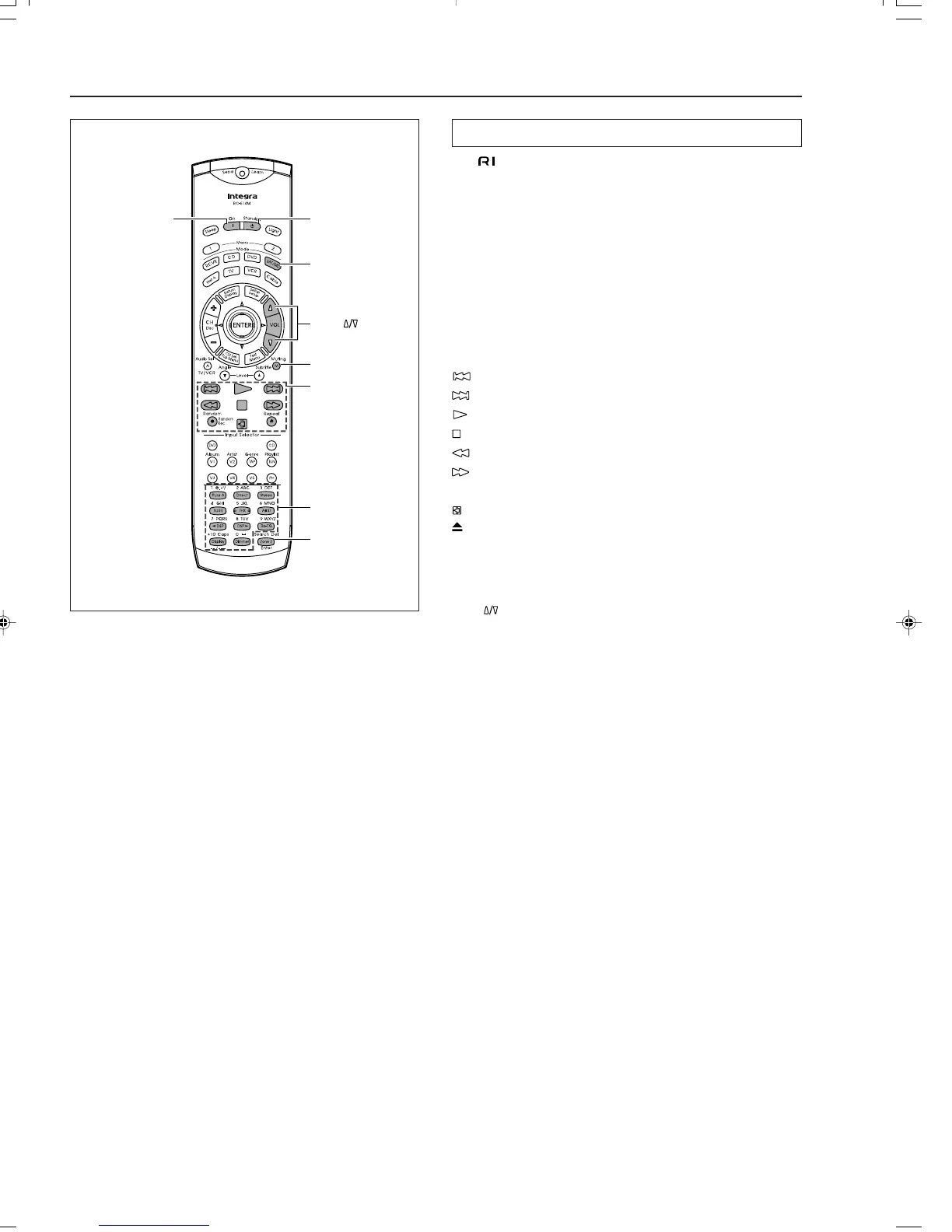
SAT/MD Mode
On
Standby
VOL
Muting
Enter
MD
operation
buttons
Numeric keys
Controlling an Integra/Onkyo MD recorder
The connector of the Integra/Onkyo MD recorder must be
connected to the DTR-7.3 (see page 26).
1. Press the SAT/MD Mode button.
The SAT/MD Mode button lights.
2. Press the desired operation button.
The buttons shaded in the figure to the left are the operation
buttons that can be used to control an Integra/Onkyo MD
recorder.
Operation buttons:
On: Turns on and off MD player (same as Standby button on the
remote controller)
: Track down
: Track up
: Play
: Stop
: Skip backward
: Skipt forward
Rec ●: Record
: Pause
: Eject
1 to 9, 0, --/---: Numeric keys
ENTER: Enters the settings
You may also use the following buttons:
VOL : Adjusts volume at DTR-7.3
Muting: Activates muting function at DTR-7.3
Note:
The SAT/MD button is used for operating satellite tuners and
Integra/Onkyo MD recorders. Be aware that if you enter the preset
code for a satellite tuner as shown on page 65, then this button cannot
be used to operate Integra/Onkyo MD recorders.
If this is the case, to operate an Integra/Onkyo MD recorder, you
must first erase the satellite tuner code by following the directions
given in “Erasing all the commands programmed under a MODE
button” on page 70.



 To Next Page