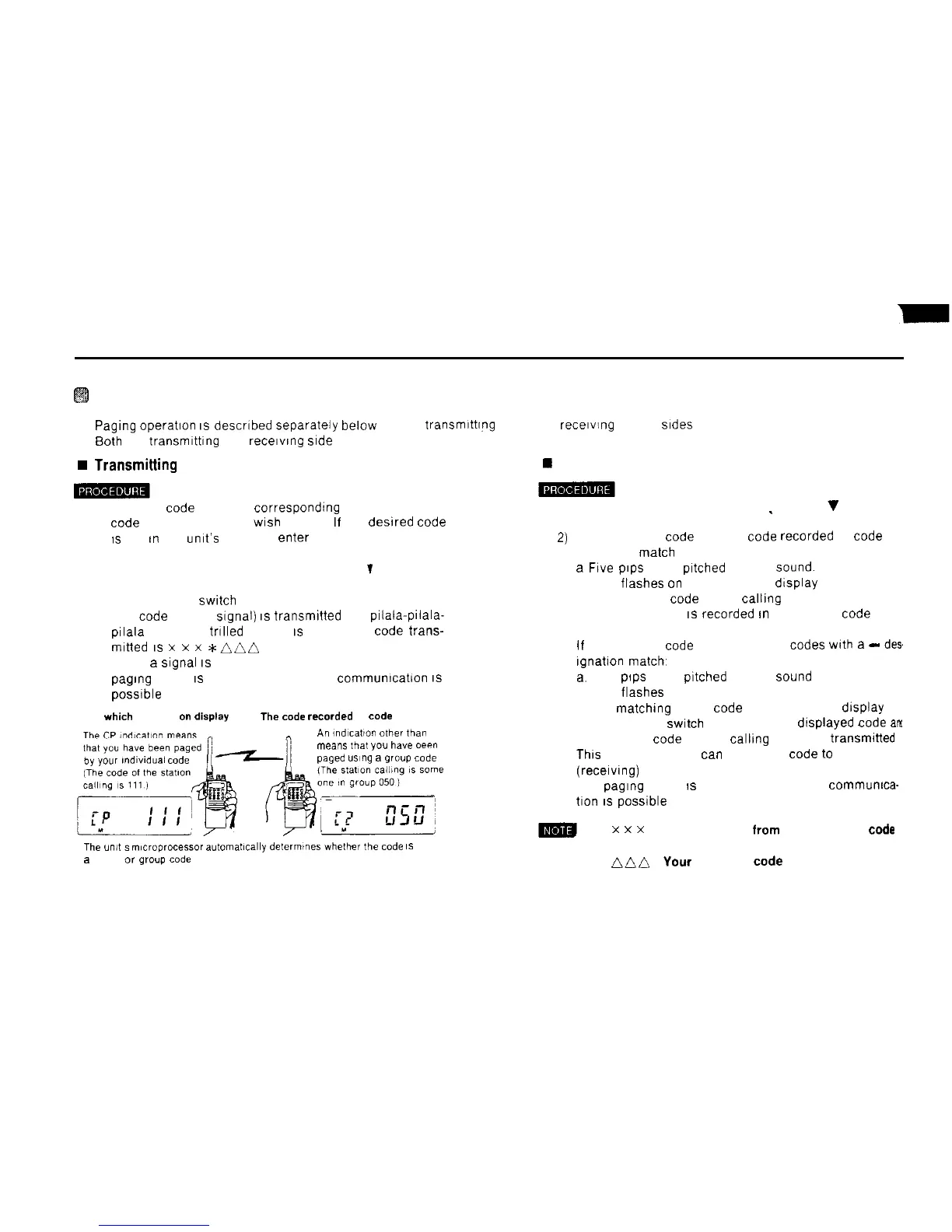
Paging Operation
n
Pagrng
operahon
1s
descrrbed separately below for the transmrttrng (you) and recerving (other)
srdes
n 60th the transmrttrng and
recervrng
srde
must use the same frequency
w
Transmitting
side (you)
w Receiving (other) side
1) Select the code address correspondrng to the personal
1) Hold down the FUNC key and-press the C
V
PAG key
code
of the statron you
wrsh
to page
If
the desrred code
IS
not
rn
the umt’s memory. enter it
2) Press the # CL PS key
2)
PAG P appears on the drsplay
’
If the recerved code and the
code
recorded at code
address 0
match
3) Hold down the FUNC key and press the C
T
PAG key
a
Frve
prps
(high
prtched
beeps)
Sound.
PAG P appears on the drsplay
b PAG flashes
on
and off on the dtsplay
4) Press the PTT
swrtch
c The personal code of the calhng statron appears on
The code (DTMF
Signal)
IS
transmrtted and pilala-prlala-
prlala
(repeated trrlled beeps)
IS
heard The code trans-
mrtted
IS
x
x
x
*niin
5) When
a
Signal
IS
recerved from the other statron, the
pagrng
mode
IS
canceled and normal communrcation
IS
possrble
3)
the drsplay and
IS
recorded
rn
memory at code
address P.
Code
which
appears
on
displsy
The
code
recorded
at
Code
address 0
n
All
indlca,lo”
other
tkr
CP
4)
If the recerved
code
and one of the
Codes
wrth
a
-
des
rgnahon
match,
a.
Five
prps
(high
prtched
beeps)
Sound
b PAG flashes on and off on the drsplay.
c The
matthing
group code appears on the display
When the PTT
swtch
is pressed, the drsplayed
Code
arx
the personal code (of the callrng side) are
transmrtted
Thrs
means that you
tan
send your code
to
the other
(recerving) statron.
The
pagrng
mode
IS
canceled and normal
commumca-
tron
IS
possrble
by
your
,ndlwdual
code
means
mat
you
have
oeen
paged
ustng
a
group
Code
The
un,,
s
m,croprocessor
automat~cally
defermines
whefher
,he
code
IS
a
private
or
group
code
5)
x
x
x
: Code selected
from
the available
code
addresses
nnf~
:
Your
personal
code
24



 To Next Page