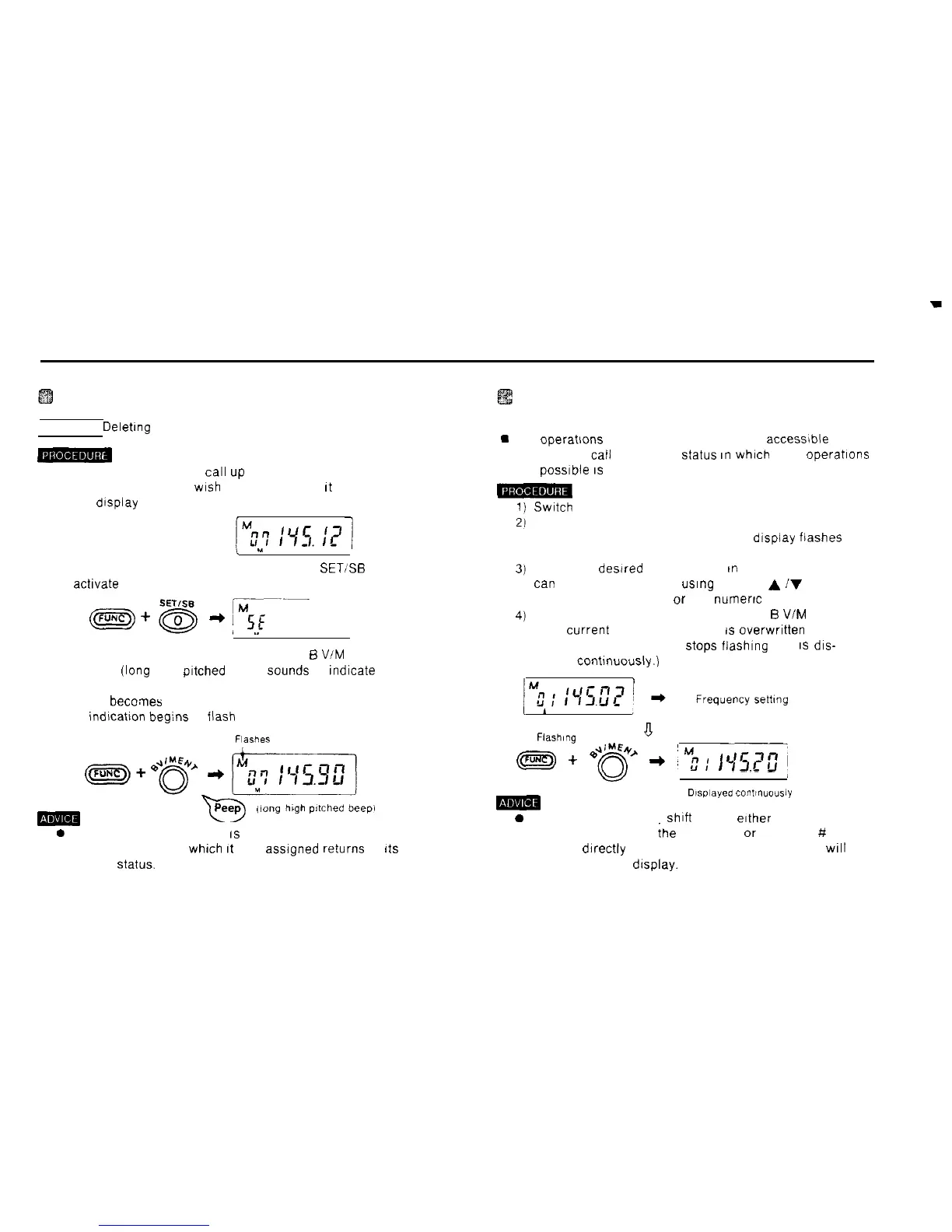
Deleting a memory frequency
Example Delehng the frequency 145.12 MHz from MO7
1) In the memory mode,
cal1
up
the memory address
whose contents you
wrsh
to delete so that
ft
appears on
the dtsplay
,
u
J
2) Hold down the FUNC key and press the 0
SET:%
key to
actrvate the set mode
3) Hold down the FUNC key and press the 5 VIM ENT key
A peep
(lang
high pftched beep)
Sounds
to fndicate that
the memory frequency has been deleted
(MO7 becomes a free memory address number and the
M mdlcation beg:ns to
flash
on and off.)
FlaSheS
-Tl
Peep
,iong
h@l
pltched
tEepi
0 After a memory frequency
IS
deleted. the memory
address number to
whrch
ft
was
assrgned
returns to
rts
factory
Status.
Changing frequencies in the memory
mode (memory shift mode)
m
The operatrons of the VFO mode are also accessible from
the memory
cal1
mode The
Status
In
whxh
such operations
are possfble
IS
referred to as the memory shift mode
m
Swatch
to the memory mode
Hold down the FUNC key and press the 3 SFT key
The memory address number on the dfsplay flashes on
and off
Select the desired frequency As
m
the VFO mode, you
tan
select the frequency using the and
A
iV
keys. the
rotary channel selector or the
numerrc
keys
Hold down the FUNC key and press the
B
VIM ENT key
(The current memory frequency
rs
overwrrtten and the
memory address number
Stops
fiashrng and
IS
dis-
played contrnuously.)
Fiash,“g
a
pF&
+
e4&
+
#y.;
I,r7<,
f
r3.Cu
m
Dlsplayed
contl”“o”siy
0 To cancel the memory shift mode, erther hold down the
FUNC key and press the 3 SFT key or press the # CL
PS key drrectly The previous memory frequency will
reappear on the drsplay.
33



 To Next Page