Frequency
leck
n
Thrs
funchon drsables key Input to prevent errors
caused
by rnadvertently pressrng the wrong key
whrle
communicat-
mg
wrth
another Station.
(Note that the rotary channel selector
tan
be made to work
even
when
frequency
leck
is on. See page 50)
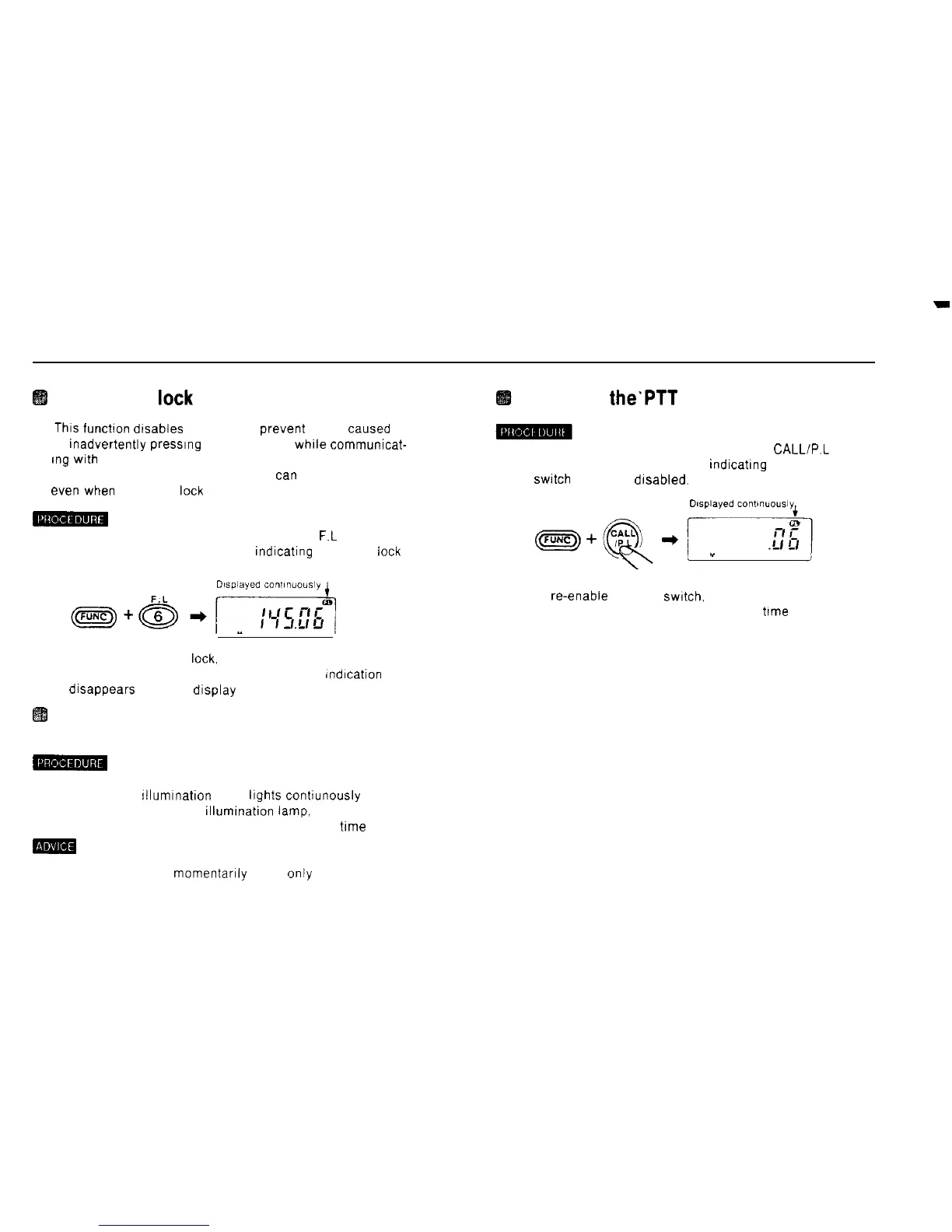
1) Hold down the FUNC key and press the 6
F.L
key
An FL appears on the display, rndicating frequency
leck
2) To cancel frequency
leck,
hold down the FUNC key and
press the 6 F L key a second time The FL indrcation
drsappears from the drsplay
Turning on the display illumination
lamp
-
1) Hold down the FUNC key and press the LAMP key
The display tllumrnation lamp hghts conhunously
2) To turn off the display rllumrnation
lamp,
hold down the
FUNC key and press the LAMP key a second
trme
mm
To turn on the lamp momentarily press only the lamp key
Inhibiting
the’PTT
switch
1) Hold down the FUNC key and press the CALL/P.L key.
A PL appears on the display, indicatrng that the PTT
swrtch
has been drsabled.
2) To re-enable the PTT switch. hold down the FUNC key
and press the CALL/P L key a second
trme
47



 To Next Page