Intel
®
Ethernet Network Adapter E810-CQDA2T
User Guide
74 722960-002
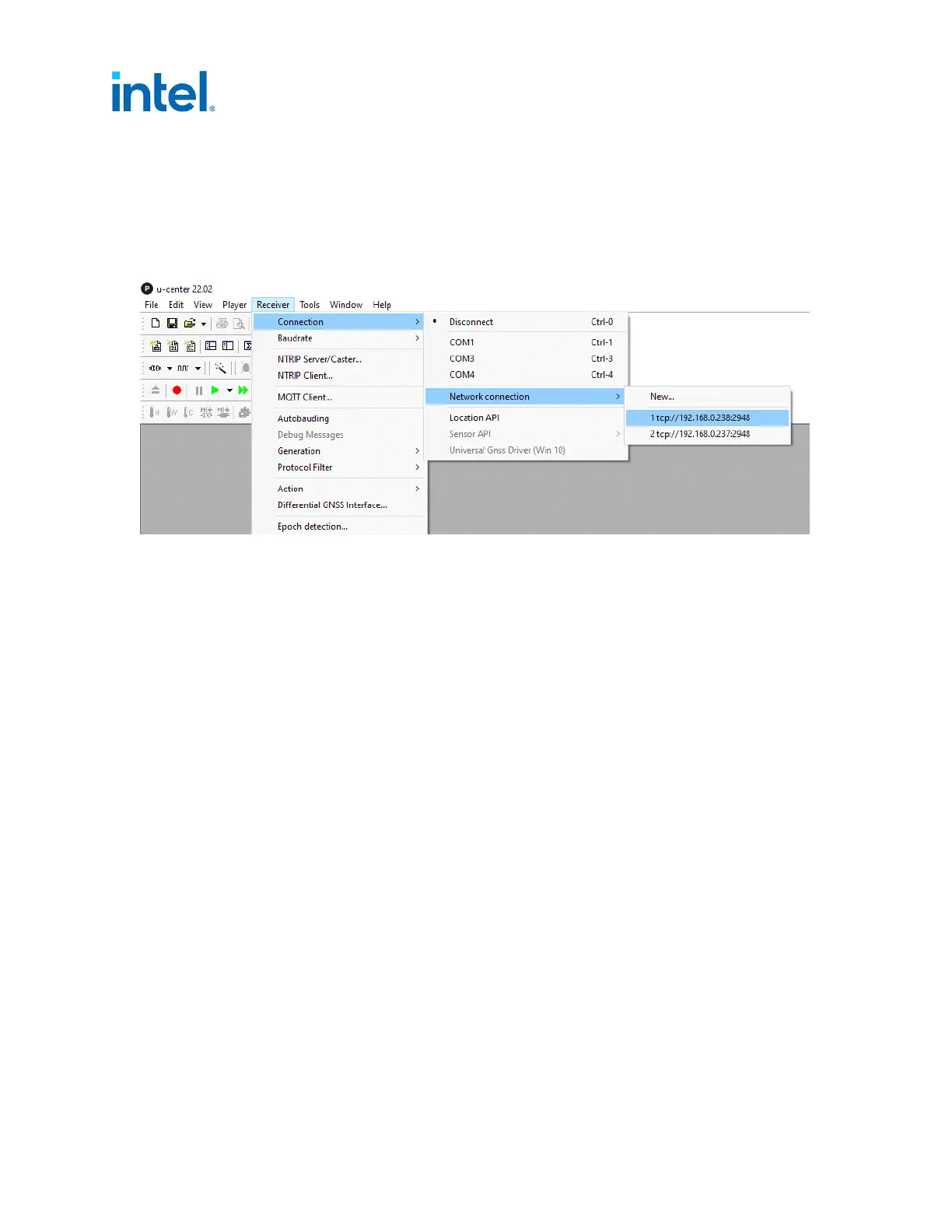
• To check the GNSS receiver performance you might want to use u-blox U-center tool. To enable
access, you can use the Netcat tool that listens on port 2948 for active connection from the
U-center:
# nc -nvlp 2948 > /dev/gnssX < /dev/gnssX
Connecting through TCP in the U-center software:
• If you receive the following using ts2phc with GNSS module:
nmea: unable to find utc time in leap second table
ts2phc[1539626.441]: ens785f0 extts index 0 at 1623669837.999999264 corr 0 src
1623669801.870596298 diff 36999999264
ts2phc[1539626.441]: ens785f0 ignoring invalid master time stamp
then you might be using linuxptp, Version 3.1, which is incompatible or your pts number in the
config file is wrong. Also make sure you have an appropriate leap second file defined in the .cfg file
(see Section 5.8).
• If you are experiencing problems where ethtool -T does not show Hardware Tx or Rx, you might
need to reinsert the Intel ice driver with make install to include the DPK.
• Some improperly formatted messages, or tools can also “break” the functionality of GNSS module,
making it impossible to send configuration changes to GNSS module. Some of these issues can be
resolved by restarting the ice driver with the following command:
rmmod ice; modprobe ice
• If for some reason you do not want to install gpsd on the system, Linux echo commands can be
used. You must know the hex string sent by ubxtool beforehand, keep opened GNSS interface, and
send the echo command in this format:
# cat /dev/gnssX
# echo -ne "<hex_string>" > /dev/gnssX
Example - Open two terminals and run:
# cat /dev/gnssX //Terminal 1
# echo -ne "\xb5\x62\x06\x8a\x09\x00\x00\x02\x00\x00\x05\x00\x52\x10\x00\x02\x68"
> /dev/gnssX //Terminal 2














 To Next Page