129
REMOTE ACCESS (WEB M&C)
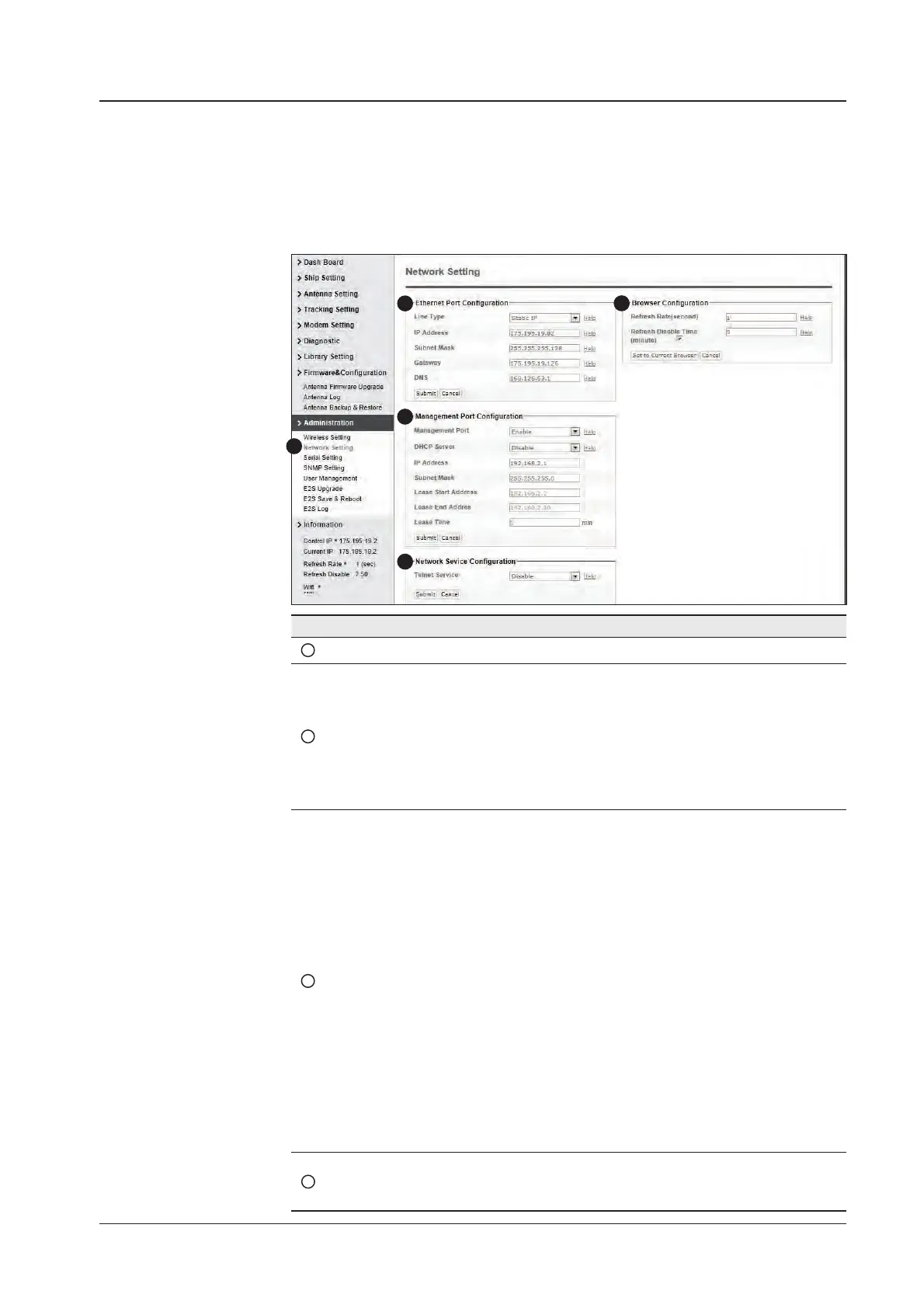
Network Setting
1
3
4
5
2
No. Item Description
1
Network Setting Modify ACU’s1Internal IP address.
2
Ethernet Port
Conguration
Modify ACU’s Internal IP address and press Submit button. Go
to “Save & Reboot” page and press Save & Reboot button to
validate the changes.
- IP Address: Factory default
(Primary: 192.168.0.223) / (Secondary: 10.10.1.1)
- Subnet Mask: Factory default (255.255.255.0)
- Gateway (modem IP): Factory default (192.168.0.254)
3
Management Port
Conguration
Modify Management Port’s network conguration and press
Submit button. Go to “Save & Reboot” page and press Save &
Reboot button to validate the changes.
- Management Port: Set disable on Management Port
connection if IP address conicts across the network when
Ethernet port and Management port are both in use. Factory
default is set to Enable.
- DHCP Server: Set whether or not to use DHCP Server.
Enabling DHCP Server allows access to Web M&C page
without conguration of network address on a PC. To use
the DHCP service, the PC should be also set to use DHCP.
- IP Address: Factory default (192.168.2.1)
- Subnet Mask: Factory default (255.255.255.0)
- Lease Start Address: Set Lease Start Address when DHCP
Server is enabled. Factory default (192.168.2.2)
- Lease End Address: Set Lease End Address when DHCP
Server is enabled. Factory default (192.168.2.30)
- Lease Time: Factory default is 180 min
4
Network Service
Conguration
Select to enable or disable Telnet Service.


 To Next Page
 Loading...











