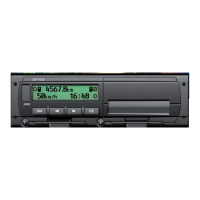
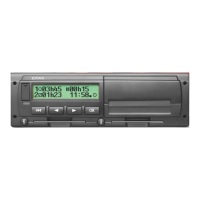
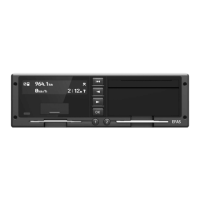
English
2
Table of Contents
1 Introduction..................................................................................................................... 3
1.1 General ............................................................................................................................. 3
1.2 Legal Requirements.......................................................................................................... 3
2 Operation......................................................................................................................... 4
2.1 Display and Controls......................................................................................................... 4
2.2 Working with menus ......................................................................................................... 4
3 Display Symbols and Combinations ............................................................................ 5
4 Menu Structure ............................................................................................................... 6
5 Operation of EFAS – Driver and Co-Driver .................................................................. 8
5.1 Before Starting.................................................................................................................. 8
5.2 Automatic Settings............................................................................................................ 8
5.3 Time Zones....................................................................................................................... 8
5.4 Display settings................................................................................................................. 8
5.5 Manual Entries of Activities............................................................................................. 10
5.6 Acknowledge Events or Faults ....................................................................................... 11
5.7 Setting a Ferry/Train Crossing........................................................................................ 11
5.8 Digital Tachograph not Required (OUT)......................................................................... 11
5.9 Speed Monitoring (>> Warning) ................................................................................... 11
5.10 Remote Data Transmission (Device option)................................................................... 11
6 Operation of EFAS – Company Representatives ...................................................... 13
6.1 Registration and Deregistration of Company.................................................................. 13
6.2 Automatic Setting of Activity after Ignition OFF/ON........................................................ 13
6.3 Downloading Stored Data............................................................................................... 14
7 Operation of EFAS – Controlling Bodies ................................................................... 14
7.1 Displaying Data............................................................................................................... 14
7.2 Downloading Stored Data............................................................................................... 14
8 Operation of EFAS – Workshop .................................................................................. 15
8.1 Entering the PIN ............................................................................................................. 15
8.2 Performing a Test Run ................................................................................................... 15
8.3 Output of Warnings in CALIBRATION Mode.................................................................. 15
9 Printing Data ................................................................................................................. 15
10 General Settings ........................................................................................................... 16
10.1 Printouts.......................................................................................................................... 16
10.2 Display............................................................................................................................ 16
10.3 Acoustic Signals (Tones)................................................................................................ 17
10.4 Time and Date ................................................................................................................ 17
10.5 Company Lock................................................................................................................ 18
10.6 Automatic Setting of Activity after Ignition OFF/ON........................................................ 18
10.7 Speeding warning (>>Warning) ...................................................................................... 18
10.8 Displaying Card Information ........................................................................................... 18
10.9 Displaying the Device Data ............................................................................................ 19
11 Messages and Warnings.............................................................................................. 19
12 Important Pictogram Combinations ........................................................................... 20


 To Next Page
 Loading...