English
4
2 Operation
2.1 Display and Controls
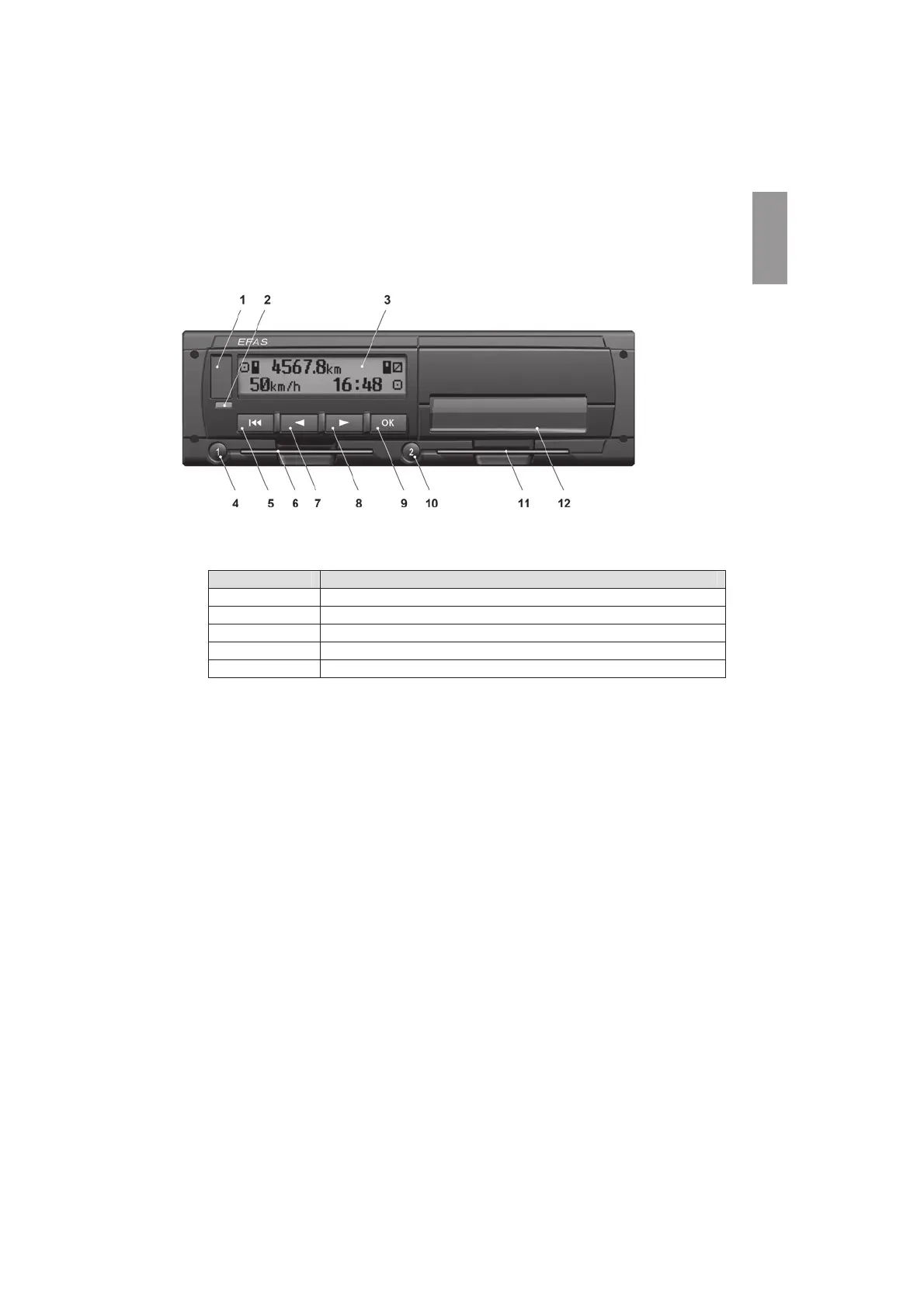
The digital tachograph EFAS features the following display elements and controls:
1 Service interface cover (cap)
2 Red warning light to display the operating mode
Display Meaning
Red The warning light flashes upon activation ҏ(functional check).
Off EFAS is ready for operation.
Permanently red System error occurred. Have your EFAS checked by a workshop.
Flashing red Warning. Acknowledge the warning with OK.
Flashing red 2x Incorrect entry. Correct your entry.
3 Alphanumeric display
4 Key 1 for the driver (driver 1)
short push = adjusting of the activity, push longer = card withdrawal
5 Backspace (backspace & clear, cancel)
6 Card slot for the driver’s tachograph card
7 Control key Ż (backward / previous entry)
8 Control key Ź (forward / next entry)
9 Key OK (invoke menu, confirm)
10 Key 2 for the co-driver (driver 2)
short push = adjusting of the activity, push longer = card withdrawal
11 Card slot for the co-driver’s tachograph card (vehicle operated in team mode)
12 Integrated printer module (for inserting a new reel of paper see „EFAS Quickstart“)
2.2 Working with menus
1. Press OK. The main menu is displayed.
2. Use control keys Ż and Ź to select the required menu.
3. Press OK to acknowledge your choice.
The next submenu is displayed.
4. Repeat step 2 and 3 until you reach the required setting.
5. Keyҏ is used to return to the next higher menu level.


 To Next Page
 Loading...