- 5 -
HARDWARE
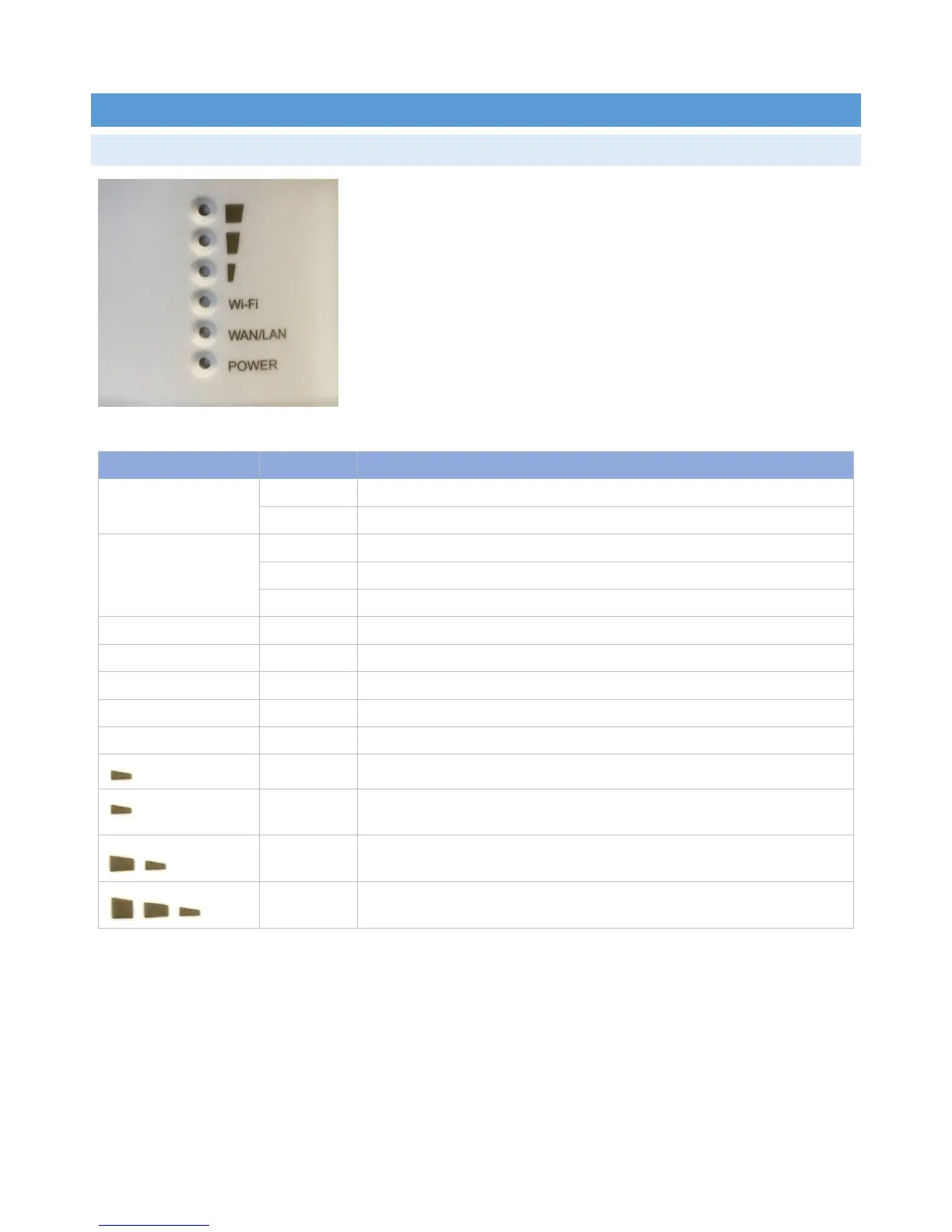
DEVICESTATUSLEDS
LEDIndicator State Description
POWER On TheIntellinetAccessPointisturnedon.
Off TheIntellinetAccessPointisturnedoff.
Wi‐Fi On Thewirelessradioisactive.
Off Thewirelessradioisinactive.
Flashing Thewirelessradioisactive,anddataisbeingtransmittedandreceived.
WAN/LAN On LinkonEthernetportisactive.
OffLinkonEthernetportisinactive.
Flashing LinkonEthernetportisactive,anddataisbeingtransmittedandreceived.
SignalStrength
Flashing Nowirelessconnection
On APMode:Poweroutputsetto1/3(33%).
RepeaterMode:Weakreception,signalstrengthbelow25%.
On APMode:Poweroutputsetto2/3(66%).
RepeaterMode:Mediumreception,signalstrengthbetween25and50%.
On APMode:Poweroutputsetto3/3(100%).
RepeaterMode:Goodreception,signalstrengthgreater50%.



 To Next Page