8‐PortGigabitWeb‐SmartSwitch
11|Page
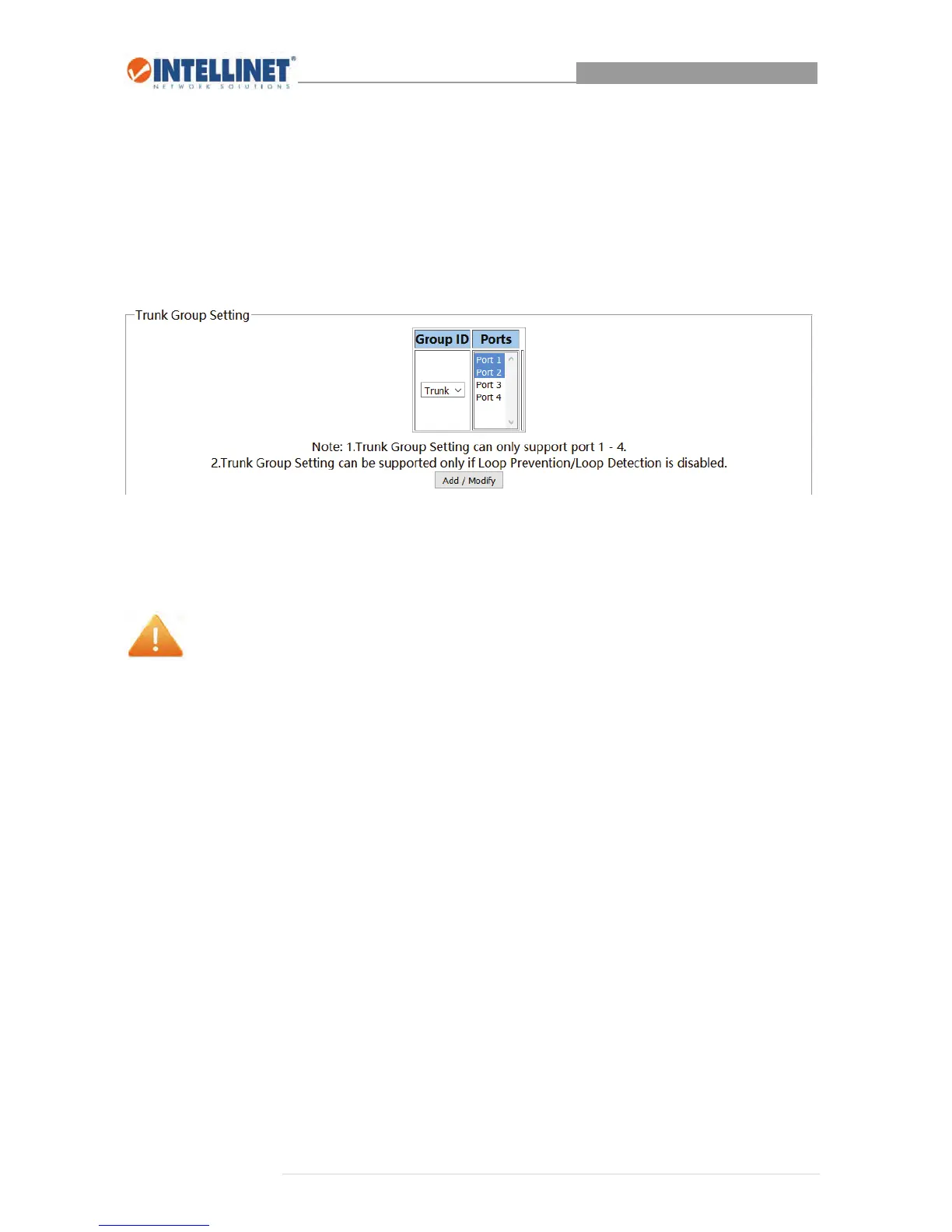
3.1.4 TrunkGroupSettings
TocreatealinkbetweentheIntellinet8‐PortGigabitWeb‐SmartSwitch,younormallysimplyconnectan
RJ45Ethernetcabletoaportonadifferentswitch.IfthatisalsoaGigabitswitch,thisconnectionbetween
thetwoswitcheswouldprovideabandwidthof1Gbps.Inordertoincreasethebandwidth,youcanset
upasocalledtrunkinggroup,whichtakestwophysicalportsandcombinesthemtoonelogicport,
doublingthebandwidthto2Gbps.
1. Selectanytwoportsofportsonetofour.
2. ClickAdd/Modifytocreatethetrunkgroup
Note:
Whenusingtrunkgroups,thefollowingrestrictionsapply:
Youmayonlycreateonetrunkinggroup.
Onlytwoportscanformatrunkinggroup,andonlyports1–4canbeamemberofatrunking
group.
Allmemberportsofatrunkgroupmusthaveidenticalport&QoSsettings.
Allmemberportsofatrunkgroupmusthavethesameport‐basedpriority.
Allmemberportsofatrunkgroupmusthavethesame802.1QVLANportsetting.
Allmemberportsofatrunkgroupmusthavethesamestormfilterrate.
Allmemberportsofatrunkgroupmusthavethesameframetype.
TheGigabitswitchontheoppositeendmustalsobeconfiguredwithatrunkinggroupconsisting
oftwoports.



 To Next Page