Chapter 1 — About the Vehicle Mount Computer
CV61 Vehicle Mount Computer (Windows 7) User Guide 3
• 1 GB of RAM for Windows XP, 2 GB of RAM for Windows 7, both
expandable to 3 GB of RAM
• Customer-accessible SD slot for memory cards up to 32 GB
• 802.11a/b/g/n and Bluetooth® radios
• Accelerometer
• Intel D425 1.8 GHz processor
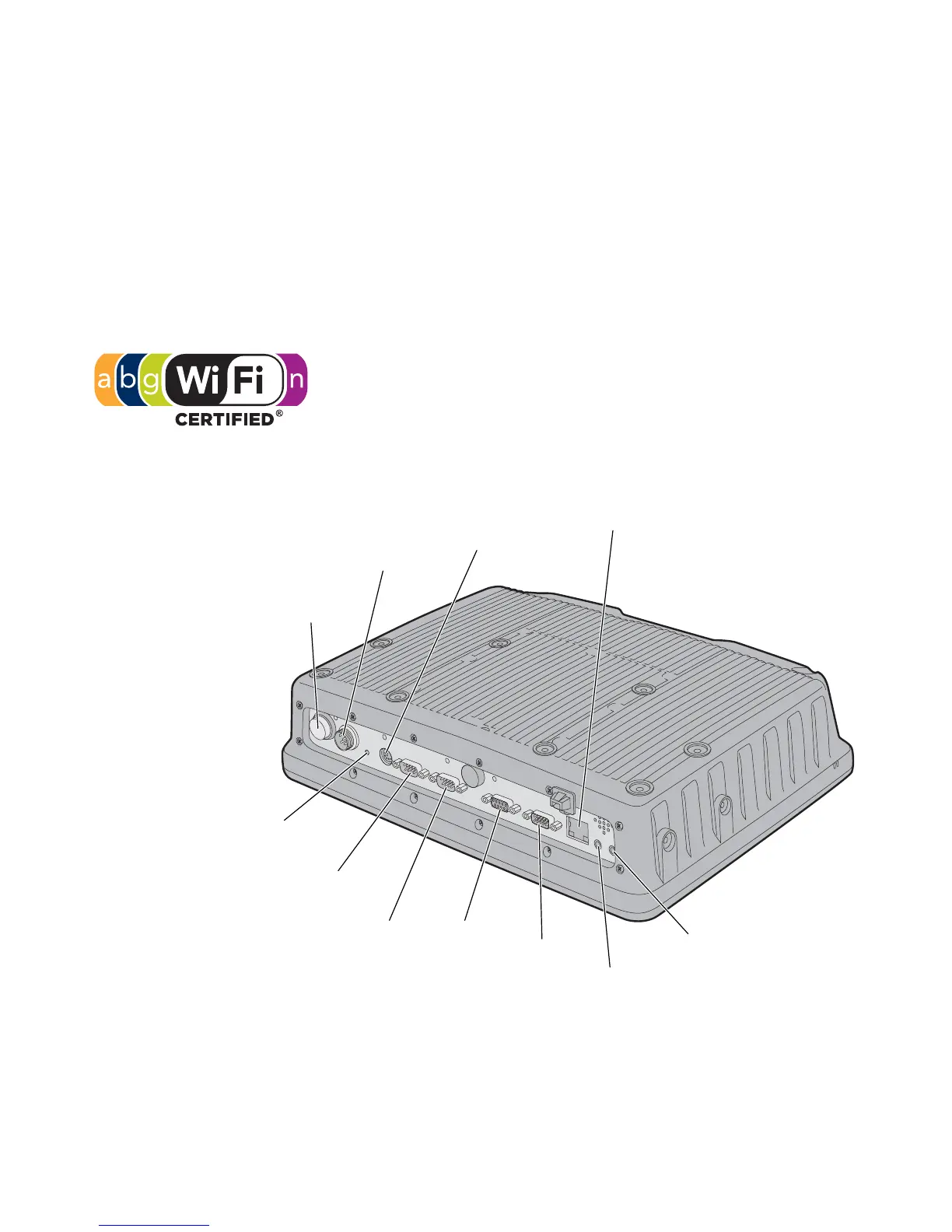
CV61 Ports and Buttons
The CV61 Vehicle Mount Computer has an IEEE
802.11a/b/g/n radio installed and is Wi-Fi® certified for
interoperability with other 802.11a/b/g/n wireless LAN
devices.
Power
button
Power
connector
Keyboard
connector
Reset
switch
COM 1
port
COM 2
port
CANBUS
port
USB
port
Speaker
output jack
Microphone/line
stereo jack
Ethernet
port



 To Next Page