Chapter 2 — Understand the User Interface and Intermec Applications
20 CV61 Vehicle Mount Computer (Windows 7) User Guide
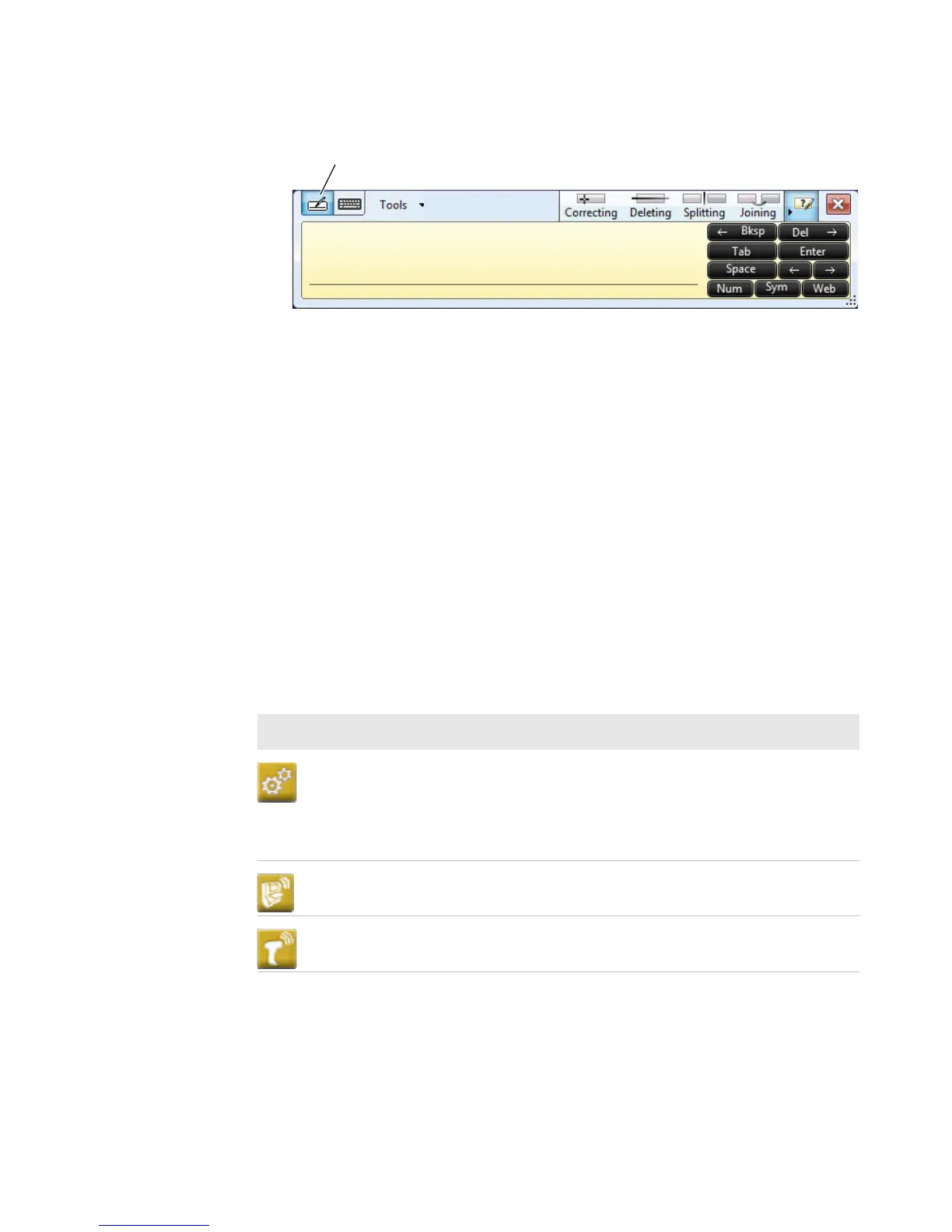
3 Write anywhere on the transcriber window. Pause and let
Transcriber change the written characters to typed characters.
About Intermec Applications
Intermec provides many useful applications to help you configure,
troubleshoot, and connect your computer to other devices and
networks. You can also download additional applications from the
Intermec website to help you use all of the features of your computer.
Applications Available on the CV61
Use this table to understand some of the Intermec applications on the
CV61.
Intermec Applications Available on the CV61
Icon Application Description
Intermec Settings Use Intermec Settings to configure your
computer. You can use Intermec Settings to
individually configure a computer or you can
use it through SmartSystems to configure all of
your computers.
Bluetooth
Printing
Use the Bluetooth Printing application to
connect to a Bluetooth printer.
Bluetooth
Scanning
Use the Bluetooth Scanning application to
connect to a Bluetooth scanner.



 To Next Page