Chapter 6 — Upgrade the CV61 Vehicle Mount Computer
CV61 Vehicle Mount Computer (Windows 7) User Guide 77
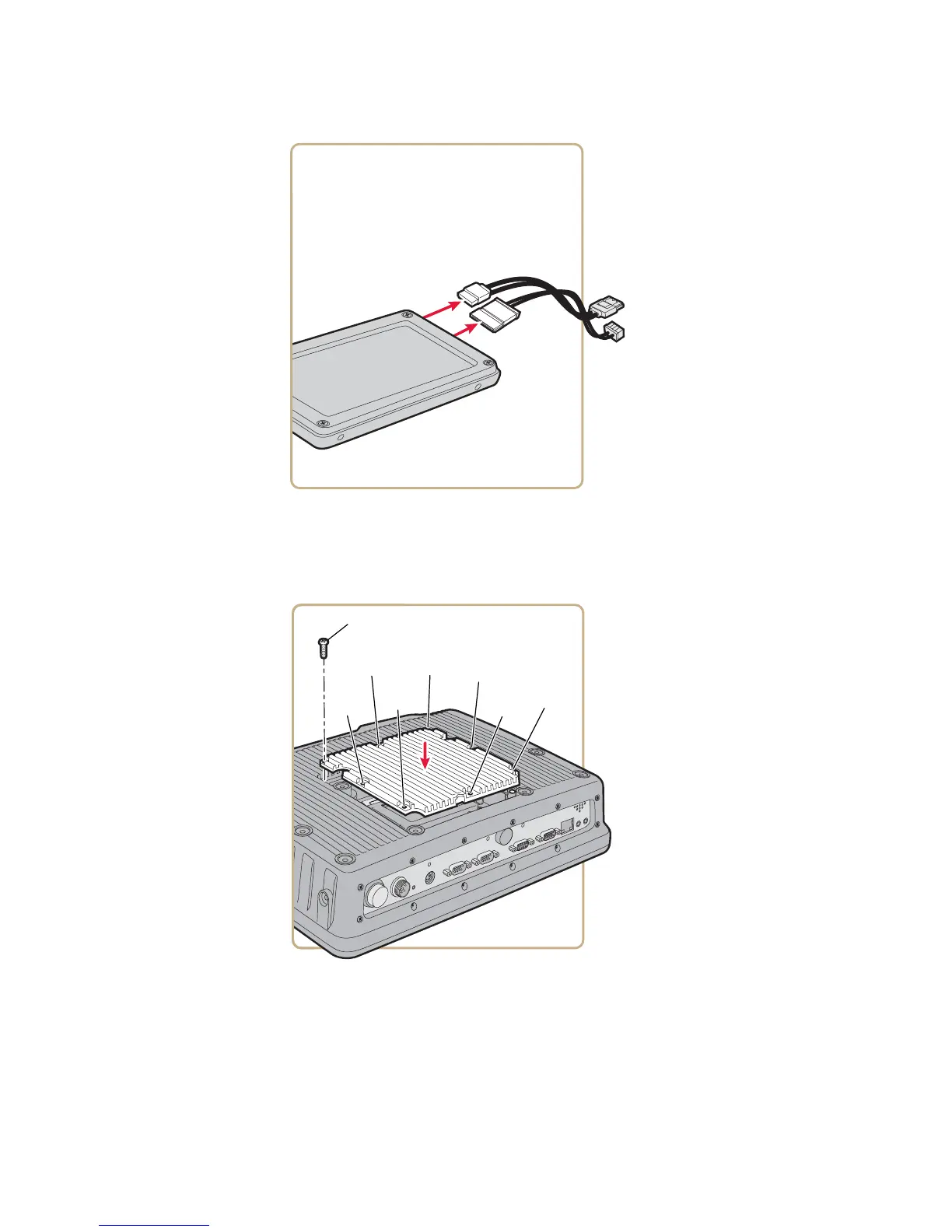
8 Install the new hard drive and close the CV61. Use the next
illustration for the tightening sequence for the back cover. Tighten
the screws to a final value of 0.73 Nm (6.5 lbf-in).
9 Reconnect the power cable.
10 Install Microsoft Windows 7.
11 Install the Intermec system software. For more information, see
“Update the System Software” on page 27.



 To Next Page