Chapter 5 — Network Support
118 CN3 Mobile Computer User’s Manual
To connect with other devices
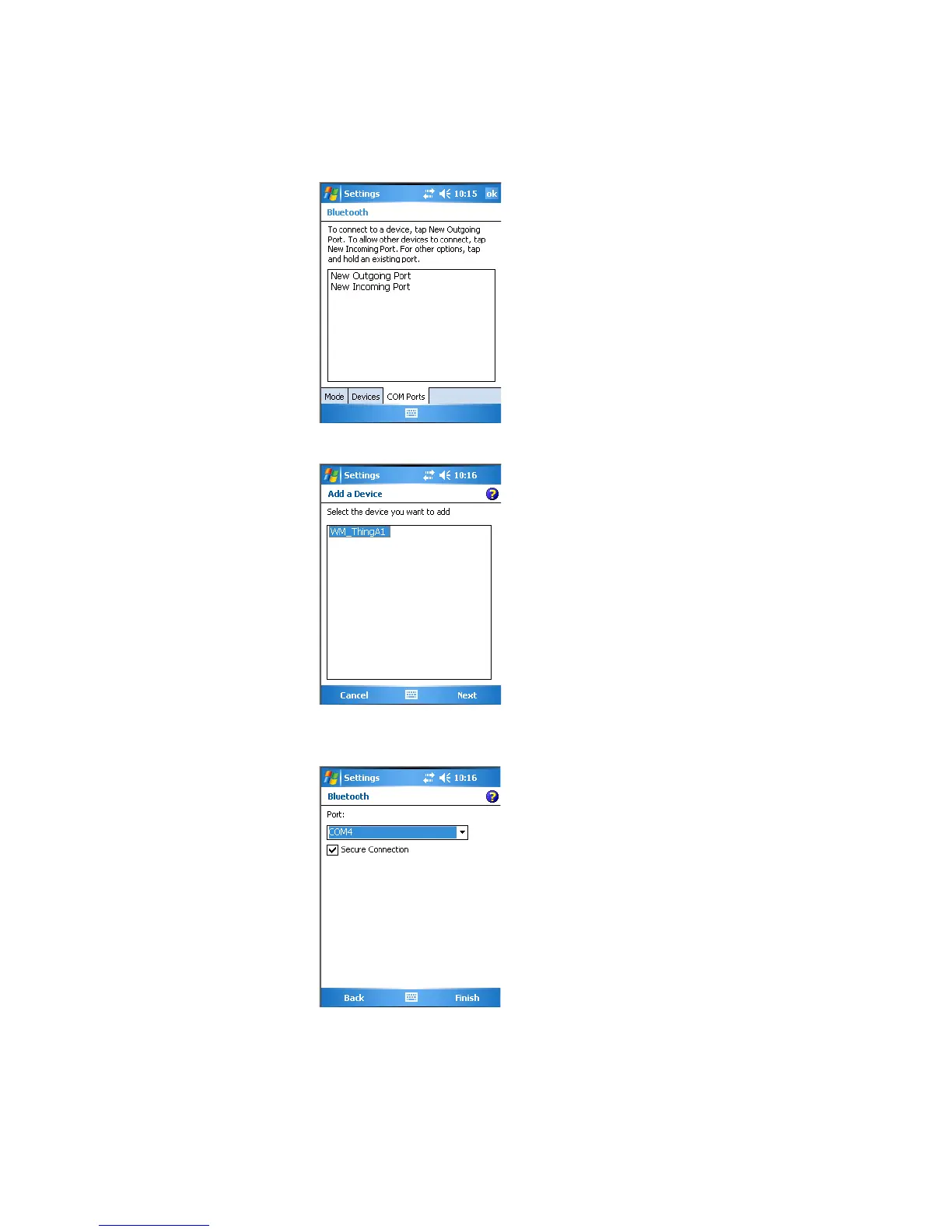
1 Tap the COM Ports tab, then tap New Outgoing Port to connect to a
Bluetooth device.
2 Select the device to add, then click Next.
3 Select a port from the Port drop-down list, check Secure Connection,
then click Finish to return to the COM Ports page.
4 Tap New Incoming Port to allow other Bluetooth devices to connect
with your CN3. Select on which port to secure this connection, then
click Finish to return to the COM Ports page.



 To Next Page