16
Set-Up
The iScan 180’s SET-UP menu allows you to make
several important initial settings. Typically, most of these
settings are only made once and don’t have to be changed.
The keel offset adjustment is a good example. The SET-
UP menu is shown at left and the following paragraphs
describe each choice in detail.
Language/Units
The iScan 180 allows the choice of several operating
languages and conversions for distance, speed and
temperature. To select the operating language or choose
the unit conversion to use, press the button labeled
LANGUAGE/UNITS. A display window as shown at
left will pop up on the screen showing the available
languages and unit conversions and the ones which are
currently selected.
Use the softkeys to highlight your desired choice for
language, units for range, temp and speed. When finished
press the EXIT softkey to save your selection and exit this
menu.
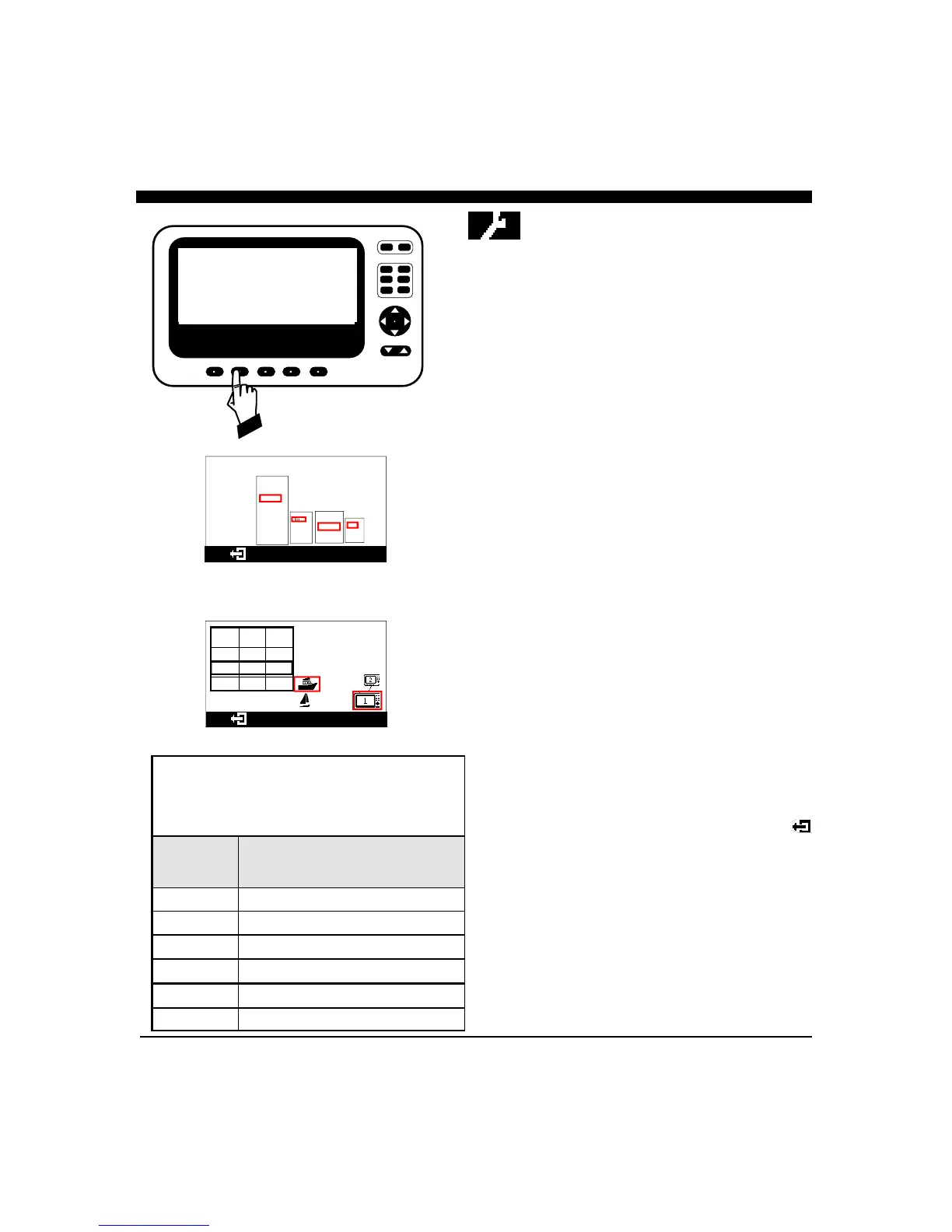
More - Max Gain, Remote/Master
Press the softkey below the MORE choice to bring up a
menu to set the MAXIMUM GAIN/range, choose the
boat icon, configure the display as either a MASTER or
REMOTE or press MORE to adjust the STC to minimize
the effect of surface clutter.
To choose the boat icon and the MASTER(#1)/
REMOTE(#2) setting, use the softkeys to highlight
your choice. To adjust the MAX VERT GAIN*, use the
softkey to highlight the desired range - then use the
NAV or (UP/DOWN) button to adjust the Max Gain.
When finished with all settings, press the EXIT symbol
to save your selections and exit the menu.
* Note: the Max Vert Gain adjustment applies to the
Forward Vertical Scan only.
CURSR
VERT
HORIZ
DOWN DATA
RANGE
GAIN
PWR
FORWARD LOOKING SONAR
EXIT LANGUAGE MORE DEMO TRANSDUCER
UNITS
Interphase Color Twinscope
Version 1.00
English
French
Spanish
German
Chinese
Korean
Greek
Danish
Ft.
Fa.
M
o
F
o
C
MPH
Km/Hr
Knots
RANGE DEFAU
LT
MAX G
100 FT 11 11
200 12 12
400 14 14
MORE
RANGE
SUGGESTED
MAX GAIN
SETTING
0 - 50 Ft 10
0 - 100 Ft 10
0 - 200 Ft 10
0 - 400 Ft 16
0 - 800 Ft 31
0 - 1,200 Ft 31
The iScan 180 allows you to customize the maximum
possible gain for each range. The table below shows a
suggested range of Max Gain settings that you can set. Too
much gain on the shallow ranges will cause excess noise and
false forward targets.
iSCAN 180
Version 2.00
200KHz



 To Next Page