12
2 – VIN Scan In Vehicle Testing
IB Pulse
System Test
System Test
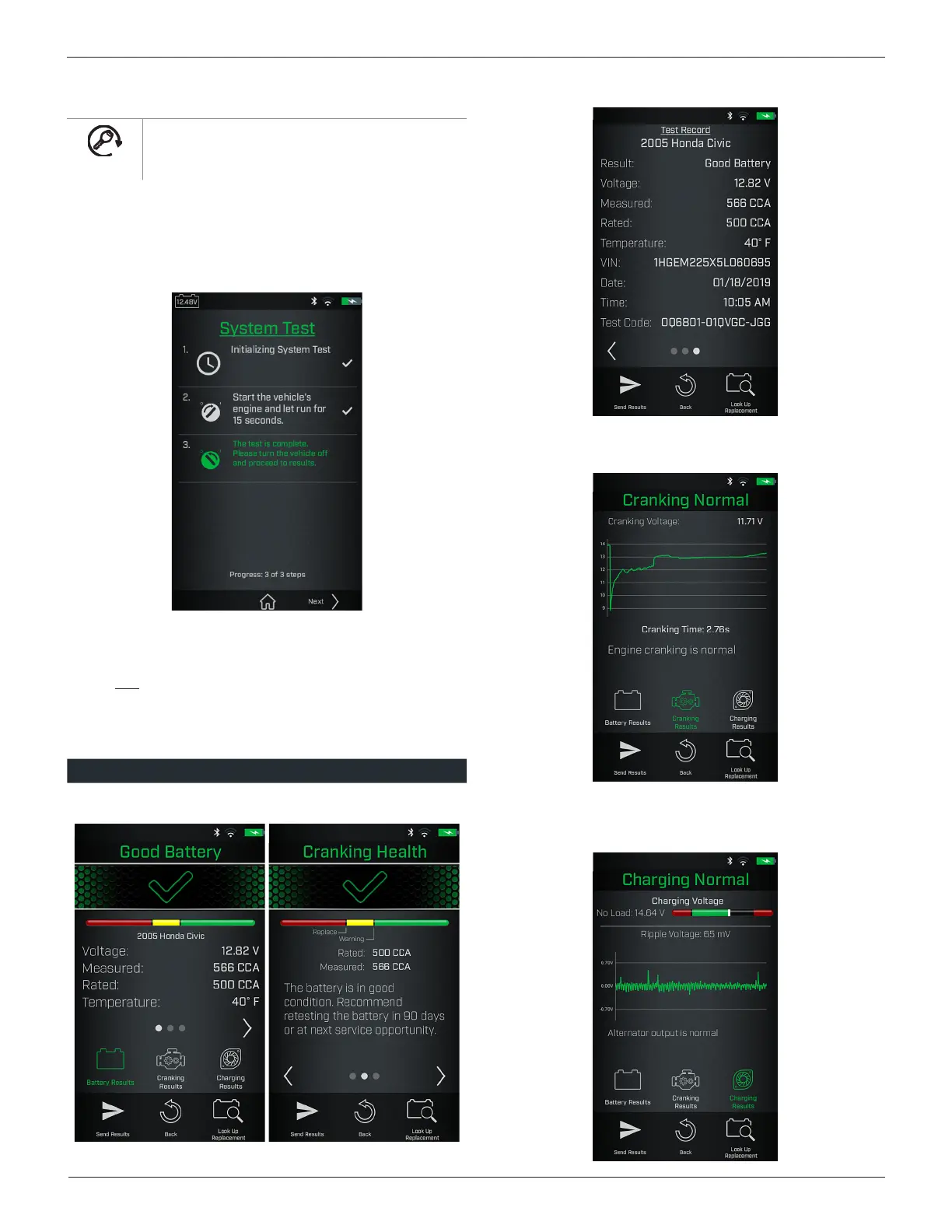
For the System Test, follow the instructions displayed
on the IB Pulse tester screen.
1. After the System Test is initialized, start the vehicle's engine
when prompted and leave it running for 15 seconds.
The IB Pulse will detect the engine start and analyze the
cranking
voltage and time.
2. Turn off the engine when prompted.
System Test Results
Use
<
and
>
to view the battery test results, cranking health,
and the test record for the vehicle tested.
The dots at the bottom of the results screen indicate additional
screens are available. Use
<
or
>
to move between screens.
Screen 1 Screen 2 Screen 3
Battery Results
Battery Results (cont.)
Cranking Result
Select to view the Cranking Voltage results.
Charging Result
Select to view the Charging and Ripple Voltage test results.



 To Next Page