18
4 – Menu
IB Pulse
Display
Adjust the IB Pulse display including the Brightness,
Sleep Time, and Dim Time. Auto Brightness can also
be turned on and off.
Select to access the Display functions.
Brightness
Adjust the display Brightness by tapping and holding the slider,
then moving it right or left to make the screen brighter or darker.
Auto Brightness
Enable and disable Auto Brightness by taping on the check box.
Sleep Time
Adjust the amount of elapsed time before the IB Pulse goes into
a power saving (Sleep) mode. Default = 2 minutes.
Dim Time
Adjust the amount of elapsed time before the IB Pulse goes into
a power saving (Dim) mode. Select :30 seconds, 1 minute, or
Never. Default = :30 seconds.
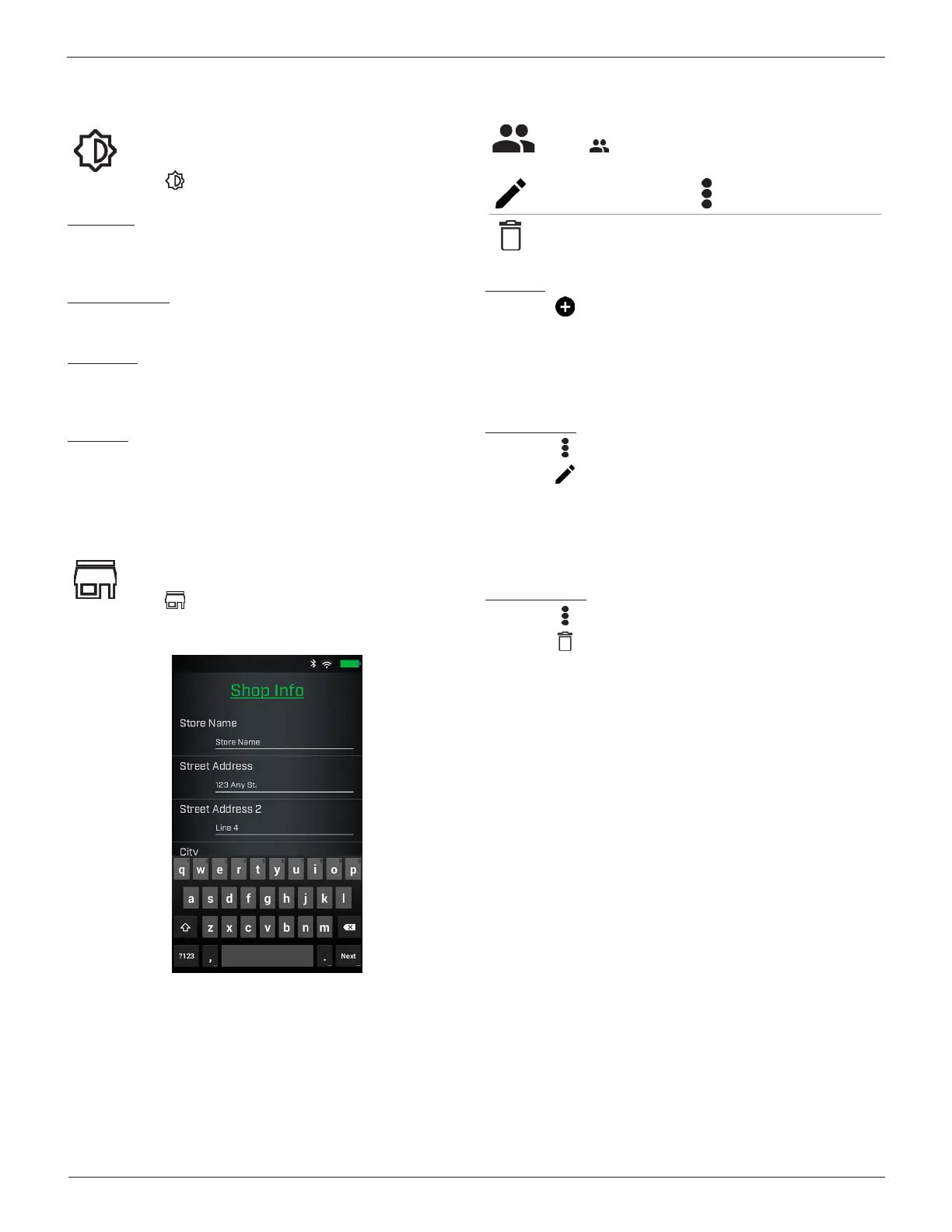
Shop Info
Access default Shop Information including Store Name,
address, and phone number.
Select to access the Shop Info.
Use the on screen keypad to enter the store name, address, and
phone number.
Users
Add, edit, or delete Users.
Select to access Users functions.
Edit Users Additional Menu Options
Delete Users
Add User
1. Select to add a User.
2. Use the on screen keyboard display to enter a User Name.
3. Select Done or
Next
>
.
4. The new User name is displayed on the Users screen.
Editing A User
1. Select next to the User to be edited.
2. Select to edit the User Name.
3. Use the on screen keyboard display to edit the User Name.
4. Select Done or
Next
>
.
5. The new User name is displayed on the Users screen.
Deleting A User
1. Select next to the User to be deleted.
2. Select to delete the selected user.
The deleted User name is removed from the displayed list.



 To Next Page