8
1 – Introduction
IB Pulse
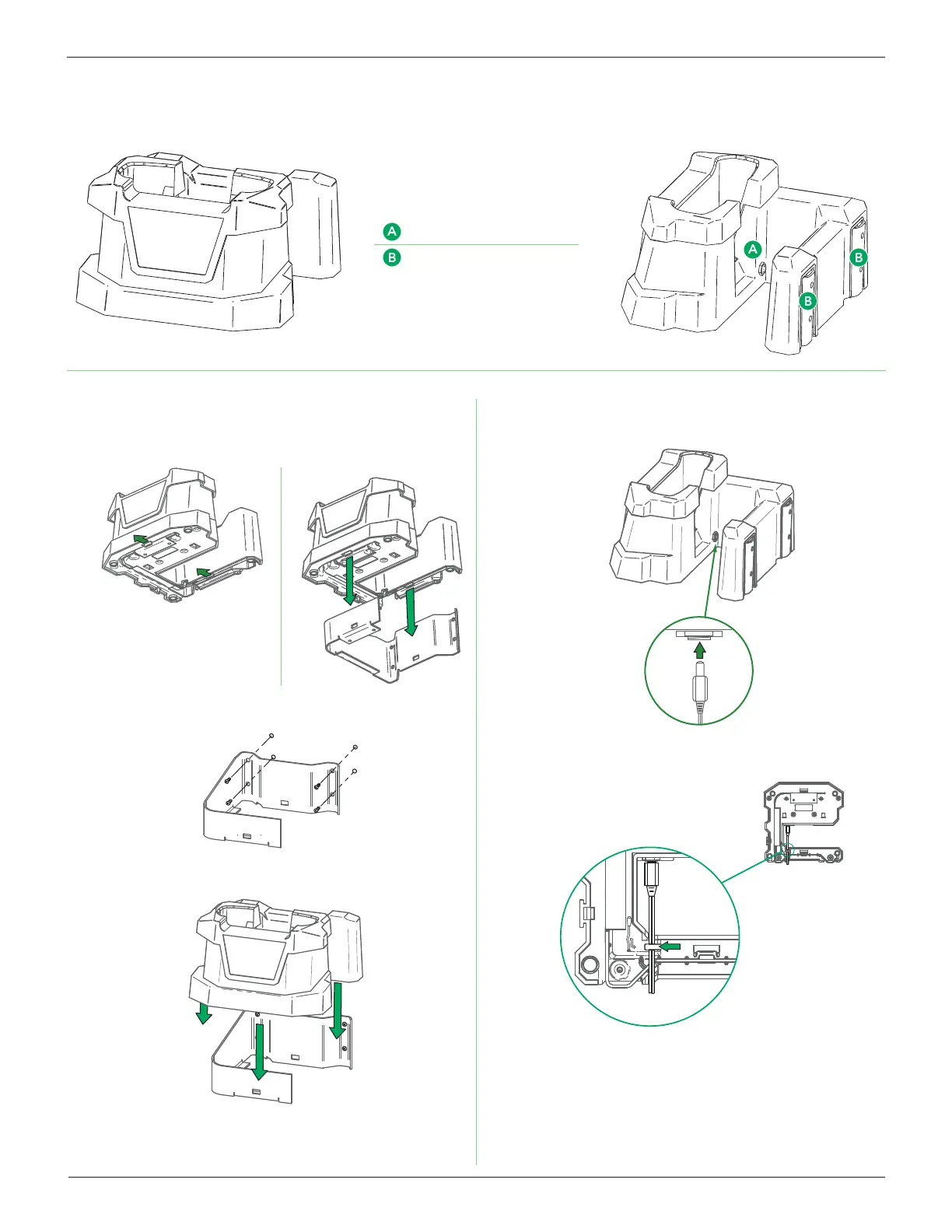
Charging Dock
Front
Power Supply Connection
Wall Mounting Bracket
Side
Charging Dock Mounting (Optional)
1. Release the two (2) holding tabs on the bottom of the Charg-
ing Dock to remove the wall mounting plate.
2. Use four (4) screws to securely mount the plate onto a wall or
other vertical surface.
3. Slide the dock onto the wall mount until the holding tabs lock.
4. Connect the Power Supply to the jack on the Charging Dock.
5. Guide the Power Supply wire through the wire channel mold-
ed
into the bottom of the Charging Dock.
The Charging Dock is now ready to use.



 To Next Page