19
4 – MenuIB Pulse
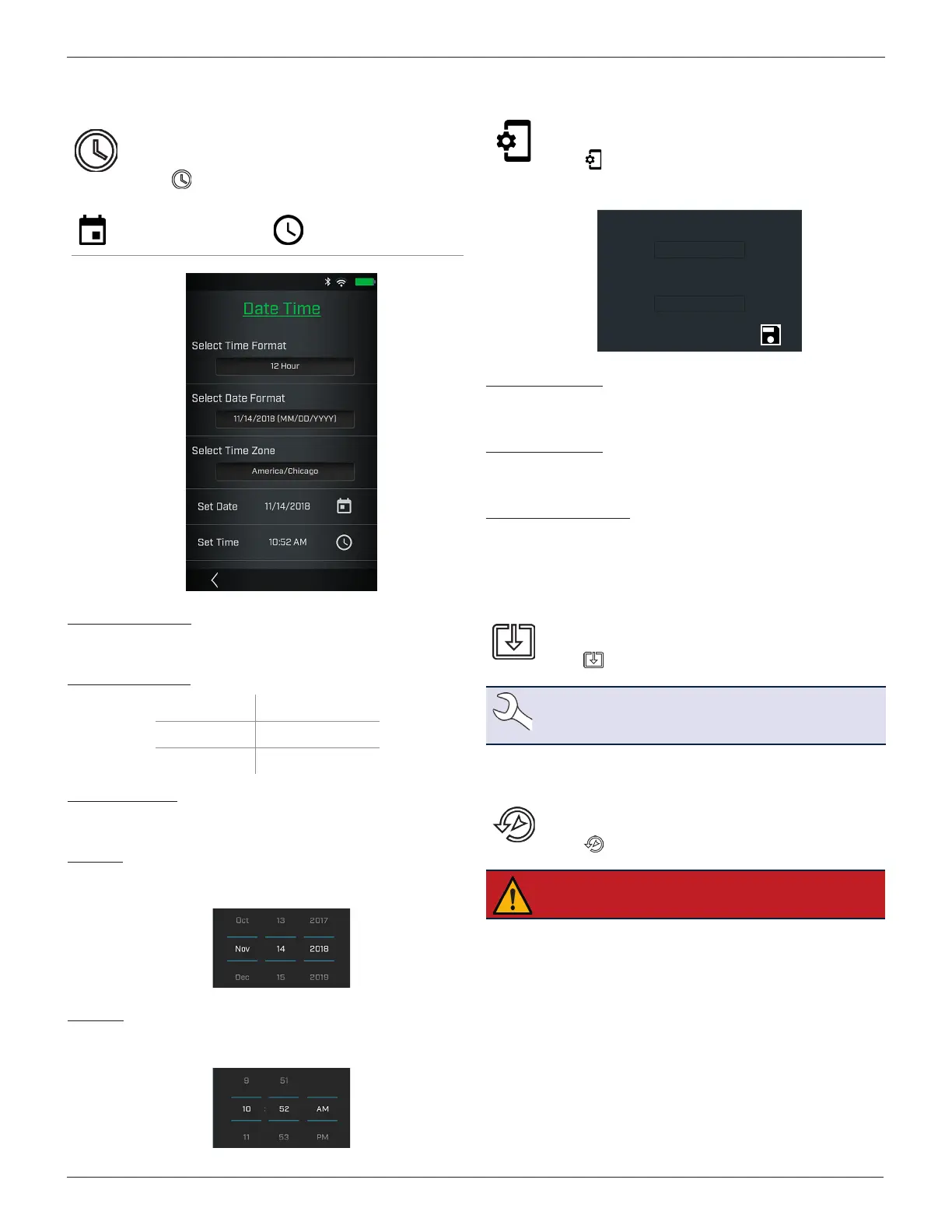
Date Time
Adjust the IB Pulse Date and Time format and the Time
Zone in which the tester will be used. The date and time
can also be set. Select the boxes to change the values.
Select to access Date Time functions.
Tap to access. Scroll up/
down to set the day,
month, and year
Additional Menu Options
Select Time Format
12 or 24 hour format
Select Date Format
MM/DD/YYYY
Month/Day/Year
DD/MM/YYYY
Day/Month/Year
YYYY/DD/MM
Year/Day/Month
Select Time Zone
Time zone in which the IB Pulse tester is being used.
Set Date
Select or to enter the month, day, and year.
Select Done
to exit.
Set Time
Select or to enter the hours, minutes, and AM/PM. Select
Done to exit.
Select < to return to the Date Time screen.
Test Settings
Set the default Test Settings for Temperature Units and
Test Mode.
Select to access the Test Settings defaults.
Select the boxes to change the values.
Temperature Units
0 F
Default Test Mode
Automotive
Create MDCA Log File
Temperature Units
Default temperature units used when measuring battery
temperature.
Default Test Mode
The selected test default:
Automotive, Marine, Group 31,
Powersports, Lawn & Garden, Commercial 4D/8D
Create MDCA Log File
The MDCA function is used for technical support purposes.
Select
<
to return to the Test Settings screen.
Software Update
Use this function to check via the Internet connection
for any updates to the tester software.
Select to check for any software updates.
NOTE: Wi-Fi network communication must be suc-
cessfully established before a software update can
proceed.
Relocation Mode (Admin Only)
Use this function to return the tool to the original as built
conguration including all history and test settings.
Select to activate Relocation Mode.
IMPORTANT: All previous modications to the
original settings will be overwritten.



 To Next Page