4. Installation Procedures
78
Radio Unit Ethernet (S-FTP) Cable, Continued
Procedure
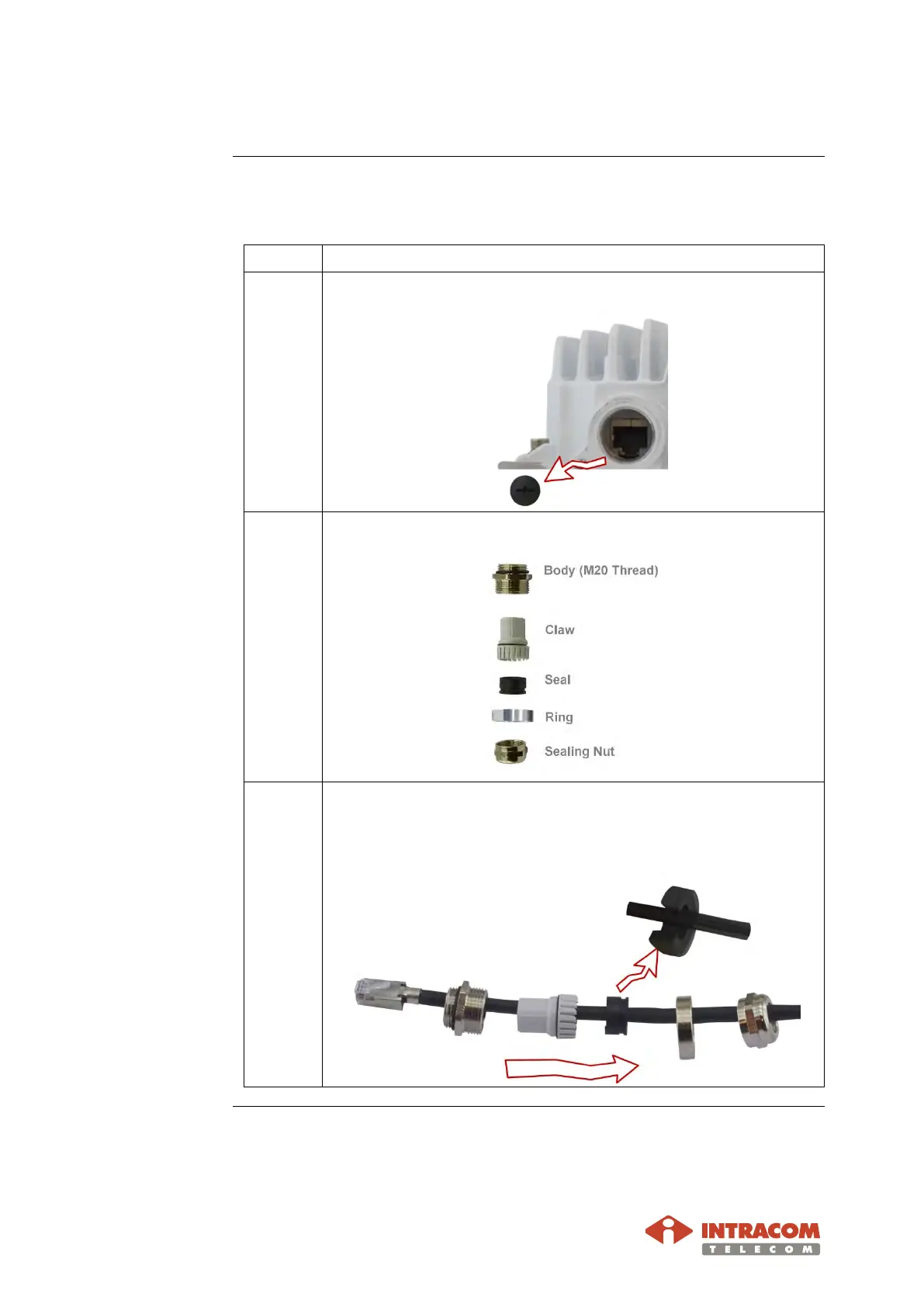
To install the Ethernet cable with M20 gland to OSDR receptacle (GbE2 or
FE), proceed as follows:
1 Remove the protective cap (plastic for GbE2 or metallic for FE).
2
Disassemble the M20-GLAND parts, as shown below.
3 Pass the cable through the parts of gland, as shown below.
The seal shown below is split-type for easy installation and
removal.
Continued on next page


 To Next Page