Outdoor Software Defined Radio (OSDR) platform
Installation & Cabling Manual - Edition 3.0
79
Radio Unit Ethernet (S-FTP) Cable, Continued
Procedure, continued
Step Action
4
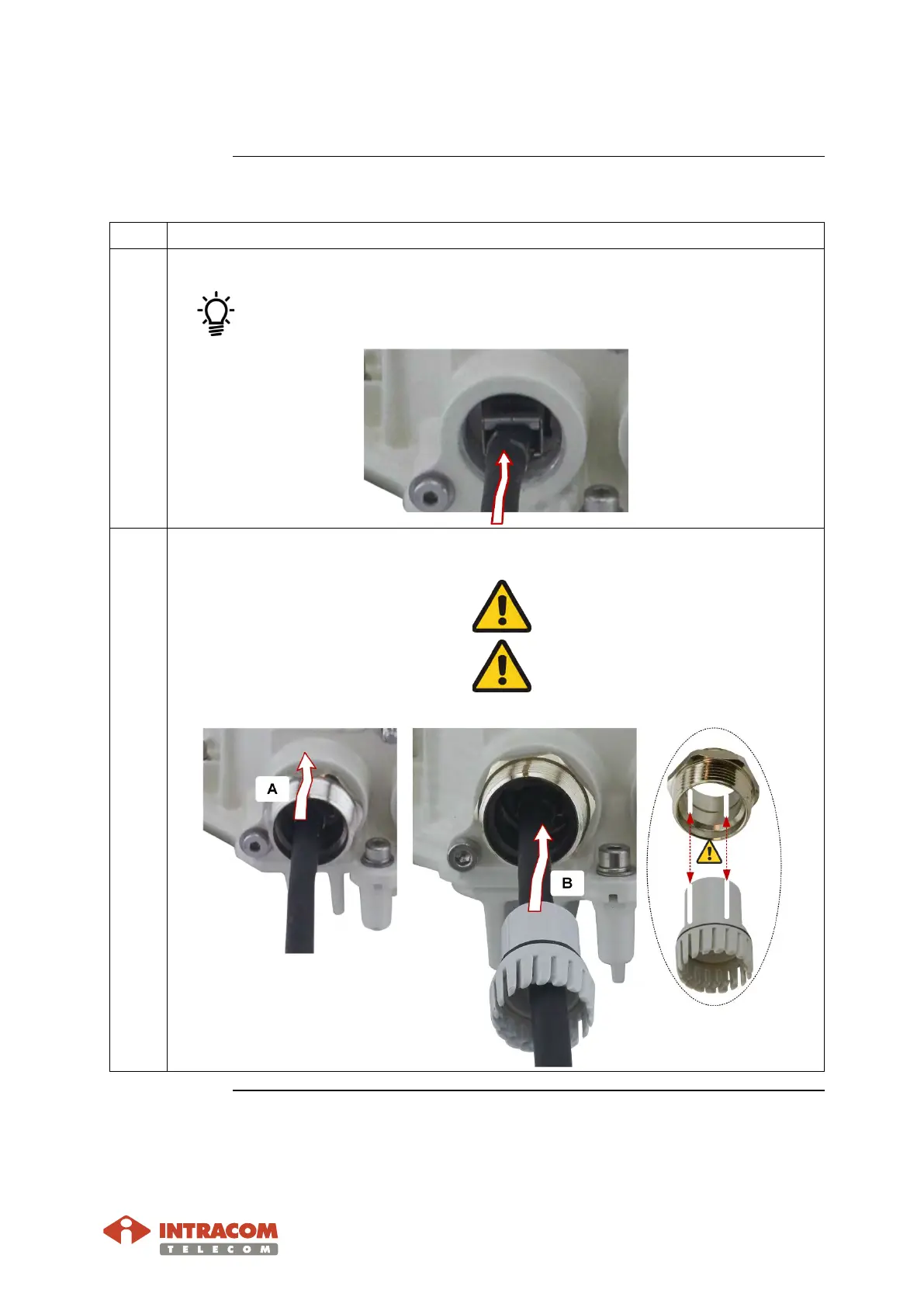
Plug the RJ-45 jack into the GbE2 port of the OSDR.
Listen for a “click” when inserting. This verifies that the jack has been
inserted properly.
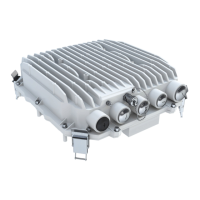
5 Perform the following actions:
A:
Screw the body into the OSDR
thread.
Do not over tighten. Adjust the
tool for max tightening torque
7 Nm.
B:
Insert claw into the body
(taking into account the
caution).
Align the designated points.
Misaligning of parts will cause
damage.
Continued on next page


 To Next Page