4. Installation Procedures
84
Radio Unit Optical Cable (Optional), Continued
Procedure,
continued
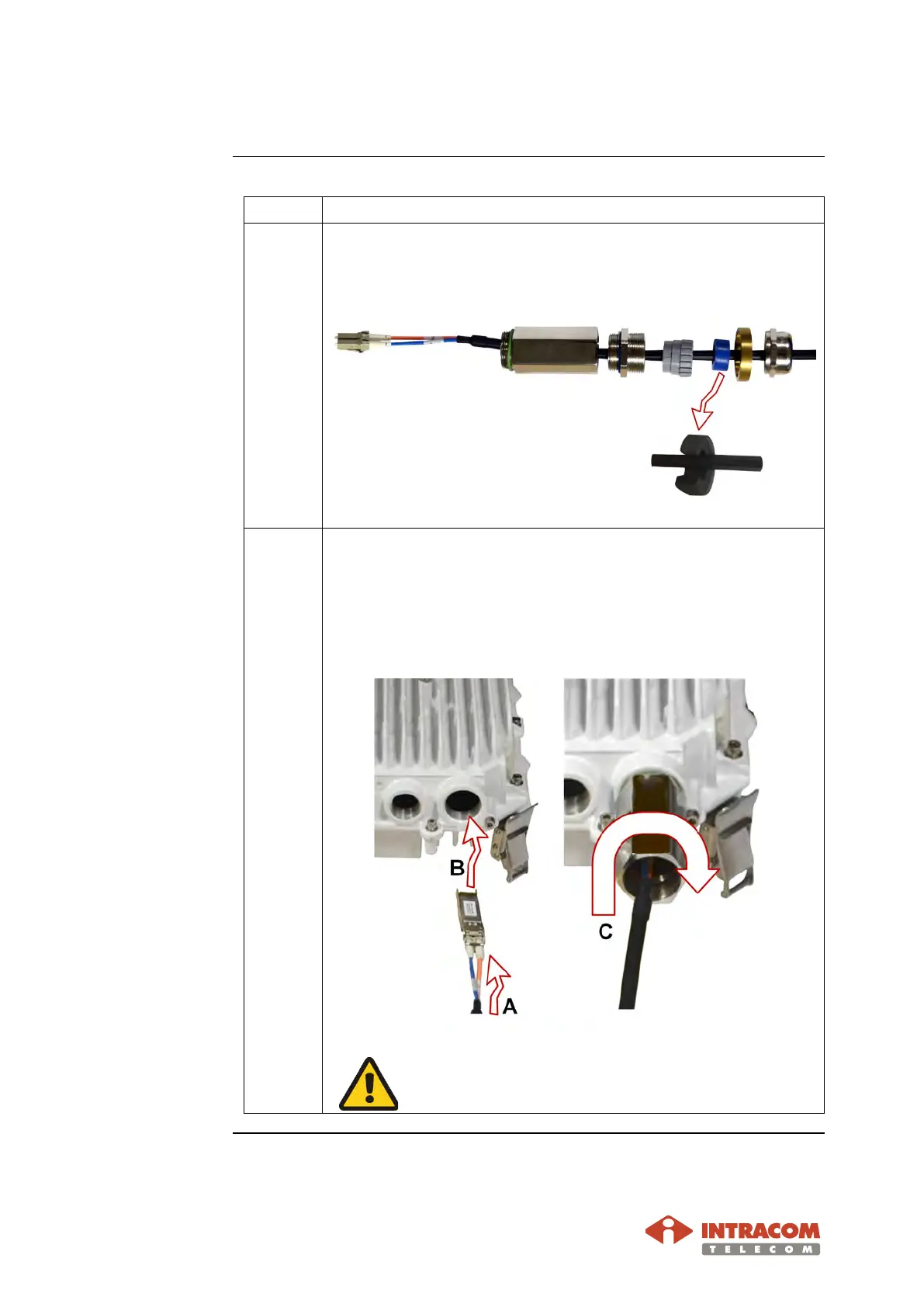
3 Pass the cable through the parts of gland, as shown below.
The seal shown below is split-type for easy installation and
removal.
4 Perform the following actions:
A:
Install the fiber optic cable into the SFP module.
B:
Plug the SFP module into the OSDR SFP cage.
C:
Install the body extension.
Do not over tighten. Adjust the tool for max tightening
torque 10 Nm.
Continued on next page


 To Next Page