4. Installation Procedures
86
Radio Unit Optical Cable (Optional), Continued
Procedure, continued
Step Action
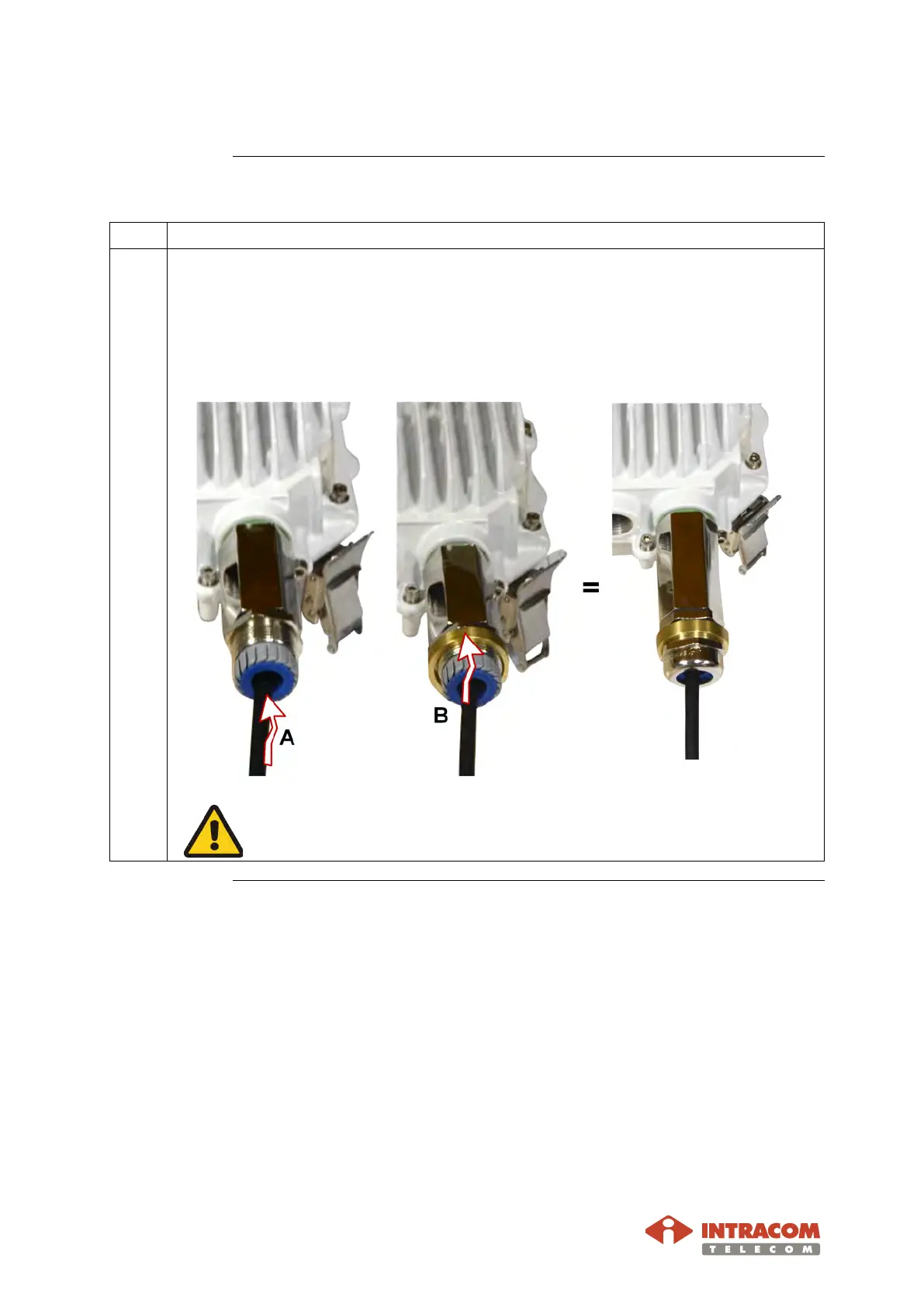
6 Perform the following actions:
A: Insert the seal into “pressure fingers” of claw.
B: Insert the O-ring.
Screw the sealing nut. Use the adjustable torque U-wrench to fully tighten.
The ring protects from overtightening.
Continued on next page


 To Next Page