Easy Start Guide
14. How to reset the Inverter to Factory Defaults
Page 14
All content, including but not limited to graphics, text and procedures copyright The Inverter
Drive Supermarket and must not be reproduced or altered without prior written permission.
©
This guide has been produced by The Inverter Drive Supermarket Ltd.
Note: see section 6 to learn how to set a parameter
value.
If access to “extended” parameters (P-15 to P-50) is
required, set P-14 to 101. For “advanced” parameters (P-
15 to P-60) set P-14 to 201.
Parameters above P-14 will not be visible once a factory
reset has been completed.
14.3 Enable Extended or Advanced Parameters (optional)
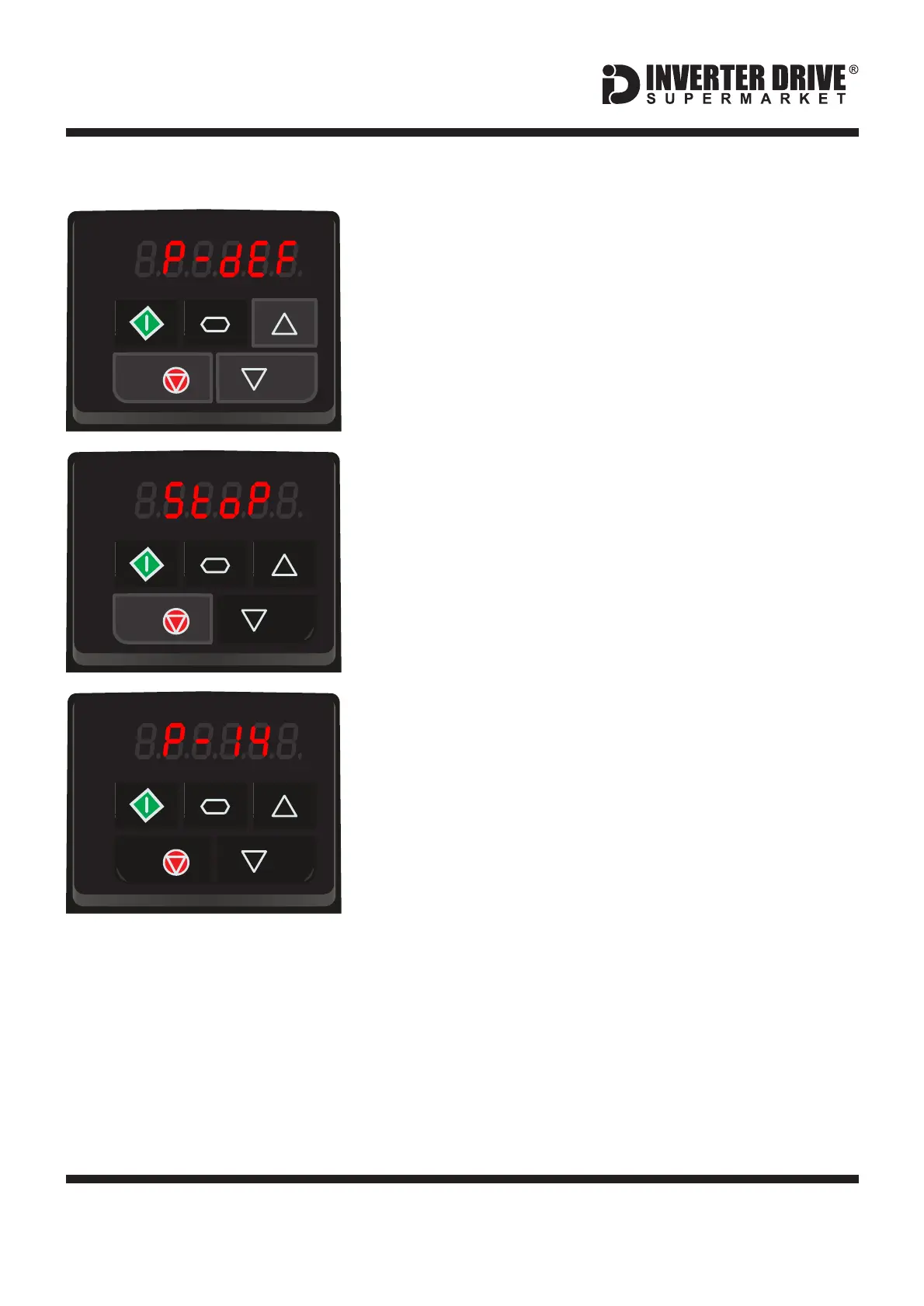
14.1 Three Button Reset
To reset all parameters to their factory default values,
press and hold the up, down and stop keys together for
approx. 2 seconds.
The display will show “P-dEF” to indicate “Parameter
Defaults”.
The display will show “StoP” indicating that the process is
complete.
14.2 Confirm the Reset
Press the red stop key to confirm the reset.
Invertek Optidrive E3 Inverter (IP20, 3ph output)



 To Previous Page