FALCO Instrument User Manual V1.2R
Unrivalled Gas Detection. Page 17 of 46 ionscience.com
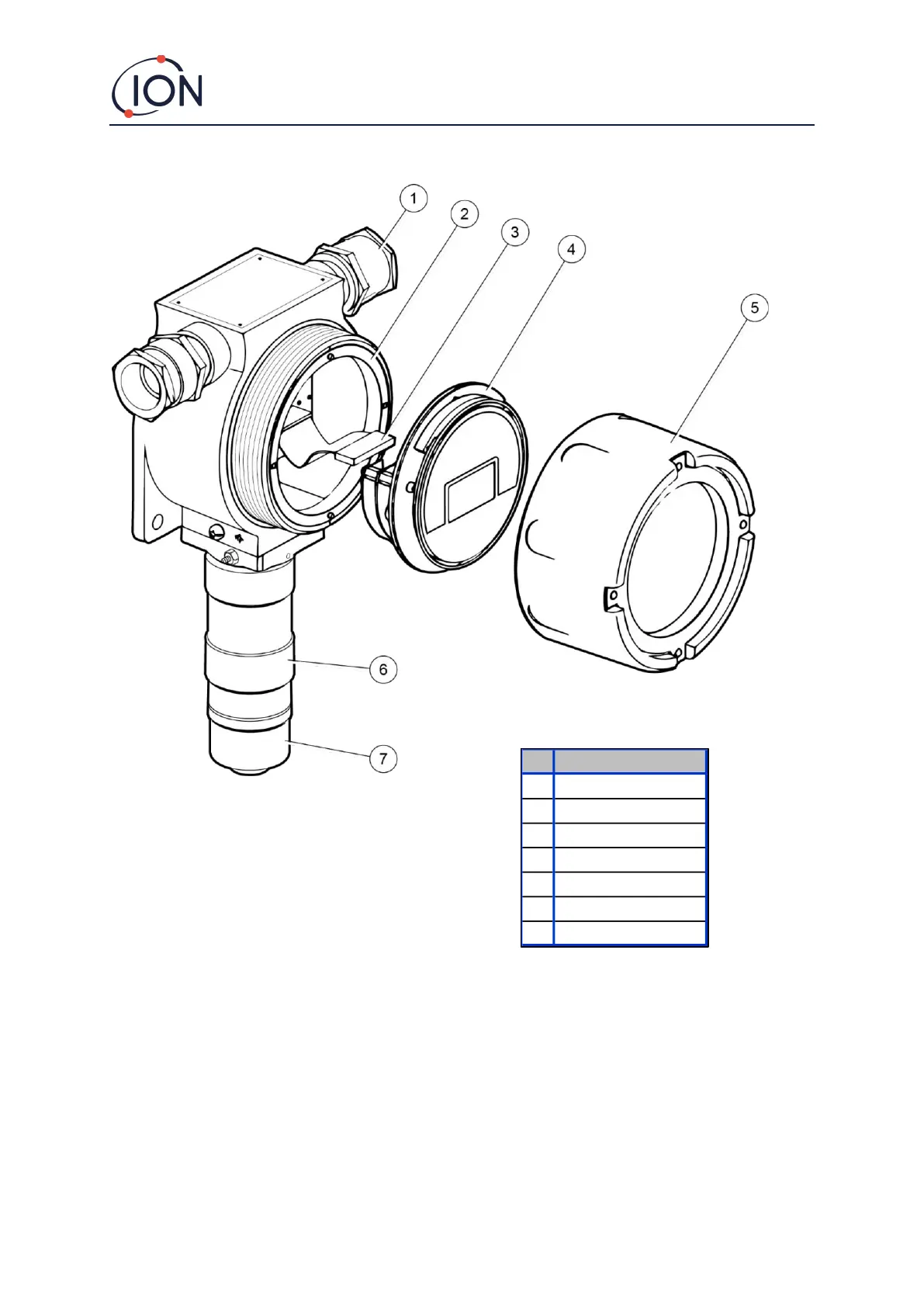
To Install the Housing Module
To install the FALCO as a complete assembly
1. Use two M8 screws to install the FALCO as a complete unit (Main Unit and Sensor Housing together) on a
solid, stable support.
2. After you install the FALCO, unscrew and remove the Front Cover. Unbolt the three bolts holding the
control module (4) from the ExD Housing Module (2). Disconnect the Control Module from its Ribbon
Connector to get access to the terminal blocks.
3. Feed the cables through the glands (1) and make the connections to the terminal blocks as you require.
Refer to Configurations of the current loop, on the following pages.
4. Seal the cables in the cable glands.



 To Next Page