FALCO Instrument User Manual V1.2R
Unrivalled Gas Detection. Page 29 of 46 ionscience.com
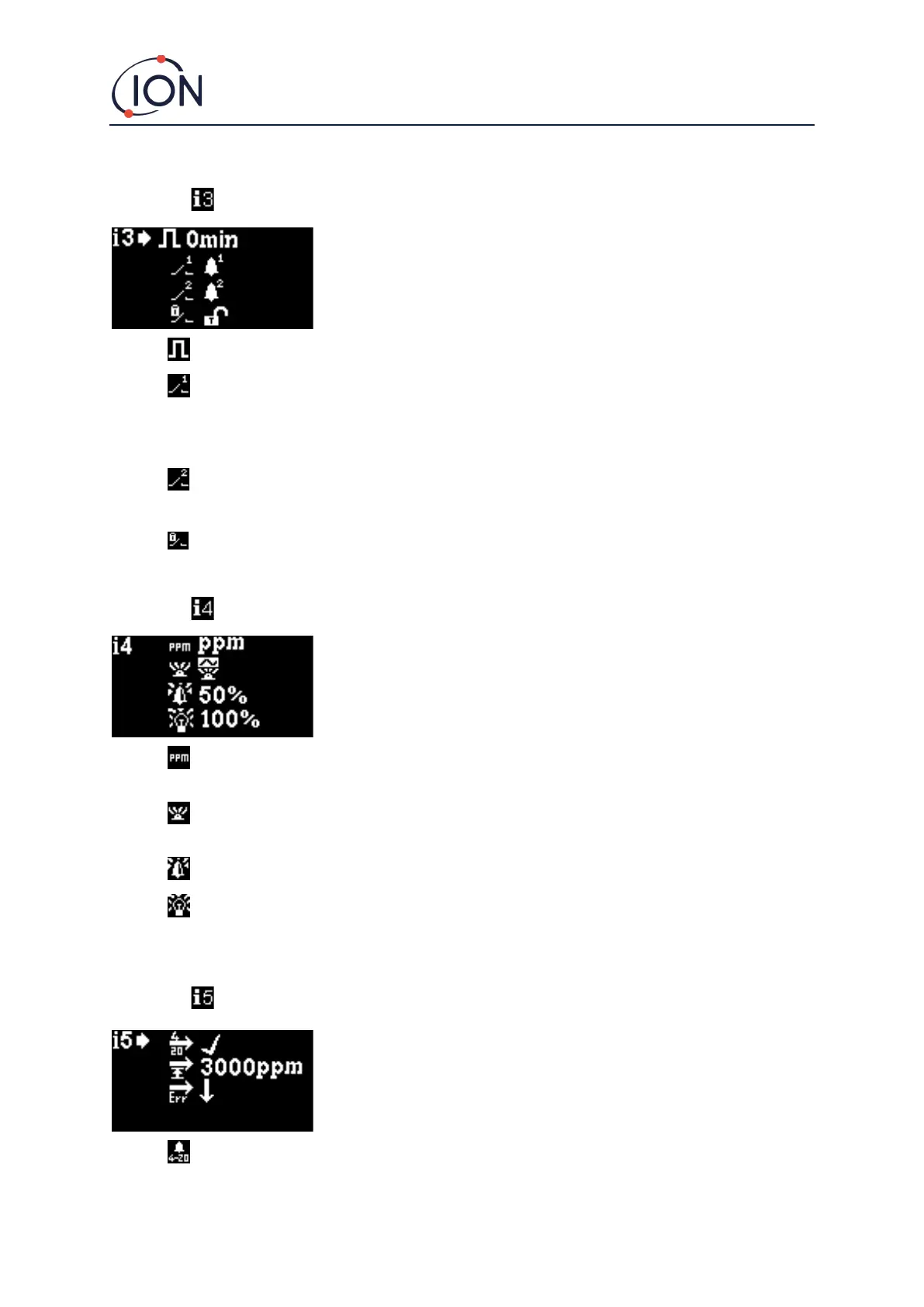
Menu i3
Measurement Cycle: This allows you to change the time between updating outputs.
Relay 1 output: The instrument has two relay outputs, both of which can be triggered by a
condition selected by the user. The condition that triggers Relay 1 is selected via the Relay 1
output option. A symbol representing the currently selected trigger condition is displayed
(see the Relay section for more information).
Relay 2 output: See above.
Relay NO/NC: Configures the relays for normally open (NO) or normally closed (NC)
Menu i4
Detection units: Used to change the detection units from the default of ppm to mg/m
3
. The
current units are displayed.
PID status light mode: Used to switch the status light between steady illumination and slow
pulsing when alarming. The current setting is indicated by a symbol.
Alarm brightness: Used to set the brightness of the status light during alarm conditions.
Status Light brightness: Used to set the brightness of the status light during normal
operation.
Menu i5
4-20 mA Enable/Disable: Used to set the 4 mA to 20 mA output to be active or inactive, as
indicated by a tick or a cross.



 To Next Page