FALCO Instrument User Manual V1.2R
Unrivalled Gas Detection. Page 25 of 46 ionscience.com
Flashing red indicates Alarm 2 has been triggered, i.e. the measured level of VOC is
above the alarm threshold.
Also displayed during the start-up routine.
INFORMATION
The % brightness of the LEDs during normal operation and when alarms are being triggered is
configurable.
There are separate settings for both conditions.
Start-Up Routine
When power is applied, the Status Light goes yellow.
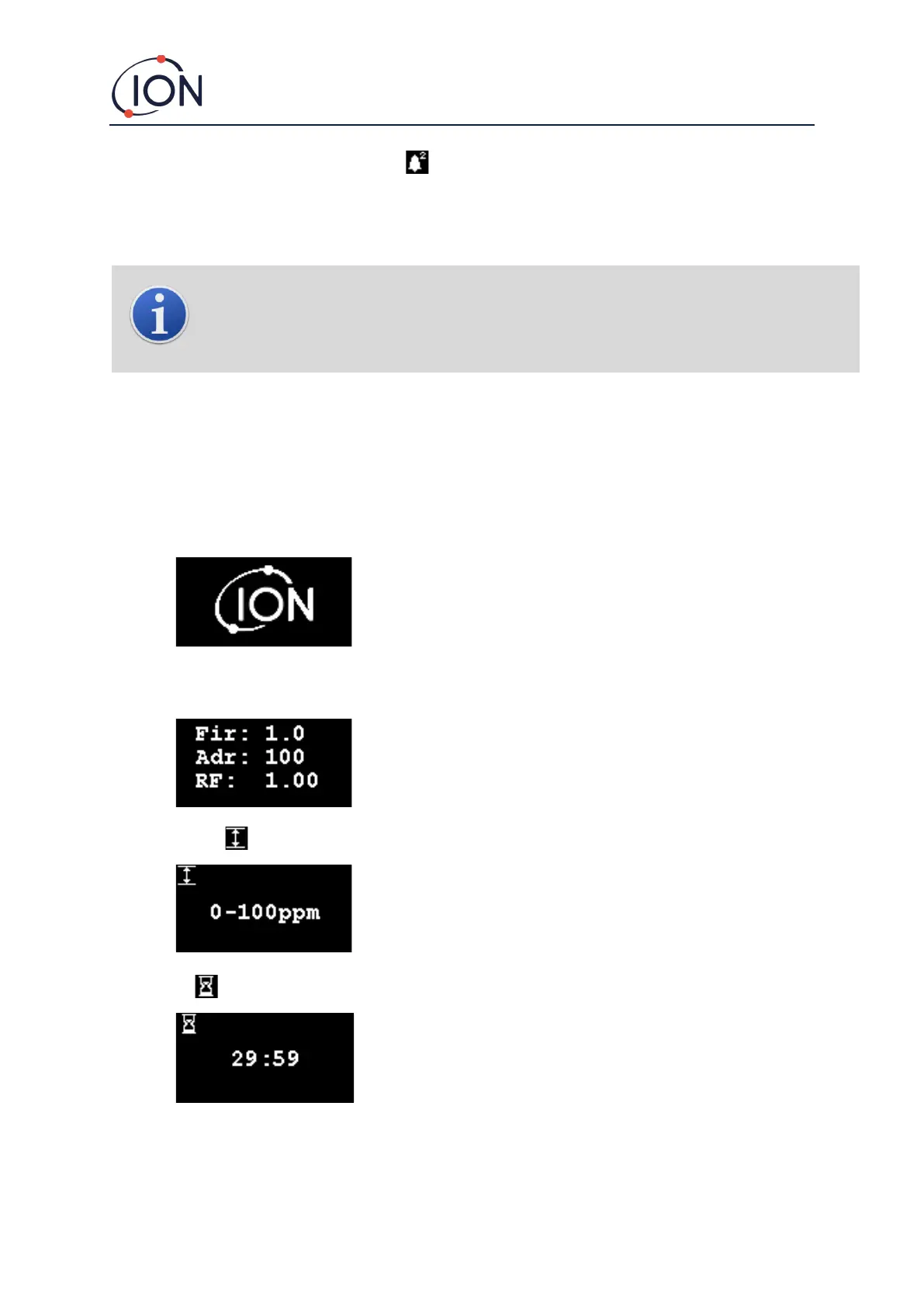
The FALCO will then display the following screens, in this order:
Logo Screen
After the power is turned on, the FALCO displays the 'Ion Science' logo for 3
seconds and the status light is green.
Info screen 1 then appears for 3 seconds. It displays the following:
Fir - Firmware version
Adr - Modbus address
RF - Response factor
The status light goes amber.
The Info screen 2 then appears for 3 seconds showing the measurement
range. The status light goes red.
The warm up screen then appears and the screen shows the 30 minute
countdown. The status light goes green.



 To Next Page