FALCO Instrument User Manual V1.2R
Unrivalled Gas Detection. Page 28 of 46 ionscience.com
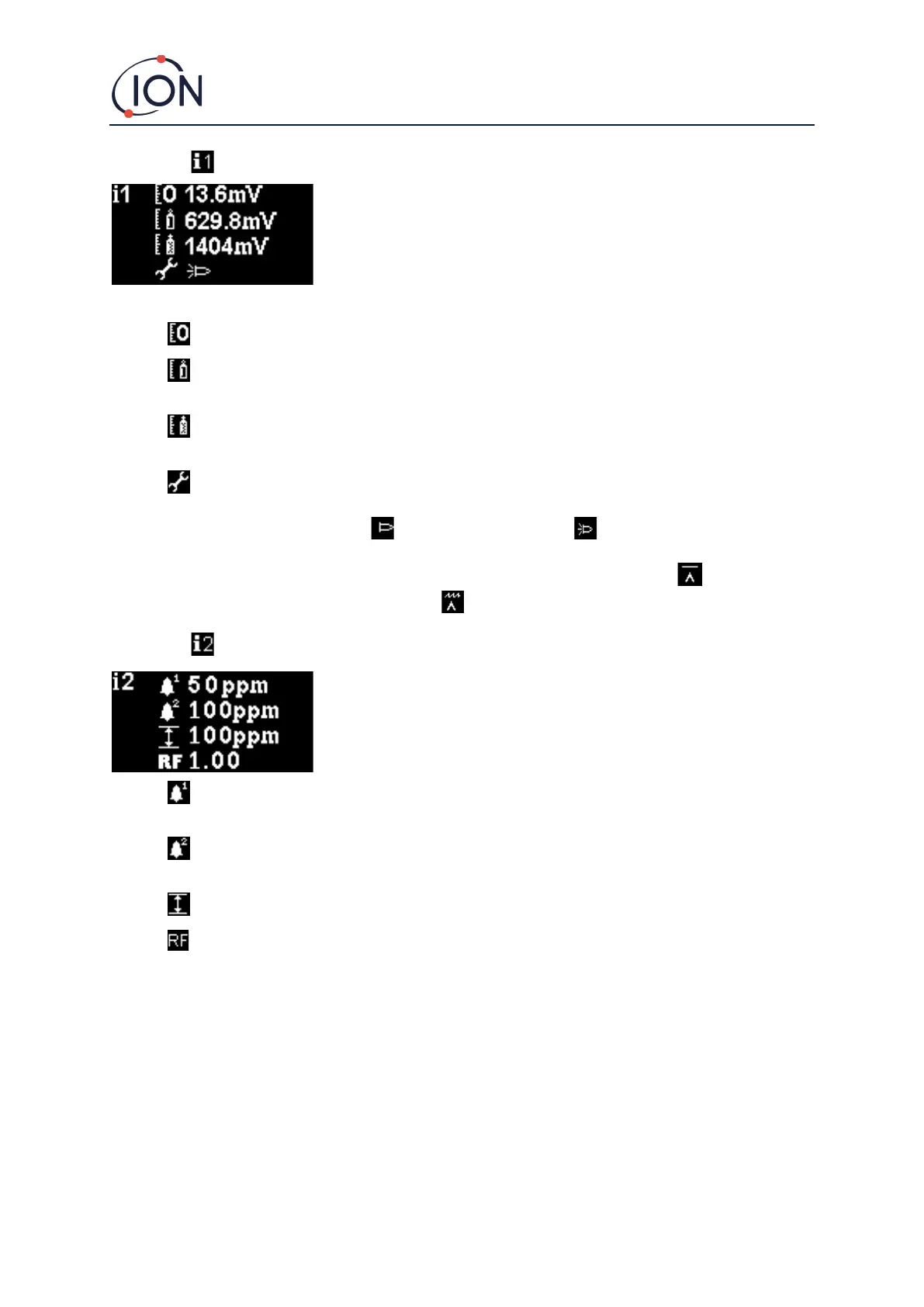
Menu i1
This menu displays following options, along with their current settings:
Zero: Used to set the Zero gas calibration level. The currently set level (in mV) is displayed.
Span 1: Used to set the Span 1 gas calibration level. The currently set level (in mV) is
displayed.
Span 2: Used to set the Span 2 gas calibration level. The currently set level (in mV) is
displayed.
Service / Test mode: Used to switch to the MiniPID sensor in and out of servicing mode.
When service mode is selected the power to the MiniPID is turned off. The current setting is
indicated by a symbol. indicates the MiniPID is off, indicates the MiniPID is on. From
here you can also put the Falco into test mode. This means the Falco will simulate its output
behaviours. To configure the Falco to display a fixed output level, select . To set the Falco
to output a sawtooth wave, select .
Menu i2
Alarm level 1: Used to set the ppm level at which Alarm 1 is triggered. The current level is
displayed.
Alarm level 2: Used to set the ppm level at which Alarm 2 is triggered. The current level is
displayed.
Measurement range: Used to view the detection range of the instrument.
Response factor: Used to set the response factor appropriate for the gas to be detected.
The current factor is displayed.



 To Next Page