FALCO Instrument User Manual V1.2R
Unrivalled Gas Detection. Page 26 of 46 ionscience.com
INFORMATION
After switch-on the instrument should be allowed to acclimatise for 30 minutes before working in its
‘Normal running mode’.
The warm-up time can be skipped by pressing the Enter key.
Normal Running Mode Screen
The screen then appears continuously and shows the PID reading and units. The Status Light colour depends
on the status.
INFORMATION
The hour glass symbol will appear on the screen for the remaining ‘warm-up’ time if it has been
skipped. The brightness of the display will also slowly pulsate to indicate that the warm up period has
been skipped.
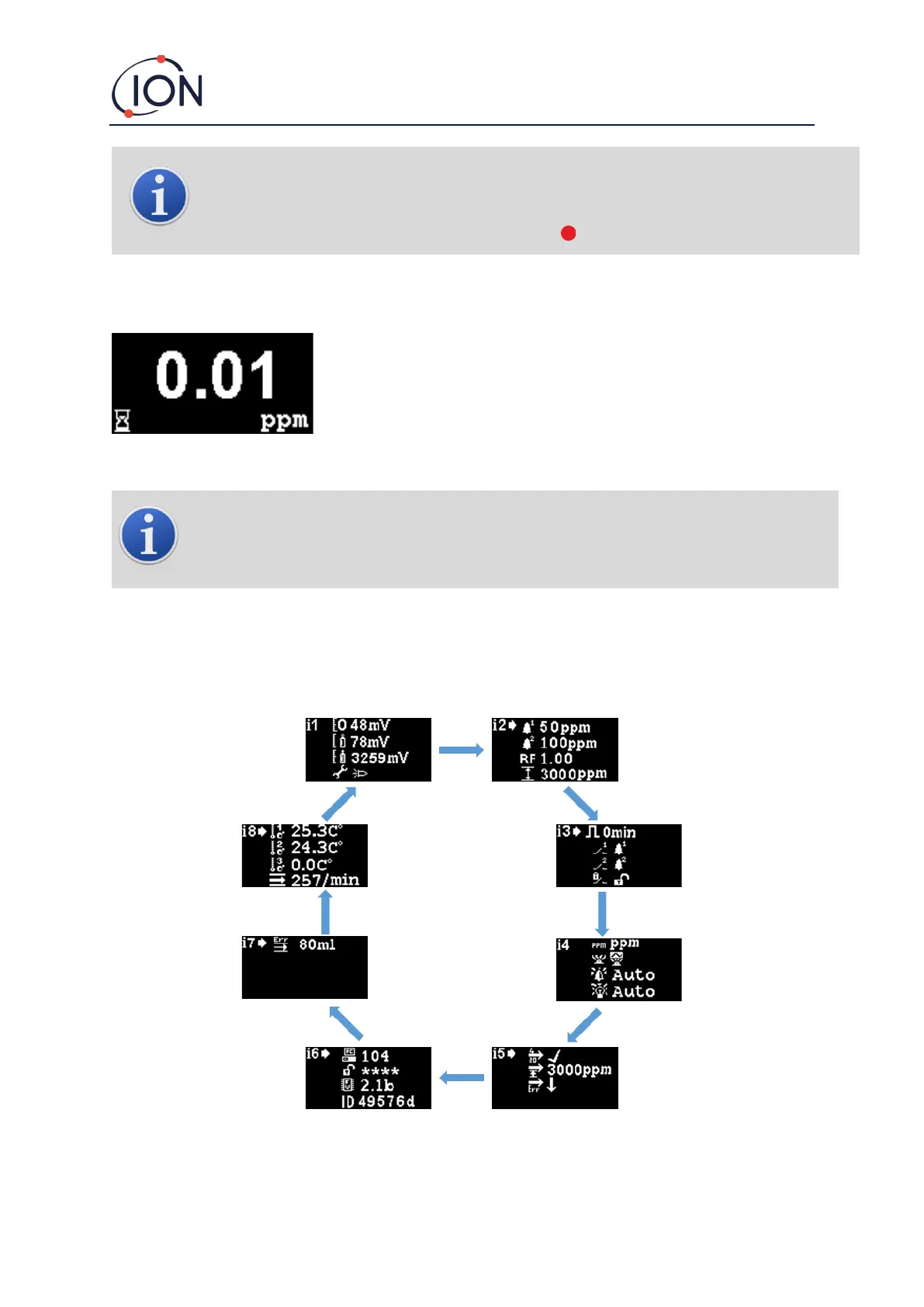
Software Screens
There are eight menus: i1, i2, i3, i4, i5, i6, i7 and i8
Software Flow Chart



 To Next Page