FALCO Instrument User Manual V1.2R
Unrivalled Gas Detection. Page 44 of 46 ionscience.com
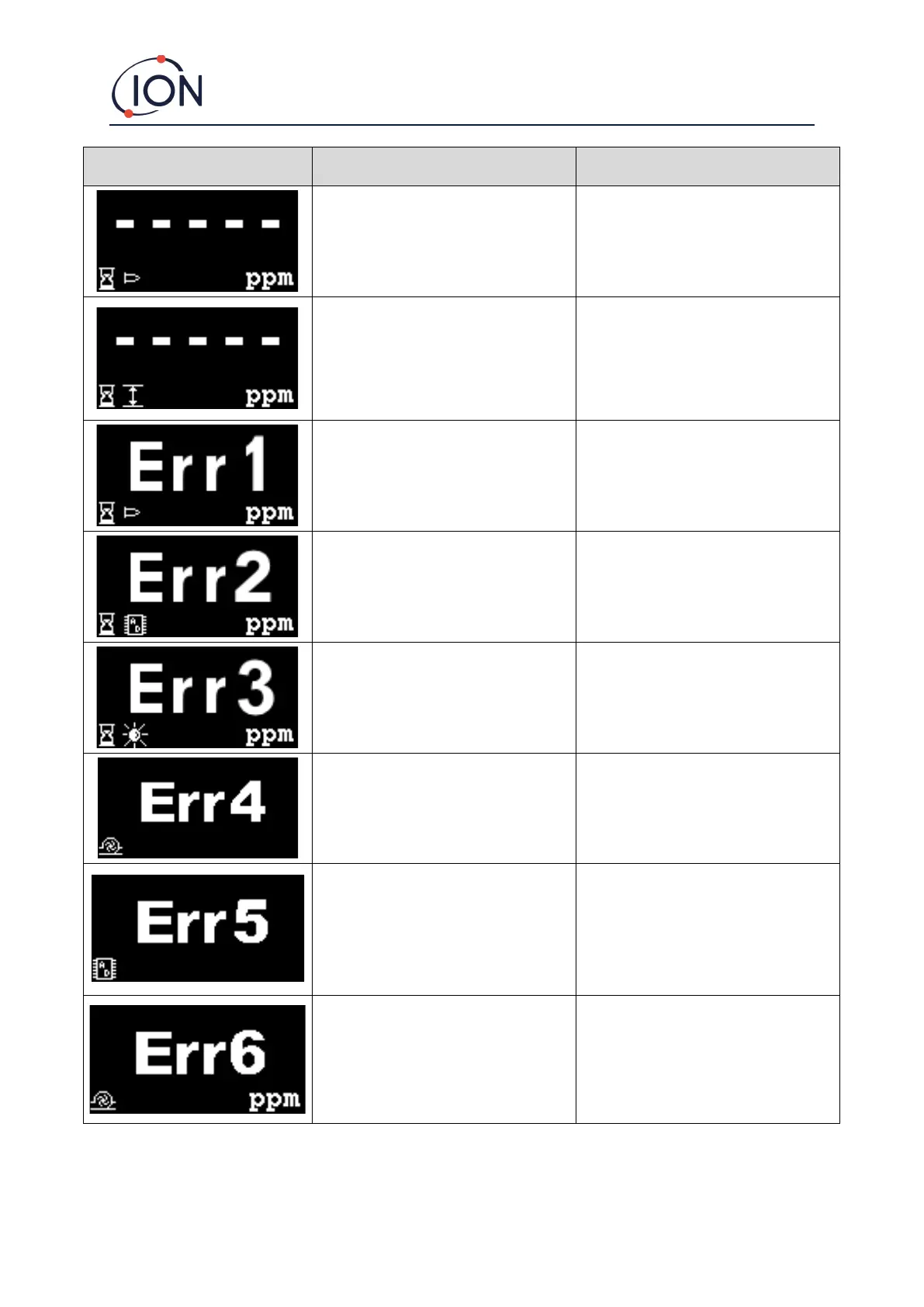
If the user has exited the initial 30
minute warm up phase, this screen will
be displayed for 7 seconds until the
lamp has struck.
Wait until the lamp has struck and the
instrument displays a reading. If the
lamp does not strike replace it.
The present gas concentration has
‘over-ranged’ the instrument. The
instrument can’t display readings
greater than 19999 (3000ppm) or
1999.9 (1000ppm) or 199.99 (50ppm) or
19.999 (10ppm).
Wait until gas concentration returns to
lower levels and the instrument reading
reappears.
The lamp is not lit during a
measurement cycle or PID is not
installed.
Replace Lamp or insert PID
The analogue to digital converter has
stopped working.
If error 3 occurs, the Falco’s lamp hasn’t
struck.
Make sure the Sensor Cover is screwed
on correctly.. Replace lamp if error
persists.
Check the sample line for blockages. Also
check the hydrophobic filter for a large
ingress of water. If the filter has water
in, eliminate the source of the water
(where possible) and replace the filter.
Analogue to digital converter has
stopped working.
Check the sample line for blockages. Also
check the hydrophobic filter for a large
ingress of water. If the filter has water
in, eliminate the source of the water
(where possible) and replace the filter.



 To Next Page