IPCAM User Manual
10 / 67
2.4 Hardware Instruction
Follow the steps below to set up your camera hardware. Make sure to follow each step
carefully to ensure
that the camera operates properly.
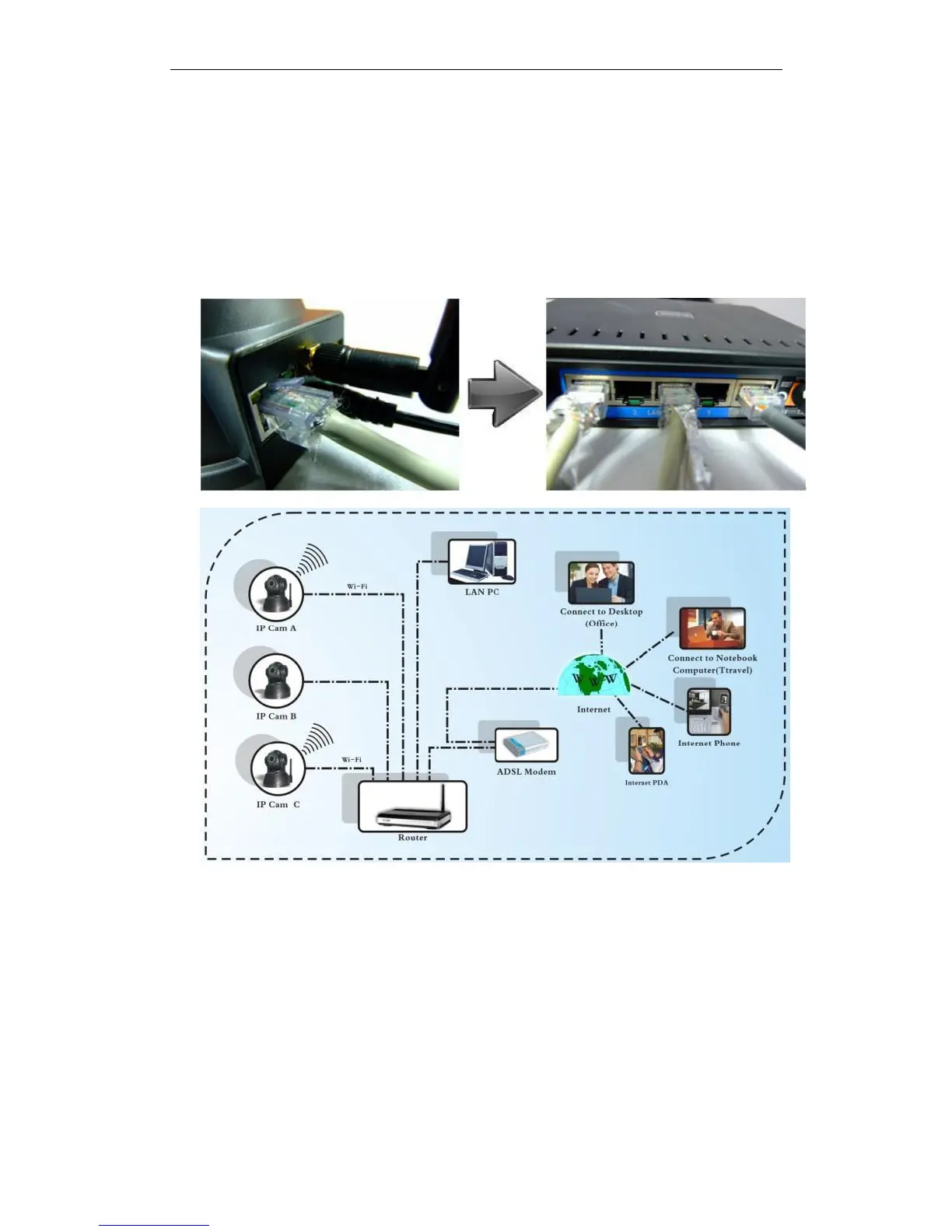
1) Plug the network cable into the camera and then into your Cable/DSL router.
2) Plug the power adapter into the camera and then into the power outlet.
Figure 1.4
CAUTION: Make sure to only use the power adapter supplied with IPCAM. Using a
non-approved power adapter may damage the camera.
3) The camera takes approximately 30 seconds to start up before it displays an IP
address on the IP Camera Tool(details: 3.1).
4) When the camera is powered and network cable plug correctly.It‟s head will turn
around and the Network Indicator LED is blank.


 To Next Page