IPCAM User Manual
8 / 67
2.2 Product views
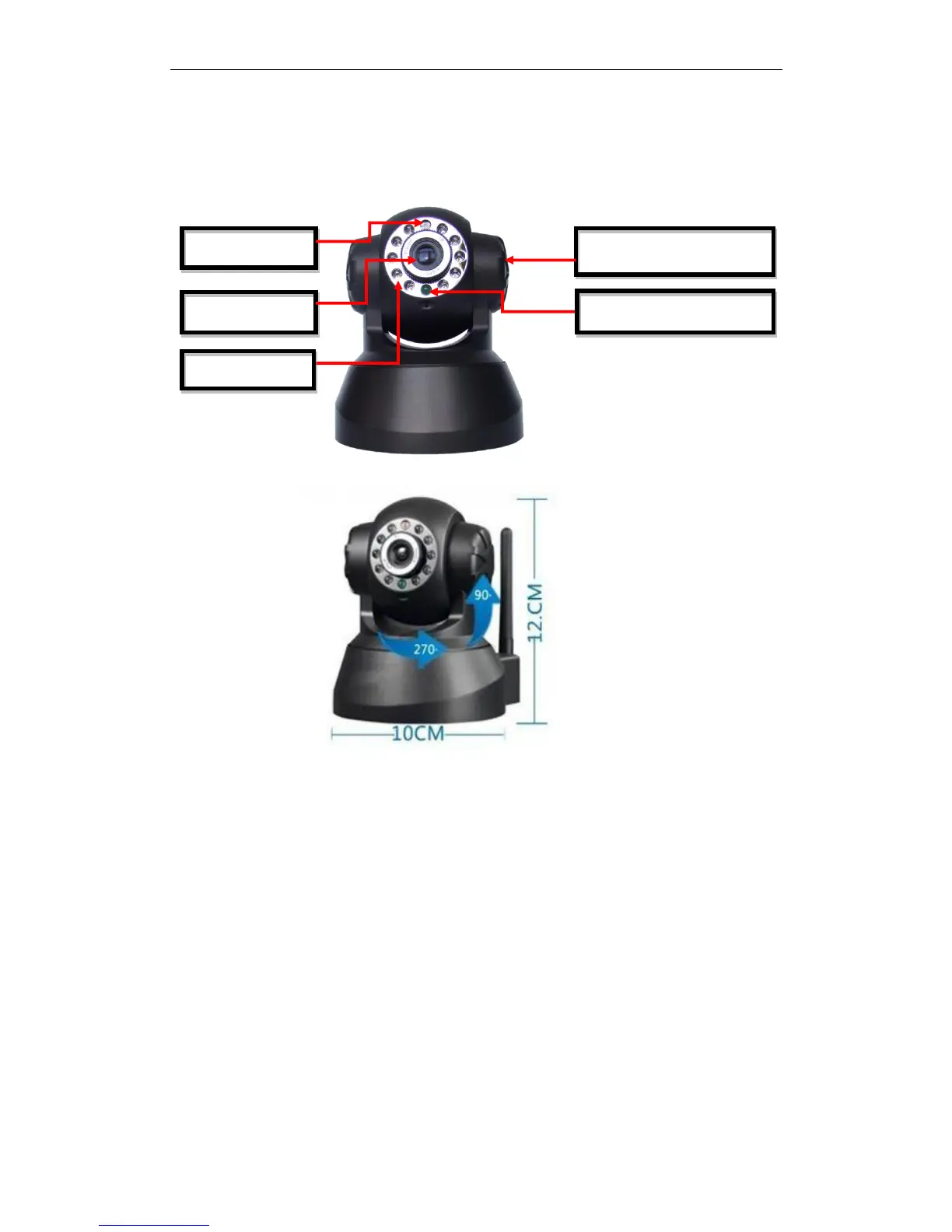
2.2.1 Front views
Figure 1.1
1. Sensitive Hole: According to outside of light decide whether open infrared LED
2. Infrared LED
3. Network Indicator LED
Network Indicator LED’s three conditions:
1) Slow blink(about every two seconds once),IPCAM is searching network
2) Blink (about once or twice per second),IPCAM is using wired network
3) Fast blink(about three or four times per second),IPCAM is using wireless
network
4. Lens :CMOS Sensor .You can turn around the lens manually to adjust the focus
range
5. Build-in Microphone
Warning: please don't forcibly manual translation/lifting cameras, because it is
likely that damaged internal component!:
Build-in Microphone


 To Next Page