IPCAM User Manual
16 / 67
Port: LAN port assigned for the equipment, usually 80
User & Password : Default administrator username/password: admin/No password
Enable Using DHCP the system will assign a reasonable IP address for your equipment
only if your gateway supports DHCP (It is the case with most gateways).
DHCP checkbox: if checked, the device will obtain IP from DHCP server (To be make
sure the Router which the device connect with has DHCP function).
NOTE: when the prompt ”subnet doesn‟t match, double click to change!”, please set the
IP Camera IP address once again.
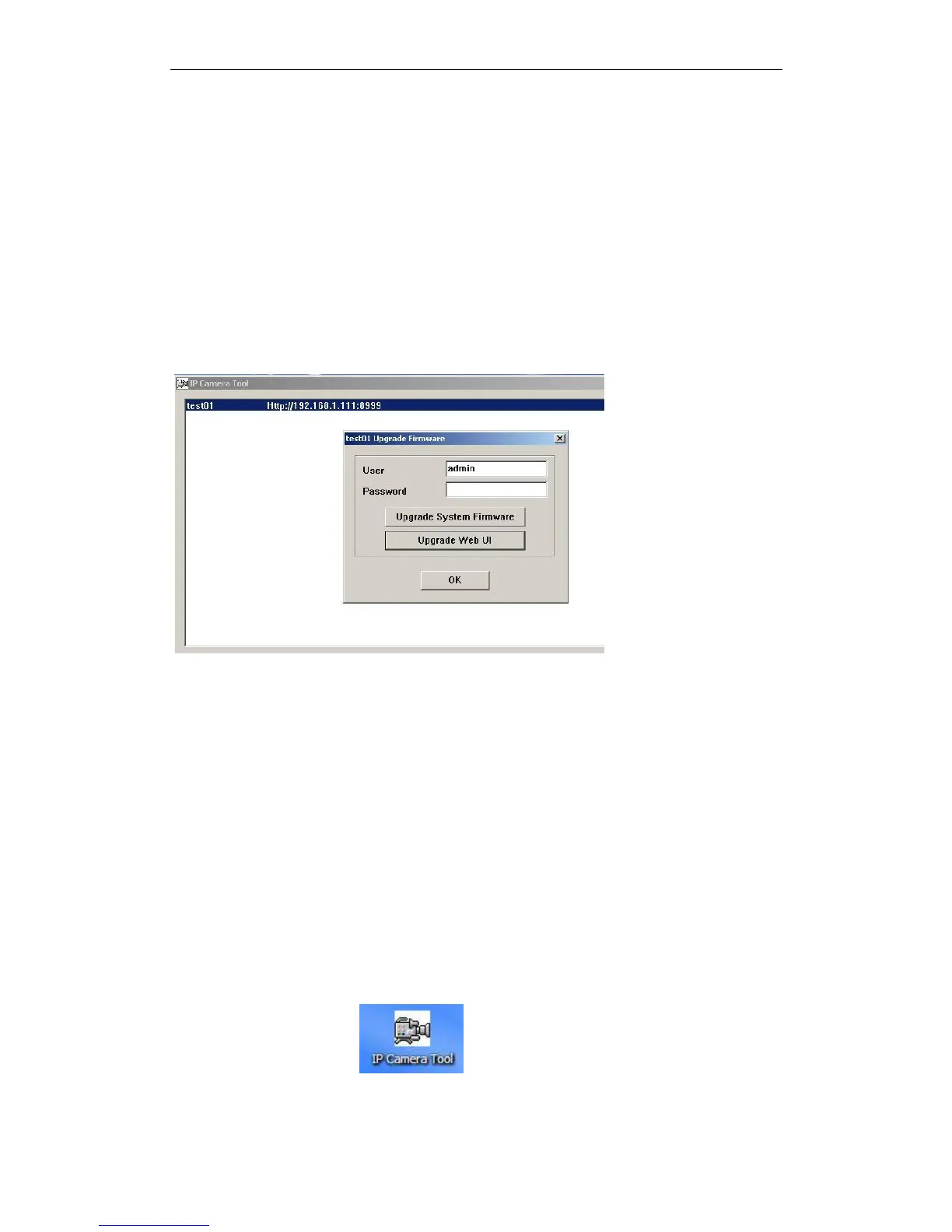
Upgrade Firmware
Enter the correct User and Password to upgrade system Firmware and Web UI.
Figure 2.4
Refresh Camera List
Refresh camera list manually.
Flush Arp Buffer
When cable network and wireless network of the device both are fixed IP address. There
is a problem you may encounter is can search the camera IP but can‟t open the camera
web page.you may try to use flush arp buffer.
3.2 Camera Login
You can access the camera :
1.through IP Camera Tool or IE directly.
Double click the IP address of the IP Camera listed(Figure 2.0).IE will be opened


 To Next Page