IPCAM User Manual
44 / 67
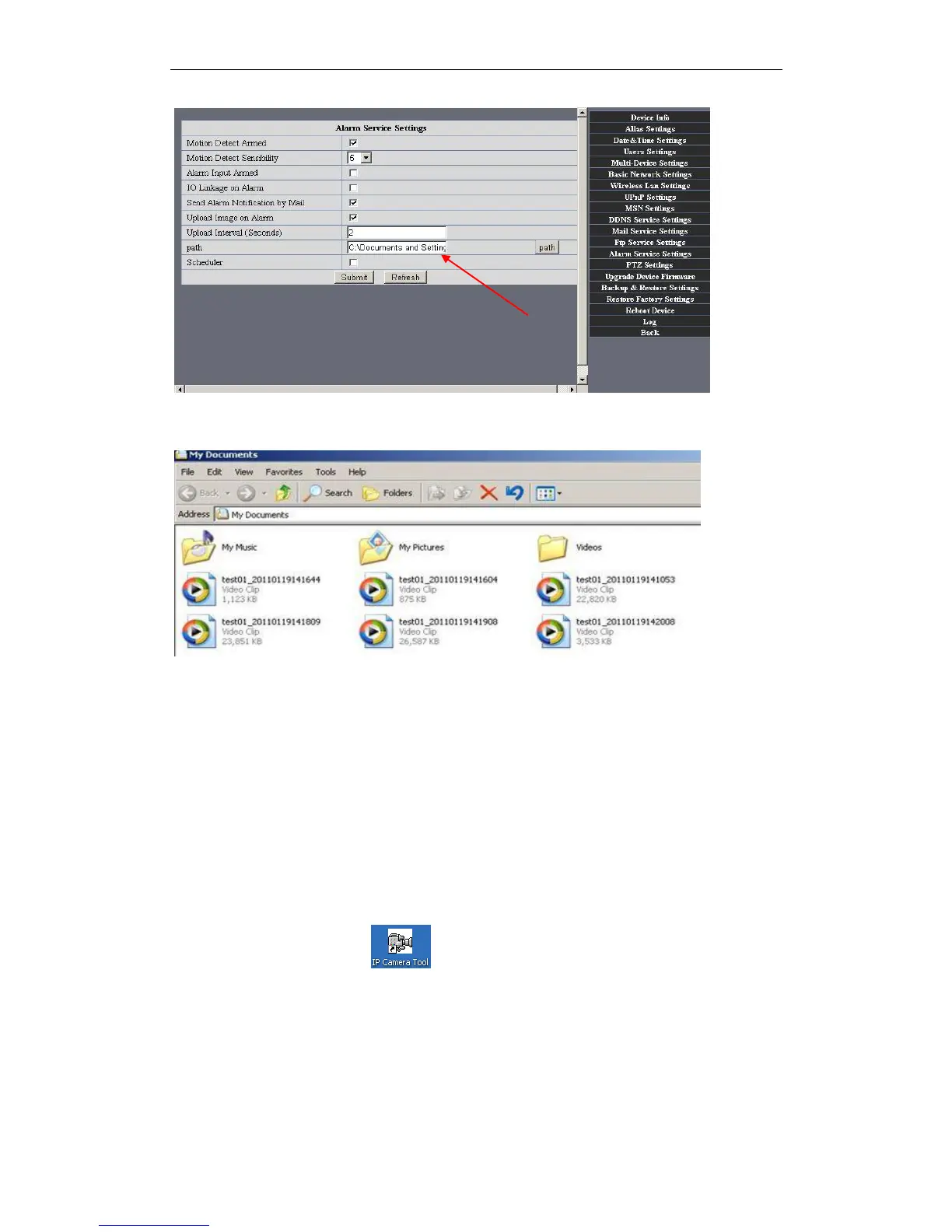
Figure7.3
REC save to pc‟s position
Figure7.4
4 HOW TO USE
4.1 Step by step to use
Follow the instructions below to get started after the Camera has been mounted
properly.When the IP camera powered on, it will rotate itself and stop to the center.
1) Use Network cable connect IP Camera to LAN.
2) Enter IP Camera Tool to set the basic configuration.(details: 3.1)
3) When IP address of the Camera listed in the Result Field of the IP Camera Tool, it
means the basic configuration is completed.
4) set the safety property of IE in the PC when you view it first time.(details: 5.1.3 )
5) Camera login(details:3.2)
6) Now you can use the IP Camera as Visitor, Operator or Administration in the LAN.


 To Next Page