IPCAM User Manual
26 / 67
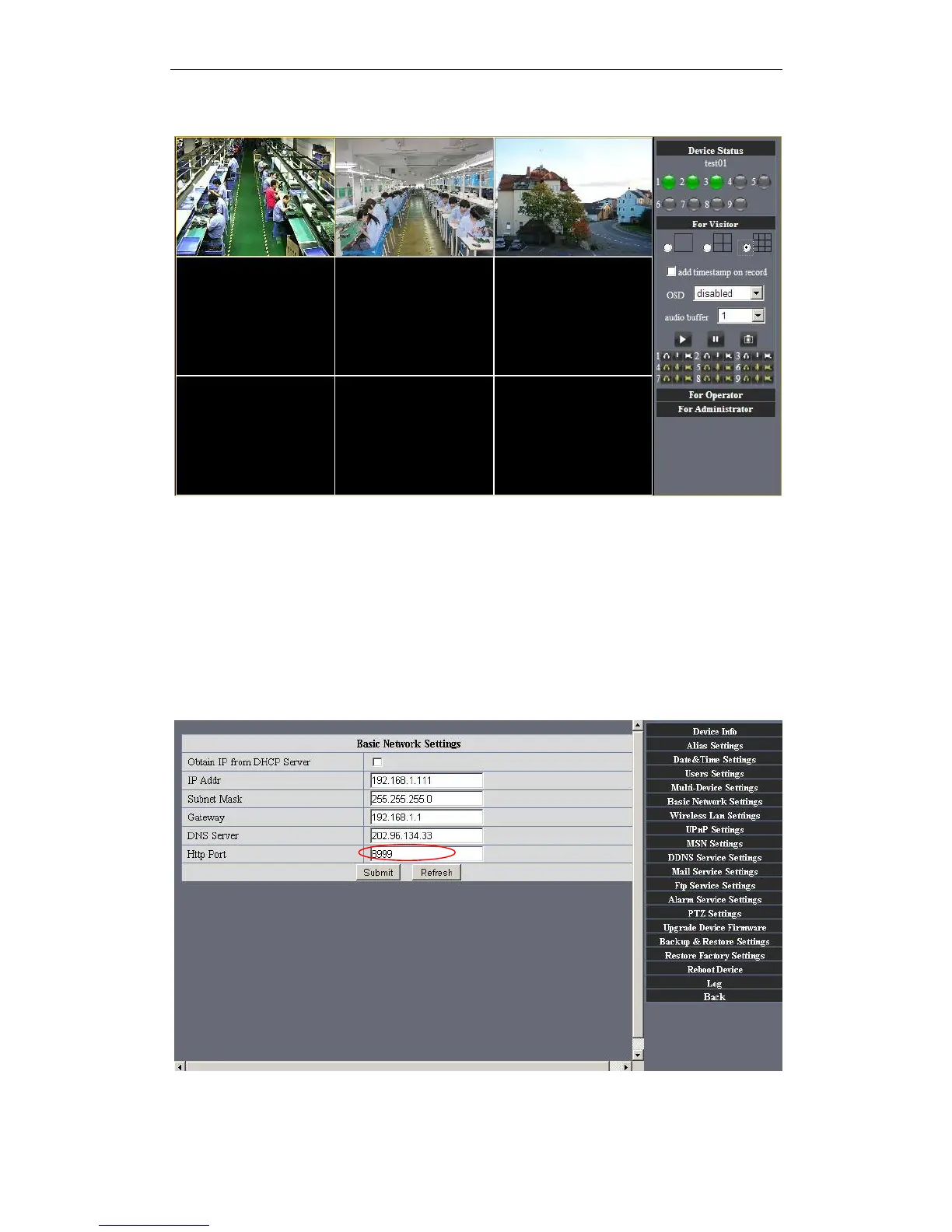
Figure3.9
Figure4.0
3.5.2 Network Settings
Basic Network Settings
If the router that the IP camera connect has DHCP function, you can choice “Obain IP
from DHCP Server”else fill in the network parameters manually.
Http Port: In most cases, you can leave this value as 80, however, if your Internet
Service Provider blocks this port, you may switch to another port number such as 8999.


 To Next Page